All Blogs
A quick look at demo tools that can make product tours feel more useful.

Evan Marshall
Senior AI Growth Strategist
Published On

You've seen the "Take a Product Tour" CTA, right?
It's everywhere now — and for good reason. B2B buyers complete roughly 70% of their purchase journey before they speak to a single salesperson. They arrive informed, opinionated, and in 81% of cases, already carrying a preferred vendor in their head before they make first contact. The demo isn't a top-of-funnel nicety anymore. For most buyers, it's where the shortlist gets made.
Which means the five minutes a visitor spends watching your product tour might be the most commercially significant five minutes they spend on your site. They're not browsing. They're deciding.
The seven tools below are the best at building that tour — ranked by use case, price, and features. This article is also about what happens when the tour works, and nobody's there to meet them.
Before the list: Know which problem needs solving
Interactive demo tools get lumped into one category. They're not. There are three meaningfully different use cases, and buying the wrong one for the wrong job is the most common mistake in this category.
Top-of-funnel marketing demos live on your website, run in ads, and exist to create qualified interest without a rep involved. The goal is self-education and a CTA click. Speed of build and ease of embed matter more than fidelity. Tools built for this: Navattic, Storylane, Arcade.
Sales enablement demos are used by AEs during or before discovery calls, left behind after meetings, or sent in outreach sequences. The goal is personalisation — this demo feels like it was built for this specific prospect. Rep self-service and CRM integration matter more than anything else. Tools built for this: Walnut, Reprise.
Multi-stakeholder and evaluation-stage demos solve a different problem entirely: the champion who loved your demo needs to get five other people to care without scheduling five more calls. Stakeholder tracking and async sharing matter more than click-through rates. Tools built for this: Consensus, Reprise.
Know which of these three you're building for before you read a single tool write-up. Most evaluation headaches in this category come from buying a marketing demo tool for a sales motion, or vice versa.
Our seven top picks for interactive demos
1. Navattic
Best top-of-funnel marketing demo for teams that want HTML fidelity without engineering
Pricing | Free: 1 HTML demo, 3 builder licences. Base: $600/month (unlimited seats and demos). Growth: $1,200/month (multi-team, SSO, dedicated CSM). |
Best for | Product marketers building website tours and campaign demos |
Requires | No engineering. A PMM who will actually own and maintain the demos. |
Navattic popularised the no-code HTML click-through tour and still does it as well as anyone. HTML capture quality is among the best in the marketing demo category. Their demos look and behave like the real product without touching engineering. The drag-and-drop builder supports branching paths and persona-specific flows, which means a single demo hub can serve multiple ICPs without building from scratch each time.
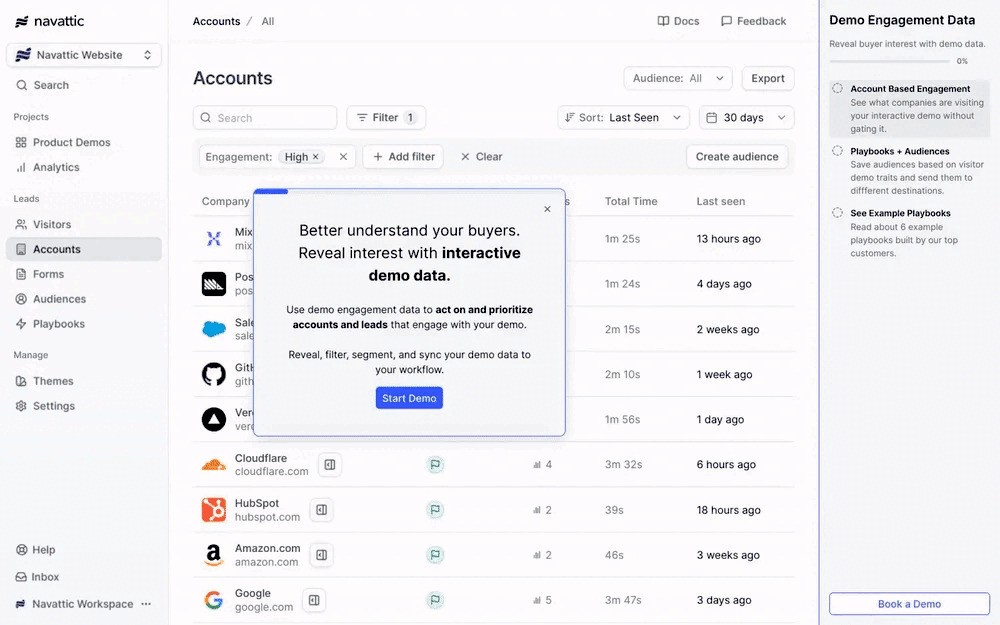
The account deanonymization feature — surfacing which companies are viewing demos without a form fill — is available earlier in their pricing tiers than most competitors. For a PMM trying to understand who's engaging with the website tour, that's a meaningful signal. The caveat: it's only useful if someone is watching the data and doing something with it. A lot of teams buy the feature and let it run without a workflow attached. The intent sits there. Nobody acts.
According to Navattic's 2025 State of the Interactive Product Demo report, top-performing demos saw a 68.7% increase in click-through rate and a 37.7% increase in engagement rate year over year — but only in the top 1% of demos. The gap between median and top performance is wide, and it's almost entirely explained by demo structure, not platform capability.
Where the platform falls short
Navattic is a marketing demo tool. It gets progressively weaker the further into a sales motion you push it. Reps using it for personalised live-call leave-behinds find the workflow clunky. Mobile rendering issues appear consistently in G2 reviews — worth flagging if your audience skews mobile.
2. Storylane
Best for teams that want speed, flexibility, and the highest ease-of-use score in the category
Pricing | Starter: $40/user/month (screenshot demos only — note the limitation). Growth: $100/user/month (HTML demos, personalisation, 2,500 deanonymised visitors). Premium: $500/month flat. |
Best for | GTM teams that want one tool for marketing and basic sales demos, fast |
Requires | Growth plan for anything beyond screenshot demos. Per-seat pricing that compounds quickly at team scale. |
Storylane has the highest customer satisfaction score in demo automation — 99/100 across over 1,000 G2 reviews, with 9.5/10 for ease of use. Someone built 7,000 demos on it for an SEO experiment. That's either a ringing endorsement of the platform's build speed or a cry for help, but either way, the number is real.
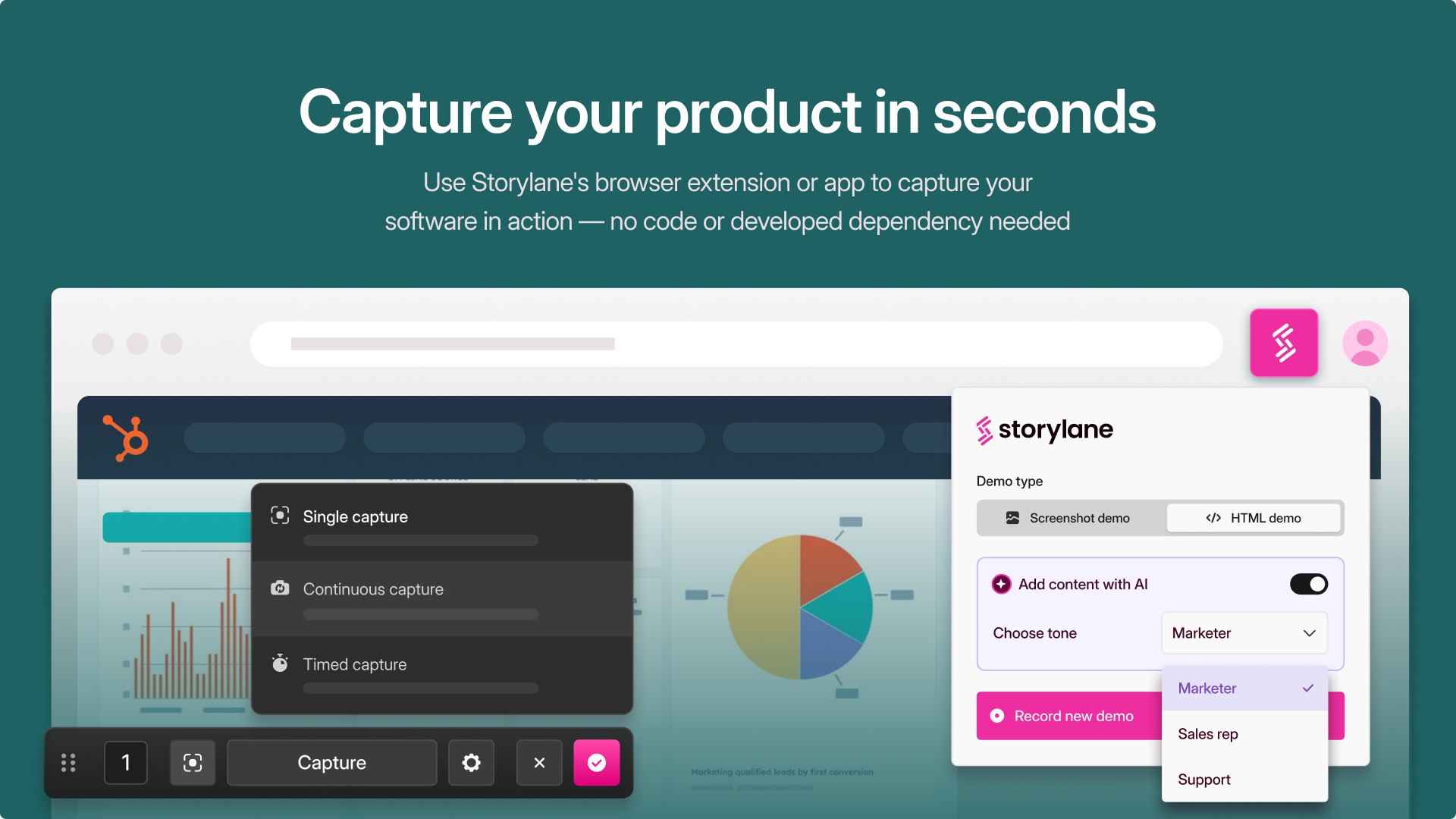
A Factors.ai study analysing over 110,000 web sessions and 150 deals, website visitors who engaged with a Storylane demo converted at 24.35% — nearly 8x the 3.05% average for non-demo visitors. Demo-touched deals closed six days faster. Those are the best published conversion numbers in this category.
The constraint we found
Storylane's pricing model punishes growth. A team of 10 on Growth ($100/user) will cost around $12,000/year, at which point Navattic's unlimited-seat model at $600/month wins on unit economics at nearly half the price. The HTML demo and personalisation features — the ones that actually justify the platform — are Growth-only. Teams that buy Starter, expecting the full product, will find themselves in a recurring support conversation.
3. Arcade
Best for short, visually polished demos built for social, email, and ads
Pricing | Free (3 demos, basic features). Pro: $32/user/month. Growth: $297.50/month (HTML capture, branching, advanced analytics). Enterprise: custom. |
Best for | Teams embedding demos in LinkedIn ads, email sequences, and help content |
Requires | Clear understanding that this is a storytelling tool, not a product exploration tool |
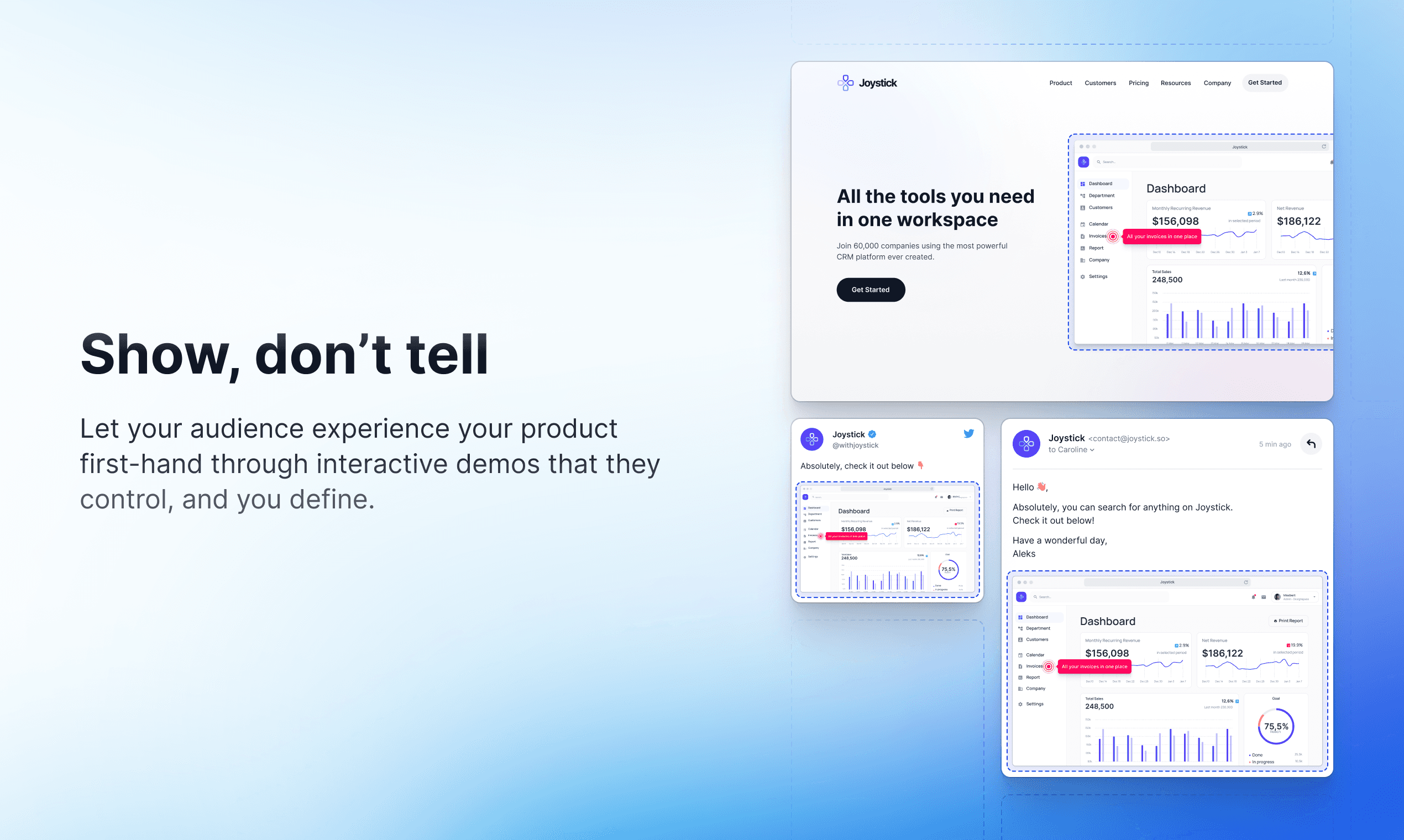
Arcade is the Instagram Reel of the interactive demo category, which is screenshot and screen-recording-based, and can export cleanly as GIFs and MP4s for use anywhere. Visual quality is strong, creation is fast, and 30,000+ companies use it, including OpenAI and Zapier. For a 60-second product walkthrough in a LinkedIn ad or a sales email, nothing gets you to something polished faster.
The non-obvious thing about Arcade
It's most commonly used alongside an HTML demo tool, not instead of one. Short Arcade clips in outreach sequences, deeper Navattic or Storylane demos on the website. If you're evaluating it as a replacement for your main demo platform, you're misreading the category.
The buyer isn't interacting with a real product environment — they're watching a guided recording. For use cases where that's enough, Arcade is excellent. For use cases where it isn't, no amount of visual polish compensates.
4. Walnut
Best for enterprise sales teams that need reps to personalise demos without touching engineering — if the price makes sense
Pricing | Starter: ~$9,200/year. Professional: $18,600–$20,000/year. Enterprise: custom, up to $87,700/year reported. No free tier. No trial. |
Best for | Enterprise sales teams are personalising demos at scale across multiple product lines |
Requires | Deal sizes where one extra closed deal pays for the platform. Patience for onboarding. |
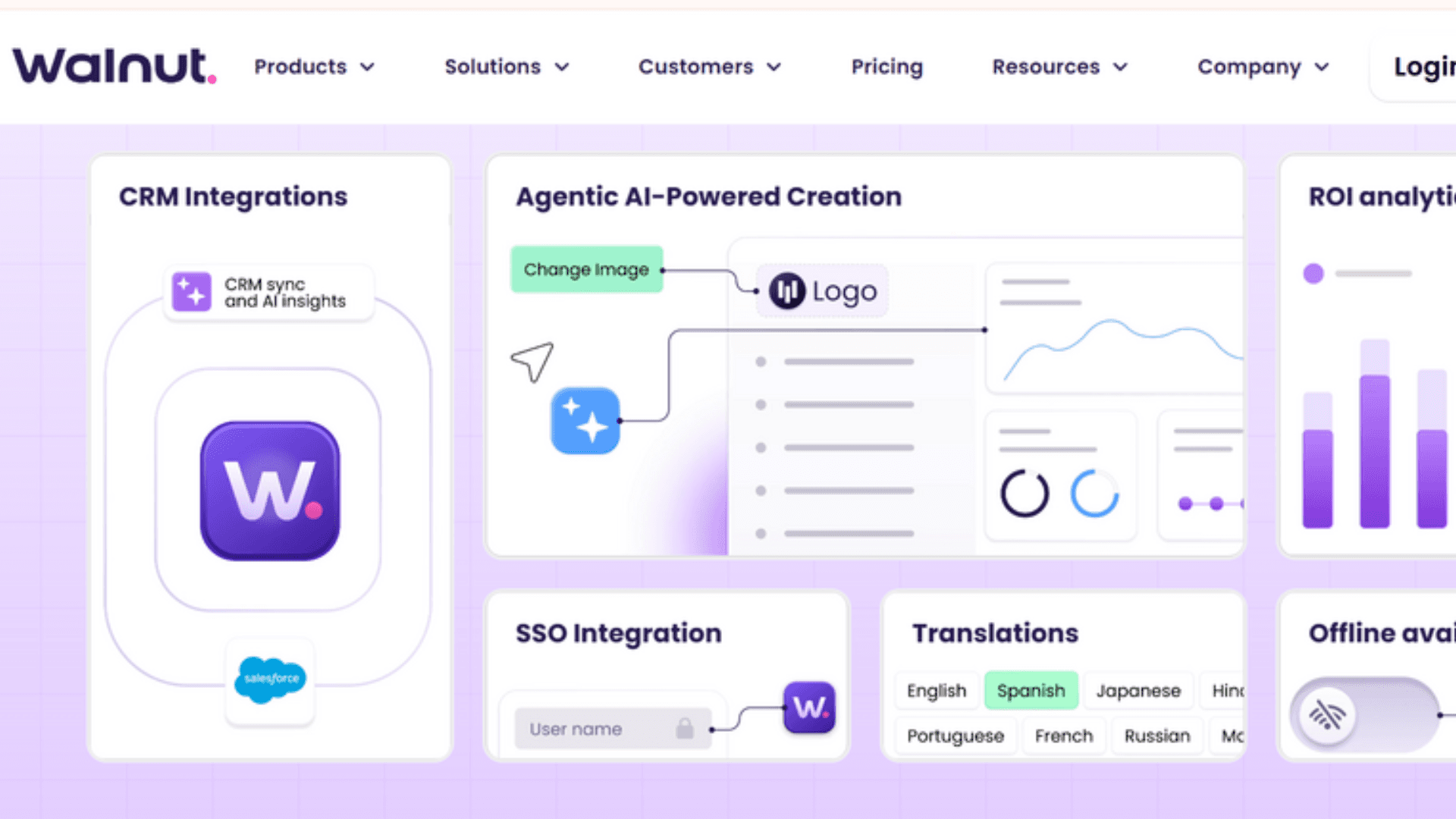
Walnut is built specifically for the sales motion — reps clone a demo template, personalise company name, logo, and data fields in minutes before a call, no PMM or engineering involvement required. For enterprise sales organisations managing 50+ demo variations across multiple product lines, that workflow removes real friction. Adobe and Cisco endorse it publicly.
The 2026 AI Demo Engine is genuinely ambitious — AI Mode generates demos from text prompts, StoryCaptureAI converts live walkthroughs into editable demos, and InsightsAI analyses engagement and recommends optimisations.
In practice, AI Mode works well for straightforward flows and struggles with complex multi-step scenarios. StoryCaptureAI output often requires significant manual cleanup.
What we didn't like about the platform
Walnut's G2 satisfaction score has declined to 17th in the demo automation category, with some analyses reporting scores between 22 and 32 out of 100 — a notable gap from the enterprise customer endorsements. No free trial means you're committing $9,200 minimum to find out whether it works for your product. That's a significant ask with no safety net.
5. Reprise
Best for complex enterprise products that need a full demo environment, not a tour
Pricing | Custom. Reported from ~$1,000/month annually. Enterprise contracts significantly higher. Requires a sales conversation to get a number. |
Best for | Enterprise pre-sales teams running complex, high-fidelity live demos |
Requires | 1–3 month implementation. SE time budget for ongoing maintenance. Engineering involvement. |
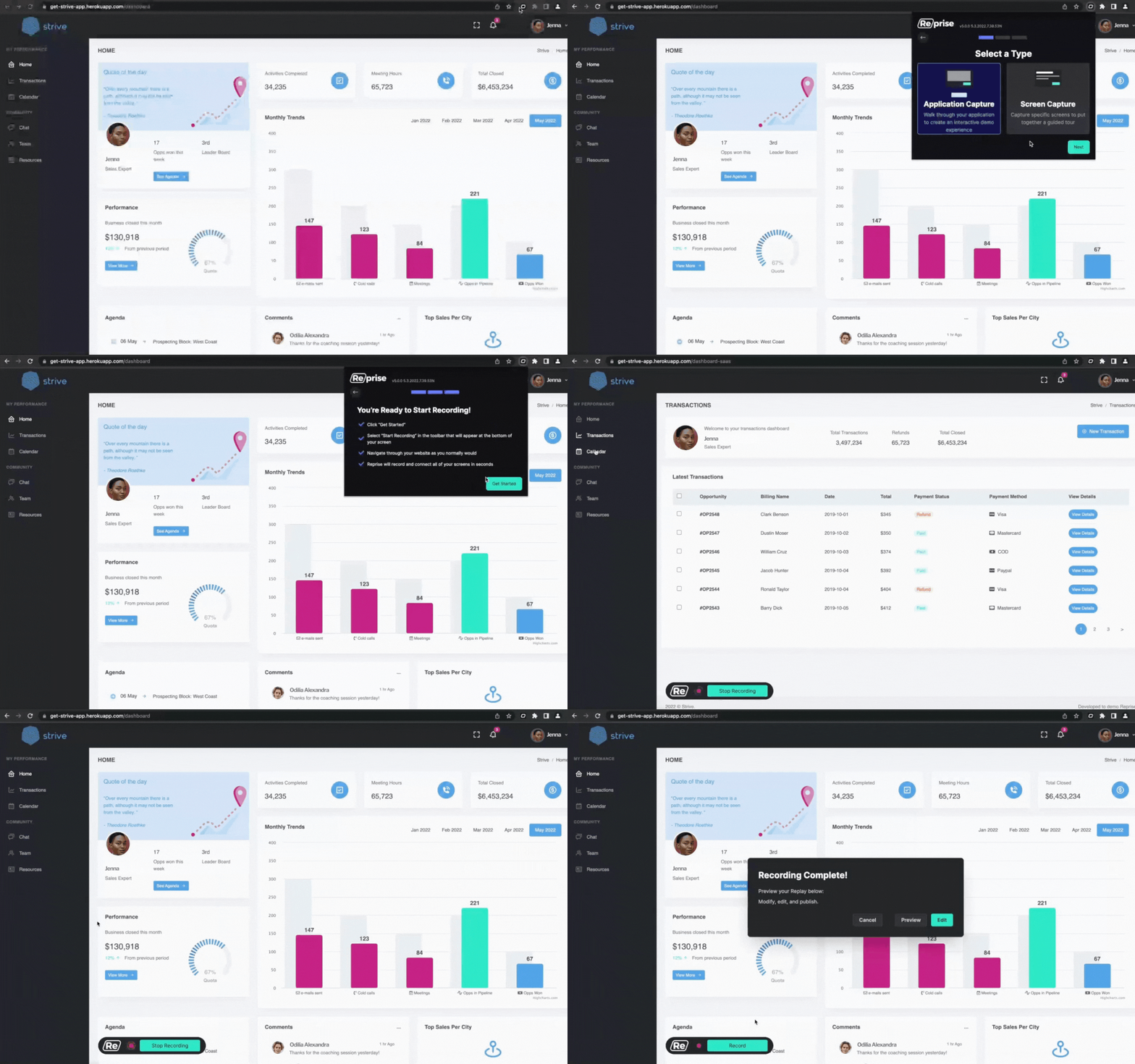
Reprise is the only tool on this list that handles the full spectrum — from lightweight ungated tours (Reprise Reveal) to full application clones with API-level simulation (Reprise Replicate). For an enterprise SaaS company with a complex product and a dedicated pre-sales team, showing a genuinely functional environment rather than a scripted walkthrough is a real competitive advantage.
Independent analysis and user reports suggest Reprise environments consume 20–24% of a Solutions Engineer's weekly time on upkeep. When your product UI changes, the demo environment needs to keep pace. That's a people cost that doesn't appear in the contract and rarely appears in the vendor pitch.
Where the platform falls short
Reprise makes economic sense at enterprise deal sizes where one additional closed deal pays for a year of the platform. It's clearly the wrong tool for a 15-person startup that needs a website tour by the end of the month. Know which one you are before booking the demo.
6. Consensus
Best for multi-stakeholder deals where the demo needs to travel the buying committee without you
Pricing | Custom. Starts at ~$12,000/year. Enterprise pricing significantly above that. |
Best for | Enterprise B2B with 6+ buying stakeholders and long deal cycles |
Requires | Content production investment upfront. A video library covering all stakeholder roles. |
Consensus takes a different approach than every other tool on this list. Instead of clickable product walkthroughs, it centres on stakeholder-specific video demos — each buying committee member sees the content most relevant to their role, without a rep orchestrating each conversation. The DemoBoards feature tracks who watched what, for how long, and who they shared it with — giving AEs visibility into buying committee engagement that a single demo link cannot provide.
The buying committee problem is getting worse, not better. The average B2B buying team now includes nearly 12 individuals, up from 5.4 in 2020. 79% of purchases require CFO approval (TrustRadius, 2024). Getting them all on a call is increasingly a fantasy.
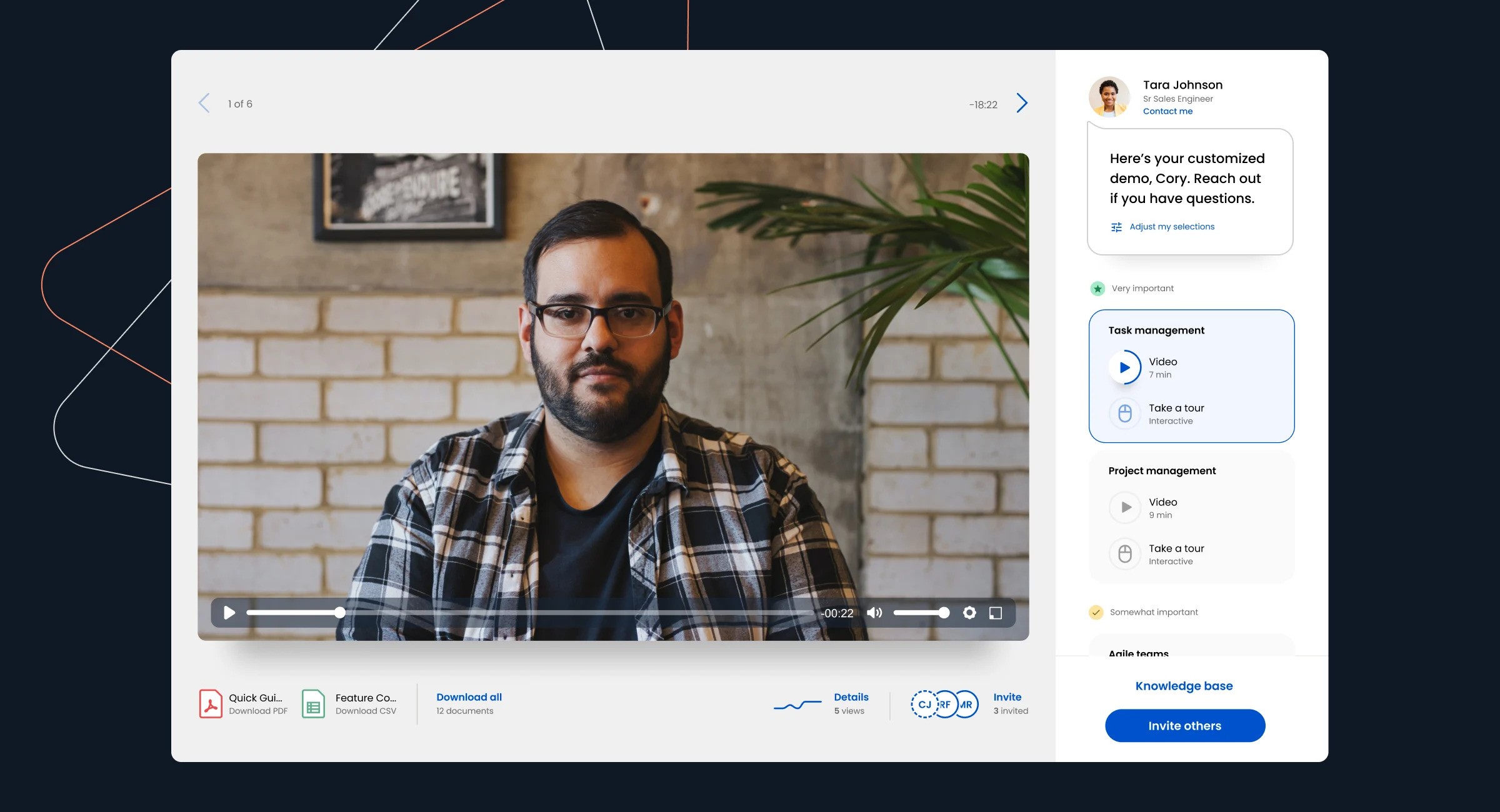
Consensus lets the champion share a customised demo package that each stakeholder can engage with on their own timeline, at a level of depth matched to their role. Consensus reports 30% faster sales cycles, 2x faster close rates, and 1.5x larger deals. Those are vendor numbers — but the multi-stakeholder async problem is real and not well-served anywhere else in this category.
A constraint we found
video-based means buyers are watching a demo, not using a product. For evaluation-stage buyers who want to try before they buy, Consensus is the wrong format. It works alongside a product-led demo strategy, not as a replacement for one.
7. Supademo
Best for small teams that need interactive demos fast, cheaply, and without a learning curve
Pricing | Free plan available. Pro: $27/user/month. Scale: $50/user/month. Enterprise: custom. |
Best for | Early-stage teams, small marketing ops, anyone who needs a demo live this week |
Requires | Very little. That's the point. |
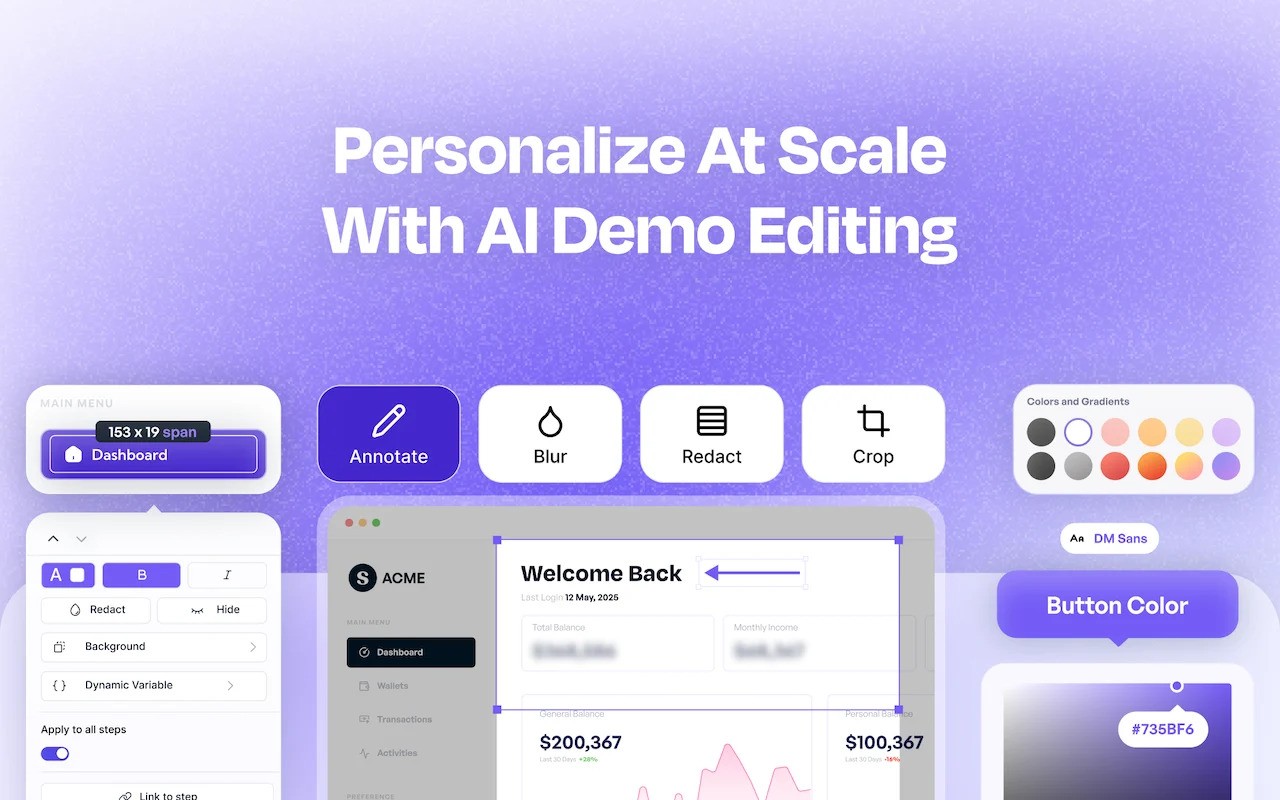
Supademo is the fastest path to a live interactive demo in this category. Chrome extension, click through your product, get an interactive guide with AI voice cloning and step annotations. It doesn't have the HTML fidelity of Navattic or the enterprise feature set of Walnut. It doesn't need to.
For a seed-stage startup or a small team that needs to ship a demo to a landing page before the end of the week, $27/user/month on something that works immediately beats $600/month on something that takes four weeks to configure.
What we don't like about the platform
The ceiling is real — teams that scale past 10–15 people and need deep analytics, CRM integration, and personalisation at volume tend to migrate. Most of them know when they've hit it. Supademo is not trying to be Walnut. It's trying to be useful to the people Walnut has priced out of the market.
Your demo created a Champion. Now what?
According to 6sense's 2025 Buyer Experience Report — based on surveys of over 4,000 B2B buyers — 95% of deals are won by a vendor already on the buyer's Day One shortlist. 81% of buyers already have a preferred vendor before they make first contact with anyone. Forrester's 2024 Buyers' Journey Survey puts it plainly: "B2B buying today is a process of confirmation, not selection." The decision, in most cases, is already forming before the buyer picks up the phone.
This means the person in your product tour right now is not passively browsing. They are actively forming a preference. Your product is either earning a place on their shortlist in this session or it isn't. And the moment they leave your site without a next step, that preference starts to drift toward whoever they visit next.
This is the champion in formation. The person who will — if the moment is handled well — go back to their team and make the internal case. The person who, two weeks from now, is either your biggest advocate in that account or the one who says: "Yes, I looked at a few options, went with someone else."
What your champion needs right now isn't a 20-step form. It's a conversation that meets them where they are — informed, interested, not yet committed — and helps them take the next step on their own terms. A form asks for a 30-minute calendar slot. A conversation asks what they want to know next.
Breakout is that conversation. An inbound AI SDR that engages the visitor the moment the demo ends, while the product is still fresh, while they're still on your site. It qualifies them in a real exchange and books a meeting directly into a rep's calendar before the tab closes. The rep doesn't get a cold form fill. Instead, they get a qualified conversation with someone who already understands the product and has already said yes to a call.
Drift, Qualified, and Intercom occupy the same moment — but they're chat tools, not SDRs. They trigger an on-page visit without knowing what just happened. Breakout starts from the context of the demo itself — what the visitor just saw, where they lingered, what they might want to know next. That's a different quality of conversation, and at the moment when preference is actively forming, the quality of conversation is what moves the shortlist.
The decision rubric: Building your demo stack with Breakout
Navattic or Storylane. Navattic if HTML fidelity and a flat per-seat model matter. Storylane if build speed and AI features matter more. Check the per-user math carefully at your team size before committing. Add Breakout to engage the visitors your demo qualifies — you'll have deanonymisation data telling you who's watching, and Breakout is what starts the conversation while they're still there.
Arcade, full stop. Don't overbuy. When those ad clicks land on your site and someone goes deeper, Breakout catches the ones who don't fill the form.
Pick Walnut if your deal size justifies the price floor. Storylane Growth as a cheaper alternative that covers most of the same use cases without the enterprise commitment. For the prospects who view a leave-behind but don't respond to the follow-up email, Breakout re-engages them the next time they land on your site.
Choose Reprise if you have a dedicated SE team and can absorb the implementation and maintenance cost. Worth it at the right deal size. Not worth it below it. Pair with Breakout for the inbound traffic that never makes it to a pre-sales conversation — the mid-market visitor who found you organically, toured the product, and needed someone to talk to before they were ready for a formal evaluation.
If your buying committee has more than four people and getting them all on a call is a fantasy:
Consensus. Nothing else in this category handles the multi-stakeholder async problem as cleanly. Use Breakout to engage the champion — the one person who initiated the Consensus share — while they're still on your site and still the most convinced person in the room.
Supademo. Figure out what you actually need at scale later. And when the demos start driving traffic, and the visitors start leaving without converting, that's when Breakout becomes the next conversation.
Don't just stop at the product demo. Start a conversation with your product champion with Breakout. See it in action here —>
Frequently Asked Questions
How much do interactive demo tools cost?
Pricing ranges from free (Supademo, Arcade, Navattic's single-demo plan) to $27–100/user/month for mid-market tools, to $9,200+/year for Walnut and $12,000+/year for Consensus. Reprise and enterprise Walnut are custom-quoted and require a sales conversation before you see a number.
The hidden cost across all tools is maintenance — when your product UI changes, somebody has to update the demo. That people cost doesn't appear in any pricing comparison.
What's the difference between a screenshot demo and an HTML demo?
Screenshot demos capture images of your product interface and create a guided walkthrough as a GIFs or video, with no interactivity beyond clicking between steps. HTML demos capture the actual DOM of your product, making them look and behave like the real thing — editable, interactive, higher fidelity, slower to build.
Most top-of-funnel use cases are well-served by HTML demos. Most social and email use cases are better served by screenshot demos. Buying an HTML tool for an email embed use case is a common and expensive mistake.
Do interactive demos actually improve conversion rates?
Yes, meaningfully. Visitors who engage with a Storylane demo convert at 24.35% versus the 3.05% average — nearly 8x higher. Top-performing demos see 68.7% higher click-through rates year over year. Demo-touched deals close six days faster on average.
The caveat worth understanding: these numbers measure what happens when the demo creates intent. They don't measure what happens to that intent if nobody is present to act on it. A demo that generates genuine buying interest and routes it to a form and a 42-hour response queue is still outperforming no demo — but it's leaving something real on the table.
What happens after someone completes my interactive demo?
Usually: a "Book a Call" button. Usually, after that, they leave. The buying window an interactive demo creates is also the window where most GTM teams go completely silent. 95% of B2B deals are won by a vendor already on the buyer's Day One shortlist. The question your demo should be answering is: are you earning that spot right now, while they're still here? If the only thing between your demo and the next tab is a form, you probably aren't. That's what Breakout is for.