
All Blogs
A simple breakdown of LeanData pricing without the confusing fine print.

Evan Marshall
Senior Growth AI Strategist
Published On
LeanData does not show its pricing.
And that is not a coincidence.
Because LeanData is not sold as a fixed product. It is sold as a system built on top of your Salesforce. The more complex your routing, data model, and GTM motion, the more your cost changes.
No two implementations look the same.
And that is exactly why pricing is not standardized.
According to Gartner, companies that optimize lead management and routing can improve sales productivity by up to 30%. That upside is real. But it comes with a tradeoff most teams do not see early.
The same complexity that improves routing is what drives the total cost up.
Because LeanData is not just a license.
It becomes:
a RevOps-owned system
a Salesforce-dependent workflow layer
an SDR-supported execution model
That is why the real question is not:
“How much does LeanData cost?”
It is:
“What will it cost us to actually make LeanData work?”
Most teams underestimate this part.
In this article, we break it down clearly.
what LeanData pricing actually looks like
where additional costs come from
how the model scales over time
what you end up paying per meeting
and how it compares to newer AI-first alternatives
So you can evaluate the true cost before you commit.
What you actually pay upfront for LeanData
Most teams begin with one question.
What does LeanData cost?
But you will not find a clear answer.
LeanData does not list pricing publicly. So the first number usually comes from a sales call or internal estimate.
Based on market signals, most mid-market teams start around $25K annually. Enterprise pricing increases depending on scope.
This upfront cost gives you access to:
routing automation
lead-to-account matching
territory management
Salesforce-native workflows
On paper, this looks like a clean investment.
In reality, this is only the entry point.
Because LeanData does not operate in isolation.
It runs on top of your Salesforce system and depends on how that system is built.
How LeanData expands as your system grows (Pricing Model)
LeanData does not publish pricing numbers.
But it does show how its packaging is structured. And that structure tells you exactly how pricing scales.
LeanData is not sold as one product.
It is sold as layers of orchestration, where each tier adds more control across your GTM system.
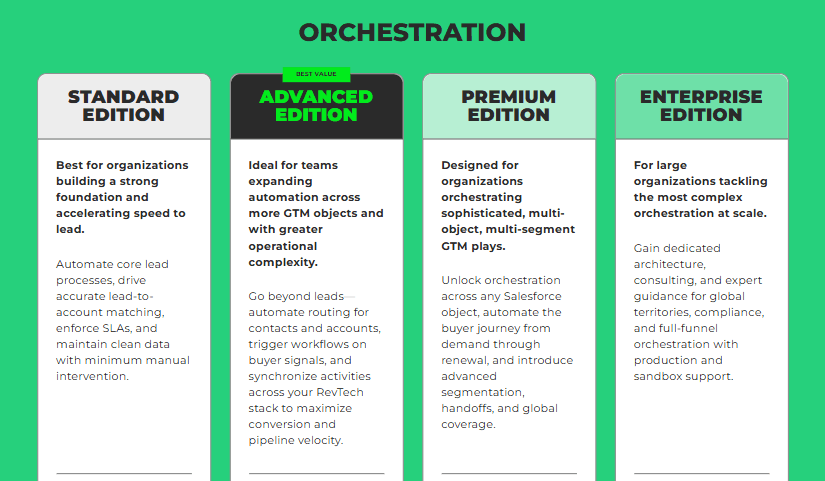
1. Standard Edition: the routing foundation
This is where most teams start.
The focus is simple:
lead routing
lead-to-account matching
basic assignment rules
You also get:
deduplication
reporting
SLA enforcement
At this stage, LeanData solves one problem.
Getting leads to the right owner faster.
This works well if:
your routing is simple
your team structure is stable
But this is only the entry point.
2. Advanced Edition: expanding beyond leads
This is where complexity begins.
LeanData moves from lead routing to multi-object orchestration.
Now you are routing:
contacts
accounts
signals
You also introduce:
multi-criteria assignment
signal-based workflows
integrations with other tools
This changes how the system behaves.
It is no longer just routing.
It is coordinating multiple data layers across your GTM stack. And with that, operational effort increases.
3. Premium Edition: full GTM orchestration
At this stage, LeanData becomes deeply embedded in your system.
You can now:
route across any Salesforce object
manage complex territories
automate cross-object workflows
It also supports:
multi-region setups
multi-segment GTM motions
partner and channel workflows
This is where LeanData shifts from a tool to infrastructure.
You are not just routing leads anymore. You are orchestrating the entire buyer journey inside Salesforce. And that comes with a cost as well.
4. Enterprise Edition: customization and scale
This tier is built for large organizations.
It adds:
dedicated support and consulting
custom architecture
compliance and data frameworks
sandbox and production environments
At this level, LeanData becomes a fully managed system.
You are paying for:
the platform
the support layer
the expertise required to run it
What this tier structure actually means for pricing
On paper, these tiers look like feature upgrades.
In reality, they reflect something else.
Each step up introduces:
more objects to manage
more workflows to maintain
more dependencies on Salesforce
That is why pricing is not fixed.
Because what you are really buying is:
more control
more customization
more operational responsibility
Where additional costs come in for LeanData
The tier you choose is only part of the total cost.
LeanData expands over time as your system becomes more complex. That is where most of the additional spending comes from.
1. Add-ons that extend functionality
LeanData offers several add-ons that sit on top of core routing.
Common ones include:
scheduling tools like BookIt
buying group orchestration
advanced analytics
These improve capability.
But each add-on increases your overall cost.
2. More objects and workflows to manage
As you move up tiers, your system handles more than just leads.
You start managing:
contacts and accounts
multiple routing rules
edge cases across segments
This increases the effort required to maintain accuracy.
More workflows mean more updates, testing, and coordination.
3. Cross-team and global complexity
As your GTM expands, routing becomes more layered.
You may operate across:
regions
business units
product lines
Each requires its own routing logic.
This adds both setup time and ongoing operational effort.
The key takeaway most buyers miss
LeanData’s tiers are not just feature-based.
They are complexity-based.
Standard → simple routing
Advanced → multi-layer coordination
Premium → full system orchestration
Enterprise → managed infrastructure
As you move up, you are not just unlocking features.
You are increasing:
system depth
operational effort
total cost of ownership
Most teams evaluate LeanData based on its capabilities.
But the real cost is driven by how complex your system becomes after implementation.
That is why two teams on the same tier can end up paying very different amounts.
AI SDR tools like Breakout change this dynamic.
By handling identification, engagement, and booking in a single flow, they reduce the need for layered workflows and operational overhead, making costs far more predictable.
How AI SDR tools reduce cost per meeting at scale compared to routing and other tools
Routing tools like LeanData do a good job of getting leads to the right person.
But the outcome depends on what happens next.
Once a lead is assigned, everything relies on SDR follow-up. If the response is slow or inconsistent, opportunities drop off.
That gap between routing and response is where time is lost, and costs start to rise.
Routing model (LeanData)
10,000 visitors
3% leads → 300
20% convert → 60 meetings
Monthly cost:
platform + SDRs + ops → ~$15K–$24K
Cost per meeting: ~$250–$400
AI SDR model (Tools like Breakout)
AI tools handle conversation, qualification, and booking in one step.
10,000 visitors
3% engagement → 300
20% convert → 60 meetings
Even at $5K/month:
Cost per meeting: ~$83
Now with Breakout starting at $1,500 per month:
$1,500 ÷ 60 = $25 per meeting
That is a significant drop.
As volume increases, this gap widens further since cost does not scale with headcount or complexity.
Why does the difference grow
Routing scales with headcount.
AI scales with volume.
no SDR dependency
instant response
consistent execution
Routing improves distribution.
AI improves conversion.
That is what reduces cost per meeting at scale.
LeanData alternatives you should consider
LeanData is strong at routing leads.
But most teams evaluating it are trying to solve something broader. They want more qualified meetings, faster response, and less operational effort.
Here are three options worth considering.
1. Breakout ( Best Inbound AI SDR)
Breakout is designed to handle the full inbound interaction.
Instead of routing leads and waiting for follow-up, it engages visitors, qualifies them, and books meetings in real time.
There are no handoffs between systems or teams. The interaction is done in one flow.
Key features
Real-time qualification and meeting booking
Context-aware conversations using CRM and GTM data
Continuous coverage without SDR dependency
Guided demos and product flows
Multi-channel engagement
Pricing
Starts at $1,500 per month with a clear structure
Flexible pricing based on usage
Independent of routing rules or workflow complexity
Does not increase as your system becomes more complex
Verdict on pricing
Breakout keeps pricing aligned with outcomes.
No need to scale SDR teams
No added cost from increasing complexity
Faster time to value
Best for teams that want a direct path from inbound interest to booked meetings.
2. Qualified ( Best for conversation)
Qualified combines engagement with routing.
Its AI assistant interacts with inbound visitors, qualifies them, and routes them to the right rep. It is deeply connected to Salesforce.
Key features
AI-driven conversations
Real-time website engagement
Automated scheduling and routing
Strong Salesforce integration
Multi-channel support
Pricing
Not publicly listed
Typically positioned for enterprise teams
Increases with usage and system complexity
Verdict on pricing
Qualified improves response speed and engagement.
Still requires setup and configuration
Still tied to Salesforce structure
Cost increases as usage grows
Best for teams already operating heavily within Salesforce.
3. RevenueHero ( Meeting Booking)
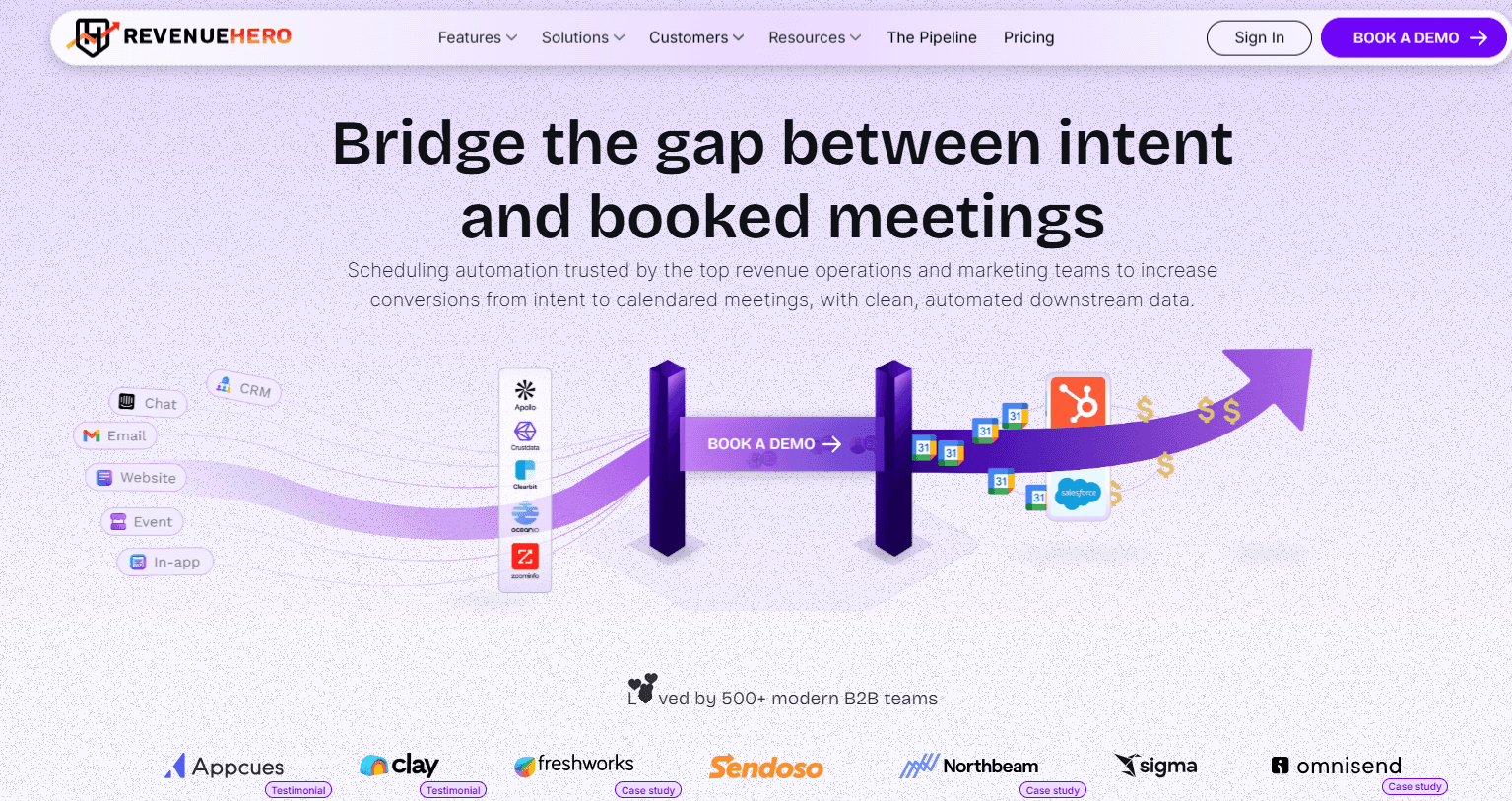
RevenueHero focuses on booking meetings faster.
It combines basic routing with strong scheduling capabilities. The setup is simpler compared to heavier routing tools.
Key features
Instant meeting booking from forms
Lead routing and qualification
Round-robin assignment
CRM integrations
Conversion tracking
Pricing
Typically per-user pricing
More affordable than enterprise tools
Scales with team size
Verdict on pricing
RevenueHero is simple and cost-effective
Still depends on routing logic
Still requires sales follow-up
Limited flexibility for complex setups
Best for teams that want faster scheduling without heavy implementation.
Each option solves a different part of the problem.
LeanData focuses on routing
Qualified improves engagement
RevenueHero improves scheduling
Breakout handles qualification, engagement, and meeting booking in one continuous flow without handoffs
The right choice depends on where your bottleneck is.
Comparison Table Leandata Alternatives Pricing
Pricing across LeanData alternatives varies based on what the tool is built to do.
Some tools charge for routing complexity and system depth.
Others are priced around users or usage.
The key difference is simple.
Are you paying for infrastructure, or for outcomes?
Tool | Pricing Model | Starting Price | What Drives Cost | Pricing Verdict |
LeanData | Custom, quote-based | ~$25K/year (est.) Not publicly listed | Salesforce complexity, routing logic, workflows | Expensive as complexity grows |
Breakout | Usage-based | Free to start, with paid plans from $500 per month | Usage and automation level | Predictable and outcome-focused |
Qualified | Custom, enterprise pricing | Not publicly listed | Salesforce usage, features, scale | High cost, tied to enterprise setups |
RevenueHero | Per-user pricing | ~$15–$45/user/month | Number of users | Simple, but scales with team size |
Why Breakout is the best alternative to LeanData
Instead of routing leads and waiting for follow-up, Breakout handles the entire flow in real time.
It starts by identifying visitors and companies, then engages them instantly through chat, voice, or guided experiences.
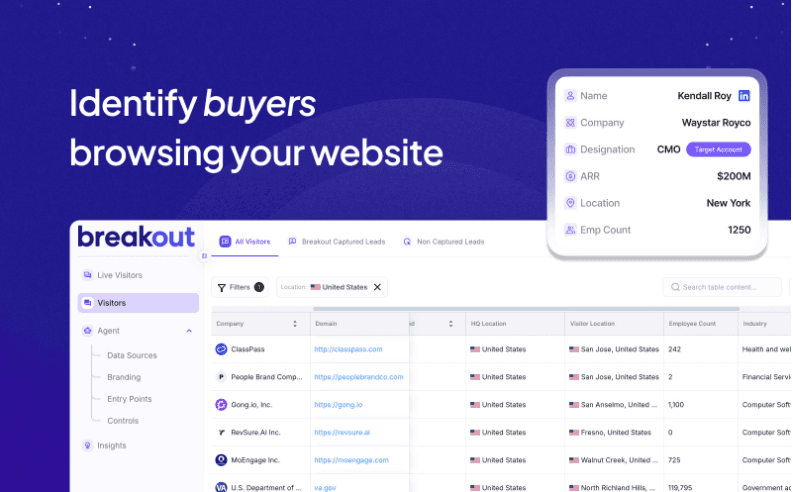
From there, it qualifies them using CRM data, past interactions, and GTM context, and moves them toward booking a meeting within the same interaction.
There is no handoff between systems or teams.
This changes how inbound works at scale.
Response is immediate. Coverage is continuous.
Fewer leads drop off between steps.
For teams evaluating LeanData alternatives, this removes two key constraints:
no dependency on SDR availability
no inconsistency in how leads are handled across teams or time zones
Why Breakout pricing is more efficient than LeanData
Breakout follows a flexible pricing model based on usage and company stage.
It offers a free tier for early teams focused on visitor and company identification.
Paid plans start at $500 per month for teams ready to automate inbound.
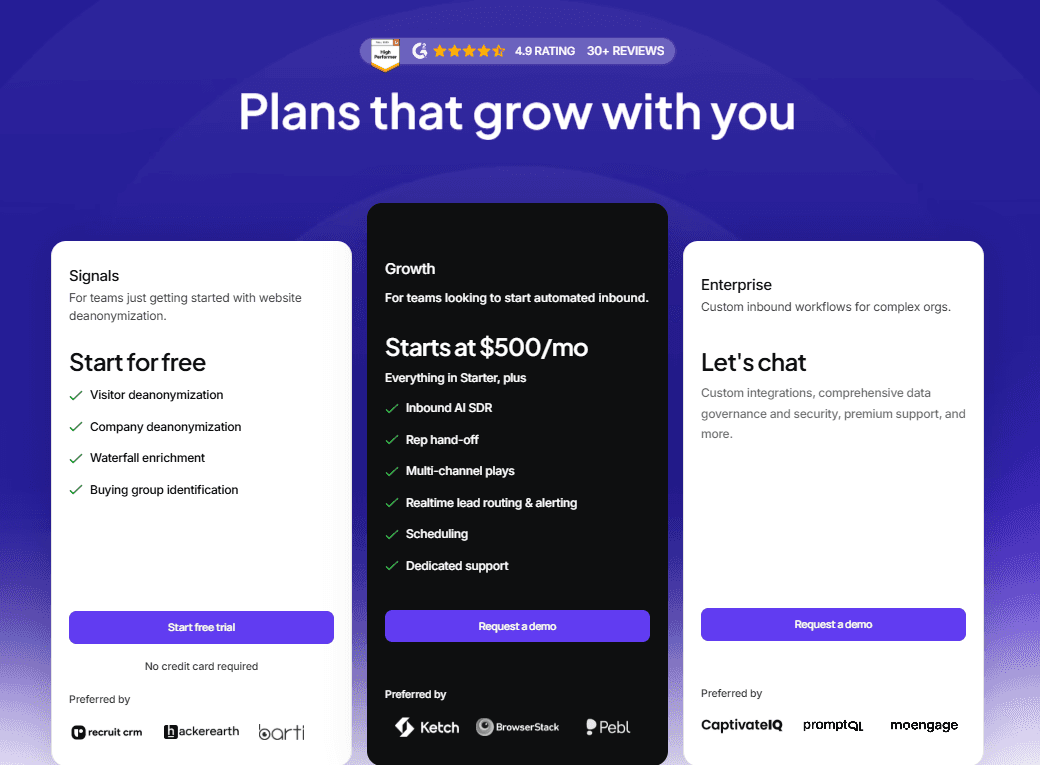
Pricing does not increase with routing complexity or workflow depth.
It scales based on usage and automation needs.
What you get as you scale:
Inbound AI SDR for real-time qualification
Multi-channel engagement across chat and flows
Meeting scheduling within the interaction
Real-time routing and alerts
Dedicated support
Enterprise plans include custom workflows, integrations, and governance support.
Why this pricing model stands out:
No added cost for more workflows
No dependency on SDR headcount
No pricing tied to Salesforce complexity
Pricing stays predictable as you grow.
How Barti saw improvements with Breakout
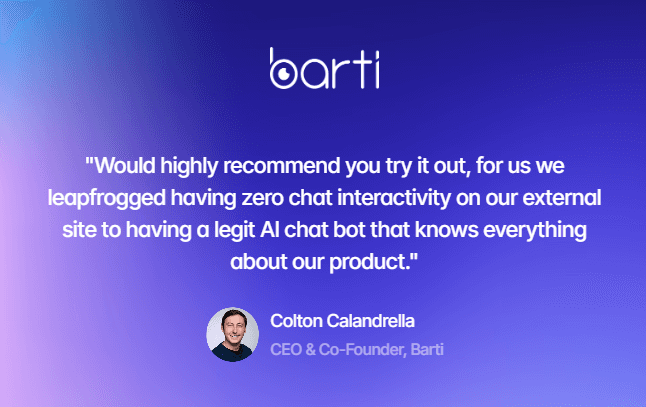
Barti replaced static lead capture with real-time conversational qualification.
Instead of routing leads and following up later, the system engaged and converted them instantly. This reduced operational load without adding SDR headcount.
The impact was measurable:
19% increase in influenced pipeline
9.8% conversation-to-lead conversion
5.7% reduction in bounce rate
The difference came from acting on intent in the moment instead of routing it for later.
Is LeanData the right choice in 2026?
If your focus is only on routing in 2026, you are already falling behind.
LeanData does a strong job at distributing leads. But the challenge today is not just an assignment.
It is what happens next.
Teams want to engage visitors instantly, qualify them accurately, and convert them without delay.
LeanData still relies on multiple layers to make that happen.
routing logic
SDR follow-up
separate tools for engagement and scheduling
This creates gaps between steps.
AI-first platforms take a different approach.
Tools like Breakout bring everything into a single, unified flow. They identify visitors, engage them in real time, qualify using context, and book meetings instantly.
Everything happens in one place, which makes the process faster and easier to manage.
If you want to simplify your workflow and improve how quickly inbound leads convert,
Book a demo with Breakout today.
FAQs
1. How much does LeanData cost?
LeanData does not show pricing publicly.
Most teams report paying around $25,000 to $50,000 per year, with higher costs for enterprise setups. The final price depends on your Salesforce complexity, routing logic, and workflows.
2. What is the difference between LeanData and RingLead?
LeanData is built for routing and assigning leads.
RingLead focuses on cleaning and enriching data.
In simple terms, LeanData decides where leads go, while RingLead makes sure your data is accurate.
3. What is the valuation of LeanData?
LeanData does not publicly share its valuation.
Based on funding and market presence, it is estimated to be in the hundreds of millions to over a billion dollars range.
4. How does LeanData work?
LeanData works inside Salesforce.
When a lead comes in, it:
matches it to the right account
applies routing rules
assigns it to the correct sales rep
Everything is rule-based and depends on how your system is set up.
5. What is LeanData pricing based on?
Pricing depends on how complex your setup is.
Key factors include:
Salesforce structure
number of workflows
routing logic
regions and teams
The more complex your system, the higher the cost.
6. Is LeanData worth the cost?
It can be worth it if you have a large team and complex routing needs.
But if your goal is faster conversion and lower effort, the total cost can increase due to SDR dependency and ongoing maintenance.
7. What are the best LeanData alternatives?
Some common alternatives include Breakout, Qualified, and RevenueHero.
They differ in approach:
some focus on routing
some on scheduling
some on full conversion
8. Does LeanData replace SDRs?
No. LeanData still depends on SDRs.
It routes leads, but SDRs need to:
follow up
qualify
book meetings
9. How is Breakout different from LeanData?
LeanData routes leads.
Breakout handles the entire interaction.
Breakout:
engages visitors instantly
qualifies in real time
books meetings without delay
This removes the need for multiple tools and reduces dependency on SDR follow-up.


