With Salesforce completing its acquisition of Qualified in April 2026, the platform now operates as part of a larger CRM and Agentforce ecosystem.
This move ties Qualified more closely to Salesforce workflows, data structures, and automation layers. For teams exploring a Qualified alternative, see how Breakout differs before weighing the pricing implications.
At the same time, the way teams think about the pipeline is also changing.
Gartner estimates that AI-driven sales enablement could increase sales velocity by nearly 40%, which is pushing more teams toward automated qualification and scheduling.
This shift is visible in buyer behavior as well.
As a result, threads asking “Which AI SDR tools are worth the cost right now?” are gaining attention across Reddit.
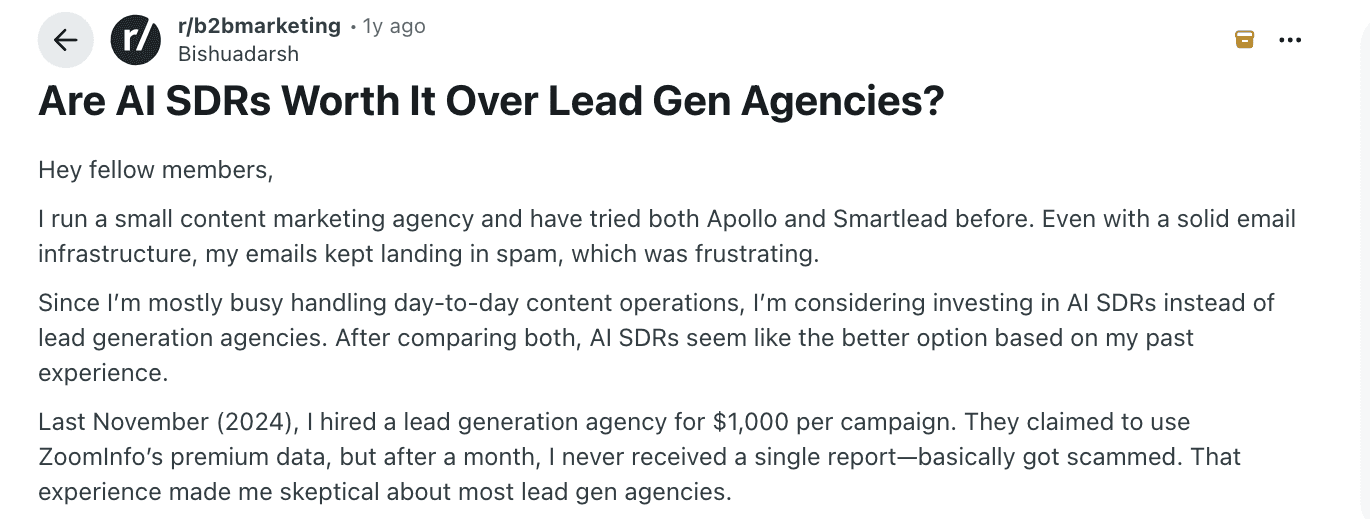
This shifts the conversation toward pricing.
Qualified remains a common option in these discussions because it connects inbound conversations with structured routing inside Salesforce.
Its assistant, Piper, helps route qualified leads based on visitor data and predefined logic.
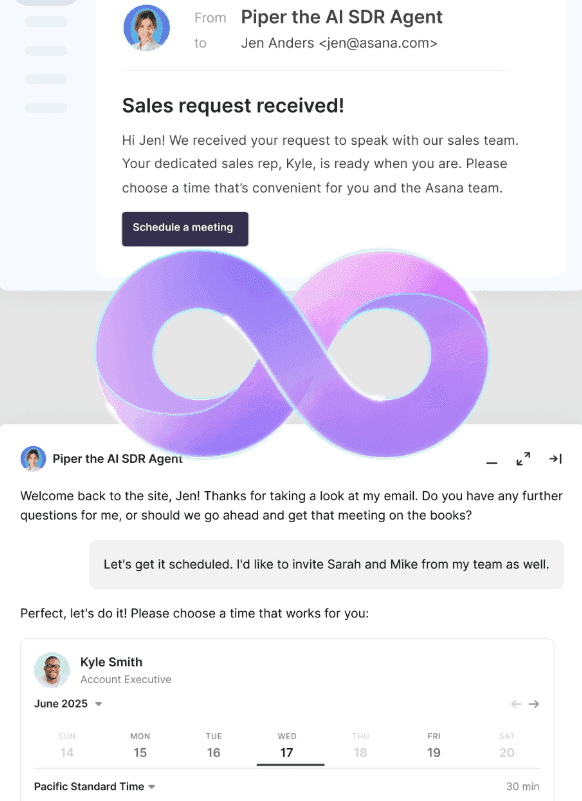
On the surface, Qualified pricing looks like a fixed annual investment. In reality, the cost expands once teams account for setup, SDR coverage, and ongoing operational work.
This gap between listed price and actual spend is why teams are revisiting Qualified pricing in 2026.
Qualified is priced for teams that already operate with structured sales systems and dedicated resources. Most estimates place annual contracts between $42K and $72K, with additional costs tied to setup and ongoing SDR involvement.
Buyers want clarity on what they are committing to. Qualified competitors and alternatives are now compared based on real spend, not just license fees.
We went beyond the listed price and ran the numbers across staffing, setup effort, and ongoing operational work so you can see what really adds up. This includes the costs that do not show up on review sites or pricing pages but still impact how much you end up spending.
In this article, we will break down Qualified pricing step by step.
Here’s what we are getting into:
What the base pricing actually covers
Where additional costs come in as you scale
The time it takes to get value
What you pay per meeting
How AI-first tools compare
We close with a direct take on when Qualified is worth it and how to choose the right pricing model for your business.
What you actually pay upfront for Qualified
Most teams begin their evaluation with the license fee because that is the first number available during research. Qualified pricing typically starts around $42K per year and increases based on plan selection.
For larger teams, this number can move higher depending on usage and scale.
The base price gives access to core functionality tied to inbound conversations and routing within Salesforce.
It does not include several cost layers that show up later, such as:
SDR staffing needed to handle conversations
Set up time and internal resources
Advanced routing and workflow updates
Higher usage tied to traffic growth
Additional environments or business units
How Qualified’s pricing tiers and usage shape your cost
Let’s take a closer look at Qualified’s pricing tiers and what they actually cover.
Tier | Focus area | What expands as you move up | Typical use case |
Premier | Core inbound workflows | Standard routing, conversations, and basic automation | Teams building structured inbound programs |
Enterprise | Advanced control and integration | APIs, multi-language support, and deeper configuration options | Mid-market teams with more complex GTM setups |
Ultimate | Scale and operational depth | Multiple agents, environments, and support for high-volume traffic | Large organizations managing global inbound demand |
Across all tiers, the platform supports conversation handling, meeting scheduling, routing, and reporting.
Add-ons and cost drivers that change pricing over time
As inbound volume increases and workflows expand, pricing begins to shift based on how the platform is configured and operated.
These cost changes are gradual, but they become more visible as teams move from initial setup to full-scale usage.
Key factors that tend to increase Qualified cost over time:
Routing depth across accounts and segments
As teams move beyond simple lead routing into account-level qualification and territory mapping, routing logic becomes more layered. This increases the effort required to manage rules across regions, segments, and ownership structures.
Salesforce data complexity and sync requirements
Since the platform depends on Salesforce, expenses often rise when teams deal with several objects, tailored fields, and bi-directional data flows. What does this mean? As the data model gets more layered, both the initial setup and ongoing upkeep tend to take more time.
Growth in inbound channels and entry points
As teams expand beyond the main website into product pages, microsites, and campaigns, the number of entry points increases. Each entry point requires its own routing and qualification logic.
Cross-region deployments and language support
Global teams often need separate routing rules, localized messaging, and region-specific workflows. These requirements add layers to both configuration and cost.
Data storage and historical tracking needs
As more conversations are captured, teams often retain data for analysis and reporting. Storage, access, and governance requirements add to the overall cost.
The hidden cost layers behind Qualified pricing
To evaluate Qualified’s cost properly, it is necessary to look at how the platform runs in practice.
This includes how quickly teams can respond to inbound demand, how much effort is required to maintain routing logic, and how long it takes before the system produces a consistent pipeline.
We broke this down across the areas that consistently affect spend, so you can see how Qualified cost builds over time.
The cost of maintaining inbound coverage
Qualified depends on SDRs to manage inbound conversations, which means coverage is tied to staffing rather than automation.
This creates a fixed cost base that exists regardless of traffic volume.
To maintain consistent coverage, teams typically need:
At least three SDRs working across shifts
SDR salaries fall in the $50,000 to $60,000 range per year
On top of that, teams need to account for hiring, onboarding, and retention costs
Once those costs are included, baseline staffing can easily cross $150,000 annually.
The time cost before pipeline impact
Implementing Qualified requires syncing CRM data, setting up routing flows, and testing how everything works across different use cases. In practice, setup timelines range from 4 to 12 weeks, depending on complexity.
As a result, many organizations report extended setup timelines, particularly in complex environments built on Salesforce.
During this phase, the platform is active from a cost perspective but not yet delivering a consistent pipeline.
This introduces a time-dollar cost.
Add to that:
RevOps managers earning around $129,000 annually contribute significant setup hours
Cross-team coordination increases internal effort
Delays push out the timeline for measurable results
After deployment, Qualified requires continuous updates to maintain alignment with changing campaigns and sales processes.
This includes modifying routing rules, updating qualification criteria, and monitoring performance.
SDR readiness and early-stage conversion gaps
After launch, performance depends on how quickly SDRs adapt to the system and begin handling conversations effectively.
In the first few weeks, teams often see:
Slower response times during high traffic periods
Inconsistent qualification across different SDRs
Lower conversion rates compared to steady-state performance
Where delays appear after go-live
Most delays occur after the system is live, when real traffic interacts with workflows. This phase reveals gaps that were not visible during setup.
These delays extend the time before inbound traffic converts into meetings.
Here are a few user reviews that talk about delays and complexities around setting up routing rules and workflows.


As a result, Qualified’s cost should be evaluated alongside how quickly the system reaches steady performance.
Cost per meeting reveals the real economics
Two tools with similar pricing can produce very different outcomes at the meeting level. Cost per meeting shows how efficiently a platform converts traffic into pipeline.
This is where the differences between Qualified competitors become clear.
The variables that shape the cost per meeting
Cost per meeting is not fixed because it depends on several moving inputs across traffic and execution.
Even small changes in response time or qualification quality can shift outcomes.
Key inputs include:
Monthly website traffic and high-intent visitor share
Conversation start rate and engagement depth
Meeting conversion rate from conversations
Average contract value and sales cycle length
SDR availability and response speed
What this does not fully capture:
Missed opportunities due to delayed responses
Variability across SDR performance
Drop-offs during qualification or routing
Time spent on leads that never convert
Qualified model: The cost per meeting with an SDR dependency
Qualified relies on SDRs to handle or complete most conversations after initial engagement.
This introduces variability based on availability, timing, and execution quality.
We will look at a quick example:
You get 10,000 monthly visitors
Let’s say you have 3% visitors that engage in conversations → 300 conversations
And 20% convert to meetings → 60 meetings
If the total monthly cost (platform + SDRs + ops) is around $18,000 to $22,000, then the cost per meeting ranges between $300 and $370.
This assumes consistent SDR coverage and no delays in response.
In practice, missed handoffs and uneven response times can push this higher.
How AI SDR tools reduce cost per meeting at scale
Modern AI SDR tools combine conversation handling, qualification, and scheduling into a single system. Instead of routing leads to SDRs, the system completes the interaction while the visitor is still active.
This removes delays between engagement and follow-up, which directly improves conversion outcomes.
More visitors enter conversations, and more of those conversations convert into meetings.
Typical ranges include:
3% to 5% engagement
20% to 30% meeting conversion
Here is how the cost per meeting is calculated:
10,000 monthly visitors
3% engagement → 300 conversations
20% conversion → 60 meetings
Benchmarks show that most AI SDR systems are priced between $1,000 and $5,000 per month.
Let’s consider a monthly cost of $5,000 for the AI SDR platform:
$5,000 ÷ 60 = ~$83 per meeting
In a higher-performing scenario:
4% engagement → 400 conversations
25% conversion → 100 meetings
And if the AI SDR platform has a monthly cost of $10,000:
$10,000 ÷ 100 = $100 per meeting
As traffic grows, this model scales without adding headcount, which widens the gap when compared with human-led systems.
Why teams are moving from Qualified to AI-first conversion models
Qualified pricing assumes that SDR teams will handle a large part of the conversion process.
This creates gaps when coverage is limited or response times vary.
AI-first tools take a different approach. They handle the entire first interaction without waiting for human intervention.
This is where AI-first platforms like Breakout come in. Alongside Breakout, we are also looking at a few budget-friendly tools that can work for teams with simpler needs and tighter constraints.
Breakout: AI-led inbound conversion without SDR dependency
Instead of relying on SDRs to pick up conversations after a delay, Breakout completes qualification and scheduling in real time.
The system engages visitors through chat, voice, and guided product experiences that adapt to context.
It pulls from CRM data, past interactions, and GTM content to answer questions, qualify fit, and move conversations forward without delay.
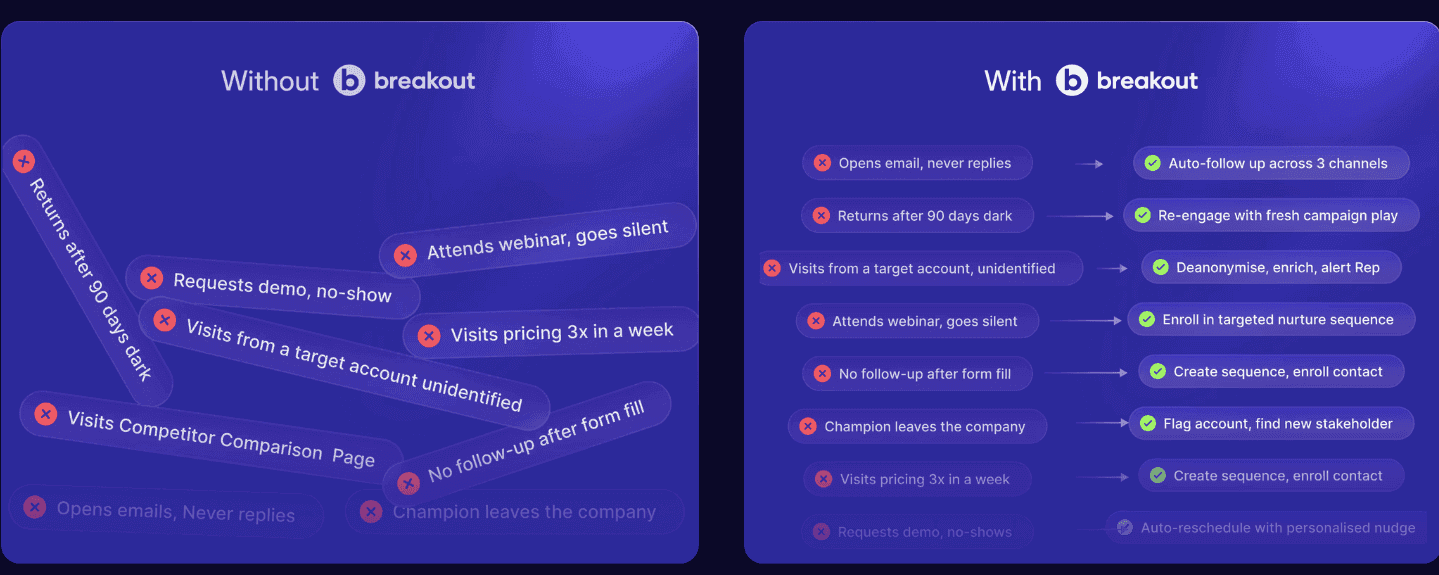
This changes how inbound conversion behaves at scale.
Response time becomes immediate, and coverage becomes continuous, which reduces drop-offs across every stage of the funnel.
For teams evaluating Qualified alternatives, this removes two major constraints.
There is no dependency on SDR availability, and no variability in how conversations are handled across shifts.
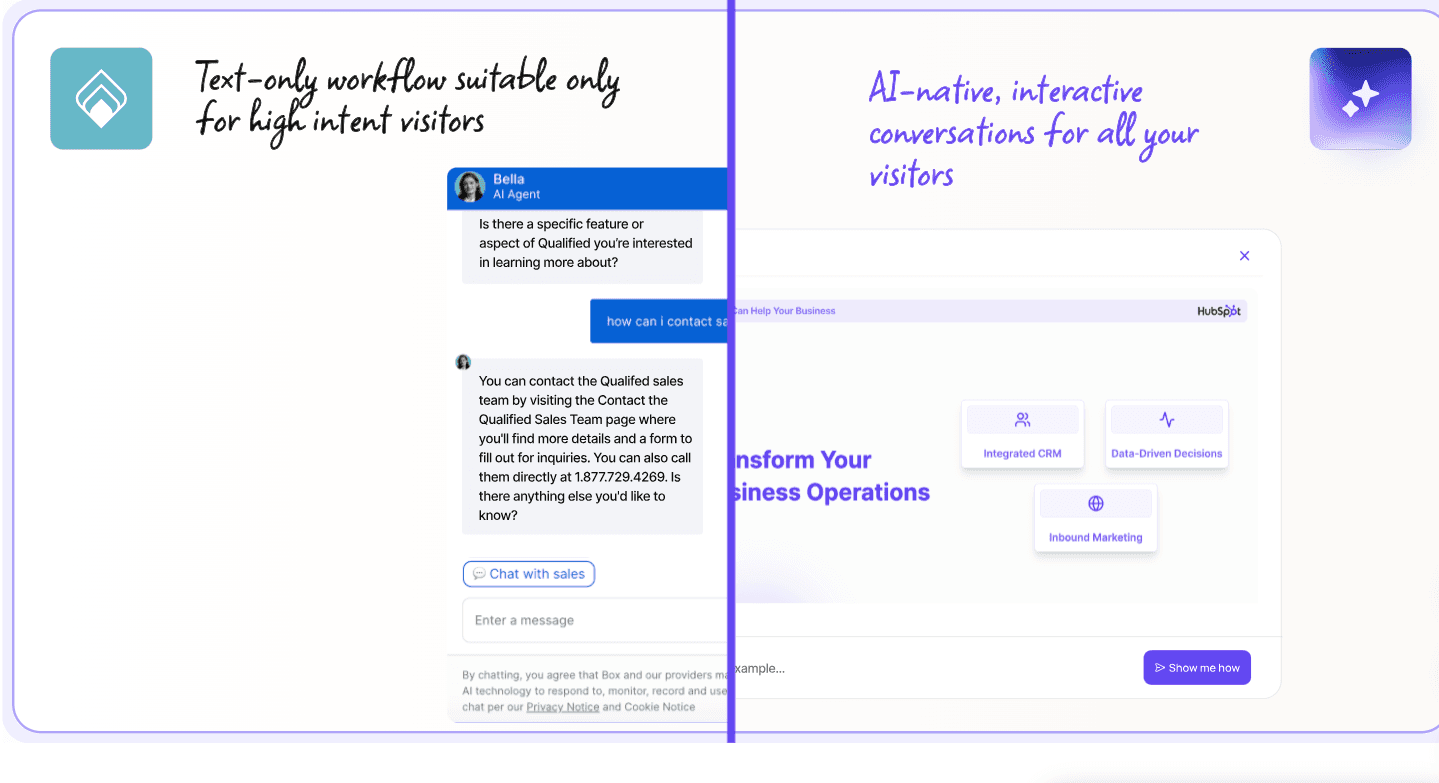
Features that deserve a mention
Real-time qualification and scheduling within a single interaction
Continuous coverage without SDR shift planning or queue delays
Context-aware responses based on CRM data and content inputs
Built-in support for demos, walkthroughs, and guided product flows
Limitations
Reporting depth may require additional tooling for advanced analysis
Pricing
Breakout follows a flexible pricing model based on usage and company stage.
How Barti saw improvements with Breakout
Barti replaced static lead capture with conversational qualification that guided visitors toward meetings.
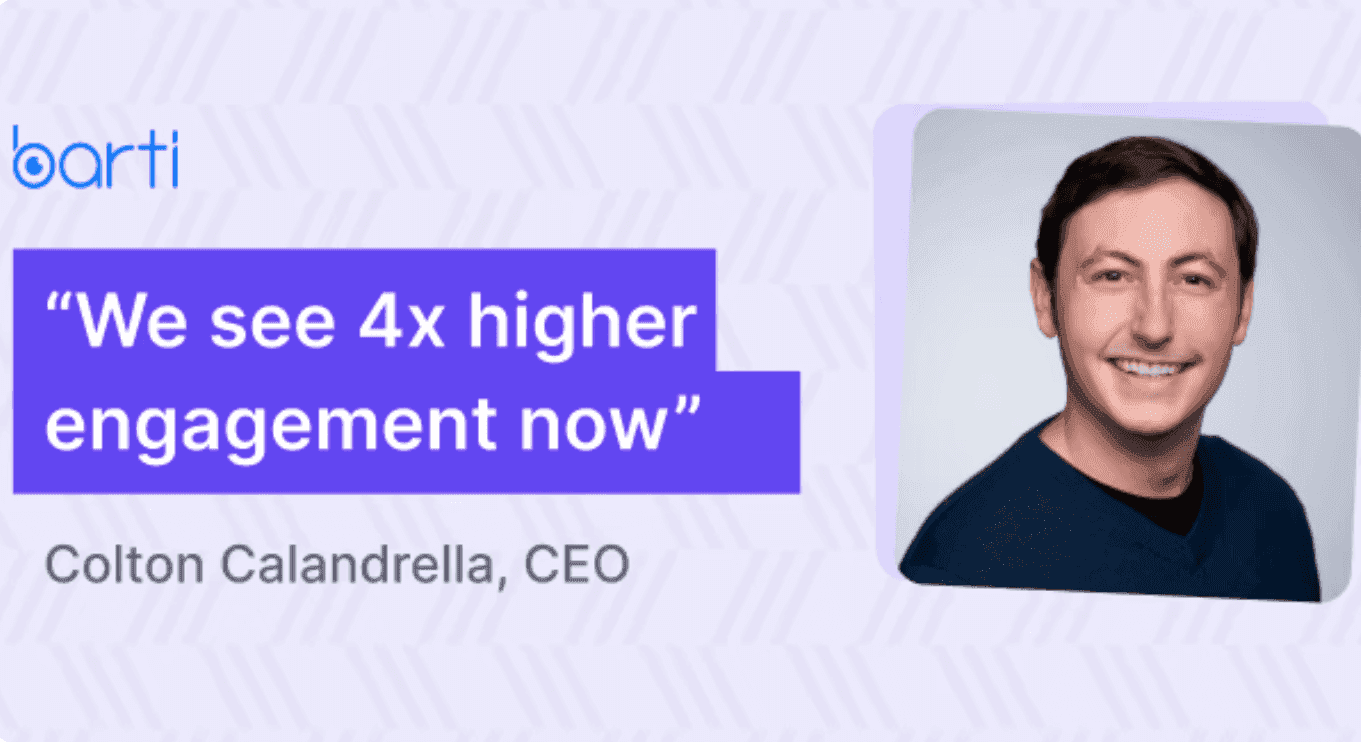
The system handled inbound demand without adding SDR headcount or increasing operational load.
This shift produced measurable improvements across the funnel.
19% incremental pipeline influenced
9.8% conversation-to-lead conversion
5.7% reduction in bounce rate
The difference came from capturing intent in real time rather than routing it later.
Where budget tools fit and where they fall short
Lower-cost tools are attractive because they reduce license costs and simplify setup.
They allow teams to start engaging inbound traffic without committing to large annual contracts.
The trade-off appears in how far they take the conversion process. Most tools focus on engagement, while conversion still depends on manual follow-up or separate systems.
Warmly
Built around intent detection, Warmly focuses on identifying high-value visitors and enabling timely outreach across channels.
It works well for teams that want to act quickly on signals without building a full inbound system.
The platform helps surface opportunities early but does not complete the conversion loop.
Qualification and scheduling often depend on SDR involvement or external workflows.
Features to watch
Intent signal tracking and visitor identification
Engagement across chat, email, and LinkedIn
Funnel-level reporting
Integration with outreach workflows
Limitations to consider
No end-to-end ownership of inbound conversion
Scheduling and qualification require external workflows
Limited depth for complex sales motions
Pricing
Paid plans start around $15,000 annually
Higher tiers scale toward $30,000 per year
HubSpot Chat
HubSpot Chat is designed to simplify inbound capture within a CRM-first setup.
It allows teams to manage conversations, capture leads, and route them without additional infrastructure.
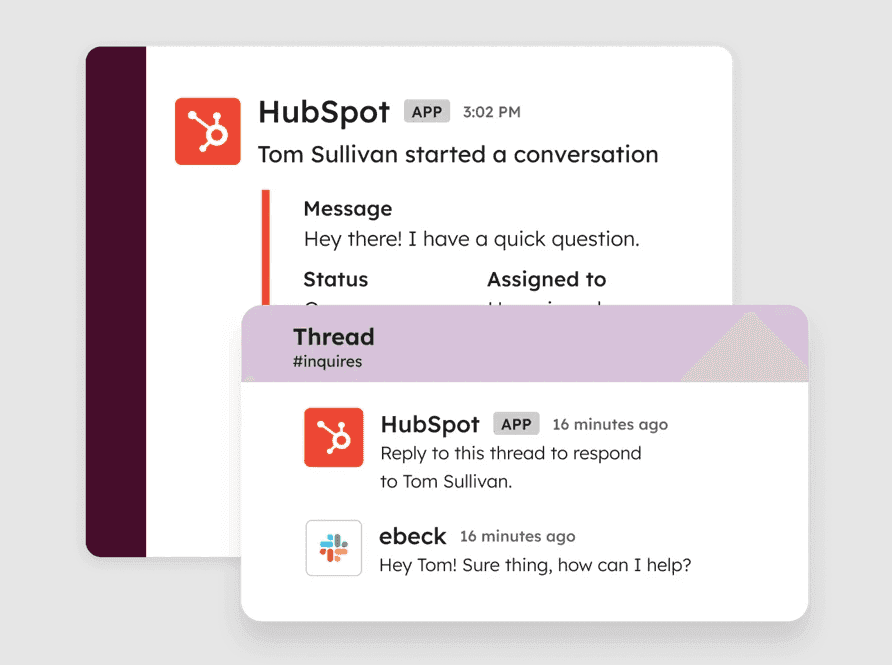
It performs well for basic workflows.
However, it does not extend deeply into qualification or adaptive conversations.
Features to watch
Native CRM integration with shared inbox
Simple bot builder for lead capture and routing
Built-in meeting scheduling
Integration with Slack and HubSpot tools
Limitations to consider
Limited conversational depth and adaptability
Basic scoring and routing without upgrades
Not suited for high-intent, complex buying cycles
Pricing
Free plan available
Paid tiers unlock automation, routing, and customization
Is Qualified worth the cost for your team?
Qualified pricing is often assessed in isolation, but the real evaluation happens when you look at how the system behaves under load, across time zones, and during peak inbound periods.
What appears efficient at a low scale can become expensive when traffic increases or when SDR coverage becomes uneven.
We prepared this quick checklist to help you decide where you stand.
Question | If your answer is yes | If your answer is no | Verdict |
Are you paying for booked meetings, not just access? | Cost tracks pipeline output | Cost exists even when the pipeline drops | Not worth it if no |
Does your inbound convert across all hours? | Consistent conversion | Drop-offs outside SDR hours | Not worth it if no |
Is SDR dependency low for early qualification? | Automation handles the first touch | SDRs handle most conversations | Not worth it if no |
Is your cost per meeting predictable? | Stable as traffic grows | Increases with hiring | Not worth it if no |
If you have more than one “no” here, Qualified cost is likely working against you.
Should you choose Qualified in 2026?
As we have already seen, Qualified works best when your team has dedicated SDR support, defined processes, and the capacity to run a structured inbound system. If those pieces are missing, expenses can grow quickly across staffing and day-to-day management.
An AI-first approach removes that dependency by converting visitors in real time and maintaining consistent coverage across all hours. Breakout applies this model to reduce delays and keep the cost per meeting predictable without scaling teams.
Our verdict: Qualified only works when the system is fully built. Breakout works when you need results without the overhead.
If your goal is to convert more pipeline without adding headcount, it is worth exploring how Breakout can help. Book a demo today!
FAQs
How much will Qualified cost in 2026?
Qualified pricing is not publicly listed, but most estimates place annual contracts between $42K and $72K. Costs increase based on feature access, number of users, and how deeply it connects with your CRM and routing setup.
Why is Qualified pricing considered expensive?
The platform works best when supported by SDR teams and structured processes, which adds to the overall cost. Once you factor in hiring, setup, and ongoing updates, the total spend increases quickly.
For smaller SaaS teams, Breakout offers a more efficient option with faster time-to-value and lower overall cost. Its AI SDR handles qualification, scheduling, and follow-up without added headcount.
How does Qualified pricing compare to other tools like Drift?
In most cases, Qualified vs. Drift pricing depends on how each system is deployed. Qualified often requires deeper Salesforce alignment and SDR involvement, while other tools may have lower entry costs but fewer routing capabilities.
What factors increase Qualified cost over time?
Qualified cost typically rises with higher traffic, more users, added workflows, and deeper CRM customization. As usage grows, ongoing updates and operational effort also contribute to the total spend.