
All Blogs
A simple breakdown of ZoomInfo pricing without the confusing fine print.

Evan Marshall
Senior Growth AI Strategist
Published On
Most teams don’t realize what ZoomInfo actually costs until they start using it.
ZoomInfo is one of the most widely adopted platforms for B2B prospecting, especially for teams running outbound at scale.
But pricing is rarely straightforward.
What begins as a base subscription often expands as teams scale usage. Industry benchmarks suggest companies typically spend anywhere between $30K to $75K+ annually, depending on seats, credits, and add-ons.
But even at lower price points, teams still question the value.
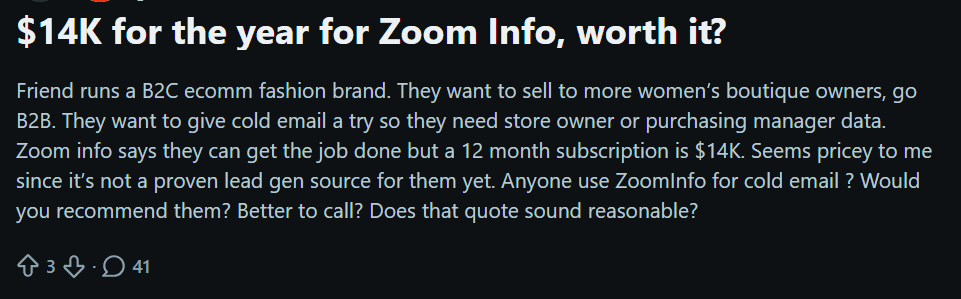
For example, in the Reddit discussion below, a user questions a $14K annual quote for outbound emailing.
That’s where the real question comes in.
“How effectively does your investment turn into pipeline?”
Because the spending doesn’t stop at access to data. It often includes the effort and tools required to turn signals into actual conversations and meetings.
In this guide, we’ll break down ZoomInfo pricing in 2026, what drives costs, where costs increase, and how to evaluate it based on outcomes, not just access.
How Much Does ZoomInfo Cost in 2026?
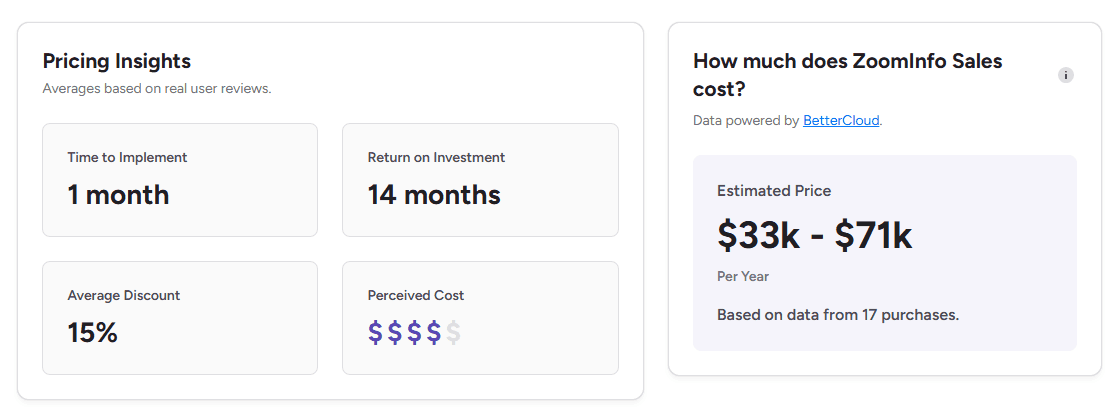
ZoomInfo does not publicly list fixed pricing. Most plans are quote-based, which means costs vary depending on your team size, usage, and features.
Based on market data and user-reported pricing:
Starting price: ~$14,995–$15,000/year for small teams
Mid-tier plans: ~$25,000–$30,000/year
Enterprise plans: $40,000+ per year
Typical spend: $30K–$75K+ annually for most teams
Median spend: ~$32,000/year based on real purchases
The reason pricing varies so much is because it’s not a flat subscription.
Costs depend on:
Number of users (seats)
Credits (contact exports and enrichment)
Features and add-ons (intent data, Engage, etc.)
Contract terms and negotiation
In practice, two companies using the same platform can end up paying very different amounts.
That’s also why many buyers describe ZoomInfo pricing as flexible, but difficult to benchmark upfront.
ZoomInfo Pricing Plan Structure
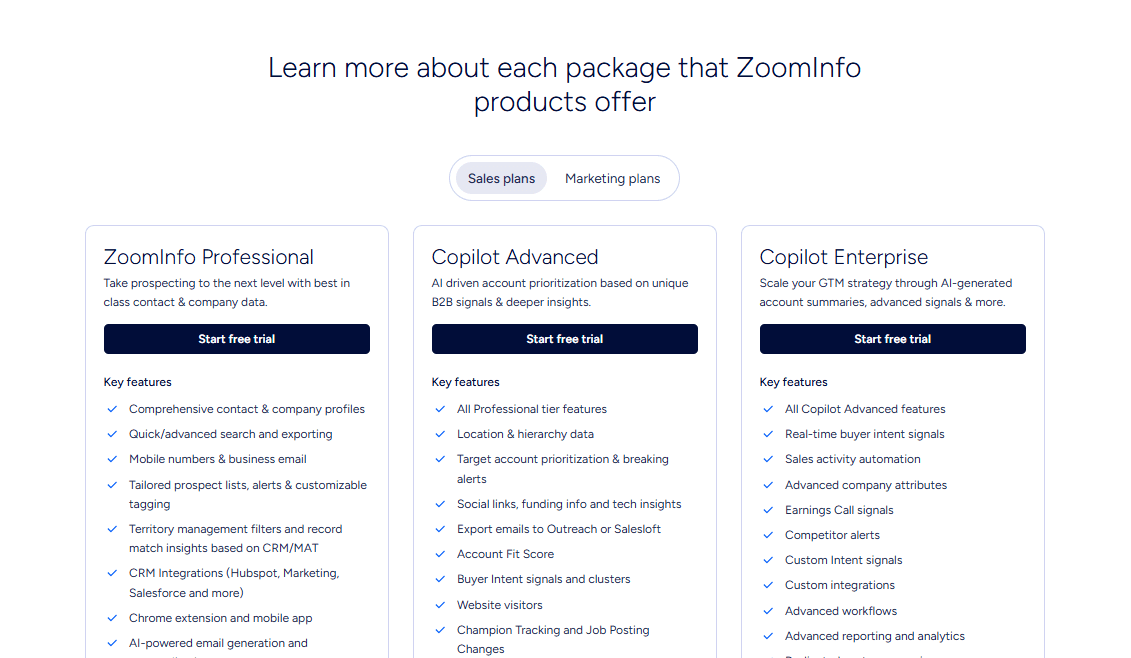
ZoomInfo’s plans are built in layers, with each tier adding more data depth, signals, and automation capabilities.
1. Professional Plan
This is the starting point for most teams focused on prospecting.
It includes access to ZoomInfo’s core database, with:
Contact and company profiles
Search, filtering, and list building
Verified emails and mobile numbers
CRM integrations (Salesforce, HubSpot, etc.)
Chrome extension and mobile access
It also includes some AI-assisted features like email generation and dialing insights.
At this level, ZoomInfo primarily supports finding and reaching out to prospects, but execution still depends on the team.
2. Copilot Advanced
This tier builds on Professional by adding more context and prioritization.
Along with all core features, it introduces:
Account prioritization based on signals
Buyer intent data and website visitor insights
Buying group identification and filters
Alerts for key changes like hiring or funding
Workflows for outreach and activity automation
It also includes AI-driven insights like talking points and account summaries.
This plan is designed to help teams focus on the right accounts, not just find more of them.
3. Copilot Enterprise
This is the most advanced tier, aimed at larger teams running complex GTM strategies.
It includes everything in Advanced, plus:
Real-time intent signals and deeper company data
More advanced automation and workflows
Custom integrations and reporting
Dedicated support and onboarding
It also expands on AI capabilities with:
Account summaries
Ideal customer profile generation
Advanced analytics and insights
At this level, ZoomInfo becomes more embedded in the overall GTM strategy, especially for teams operating at scale.
Across all tiers, the pattern is consistent.
ZoomInfo gets better at helping you:
Find accounts
Prioritize them
Add context to outreach
But the responsibility of turning that into conversations and meetings still sits with the team.
That’s where tools like Breakout take a different approach.
Instead of layering more data and signals, Breakout focuses on what happens after intent shows up, engaging visitors, qualifying them, and moving them toward meetings within the same flow.
For teams evaluating pricing, this often becomes less about features and more about what actually drives pipeline.
The Credit-Based Pricing Model
ZoomInfo’s pricing isn’t just subscription-based. A large part of the cost comes from how you use the platform.
It runs on a credit system.
You consume credits when you:
Export contact data
Enrich or sync records
Use certain integrations or workflows
Credits are essentially tied to activity. The more your team uses the platform, the more credits you burn.
In most cases:
Smaller credit packages cost around $0.60 per credit
Higher volumes can reduce this to around $0.20 per credit
What this means in practice is simple.
Your total cost isn’t fixed.
It scales with usage.
For high-volume outbound teams, this can increase spend quickly. For others, unused credits can reduce efficiency.
That’s why ZoomInfo pricing often feels like a combination of access + consumption, rather than a predictable flat fee.
Hidden Costs Most Teams Don’t Expect
This is where ZoomInfo pricing often goes beyond the initial quote.
The base plan is only one part of the total spend. As teams start using the platform more actively, additional costs begin to show up.
1. Add-Ons
Many key features are not included in the base plan.
Things like:
Intent data
Engage (outreach and sequencing)
Data enrichment
They are often priced separately.
These can add anywhere from $5,000 to $20,000+ per year, depending on usage and scope.
2. Seat-Based Pricing
ZoomInfo pricing scales with users.
Each additional seat typically costs:
Around $1,500–$2,500 per year
As teams grow, this becomes a significant factor, especially for SDR-heavy setups.
3. Credit Overages
Credits are tied to usage, and limits can be reached quickly.
When that happens:
Additional credits need to be purchased
Costs increase with higher outreach volume
For teams running large campaigns, this can make total spend less predictable.
4. Annual Contracts
ZoomInfo generally requires annual commitments.
No flexible monthly plans
Contracts are locked in upfront
Renewals can be restrictive or harder to renegotiate
This makes it important to evaluate usage carefully before committing.
What You’re Actually Paying For
ZoomInfo isn’t just a data tool. It’s part of a broader outbound workflow.
When you pay for ZoomInfo, you’re getting:
Access to a large B2B contact database
Intent signals and buying insights
Tools for prospecting and list building
Integrations with CRM and GTM systems
It’s designed primarily for outbound-driven teams that rely on identifying accounts and reaching out at scale.
The cost of ZoomInfo doesn’t stop at the platform itself.
To actually generate pipeline, teams often also need:
SDR effort for outreach and follow-ups
Additional tools for sequencing and scheduling
Time to qualify and convert leads
That’s why pricing is often less about the subscription, and more about the total cost of turning data into pipeline.
More ROI-Focused Alternatives to ZoomInfo
Teams usually start looking at alternatives when the cost of data doesn’t clearly translate into pipeline.
The shift is less about replacing ZoomInfo entirely and more about finding tools that either cost less or drive outcomes more directly.
1. Breakout (Best for inbound pipeline & meeting booking)
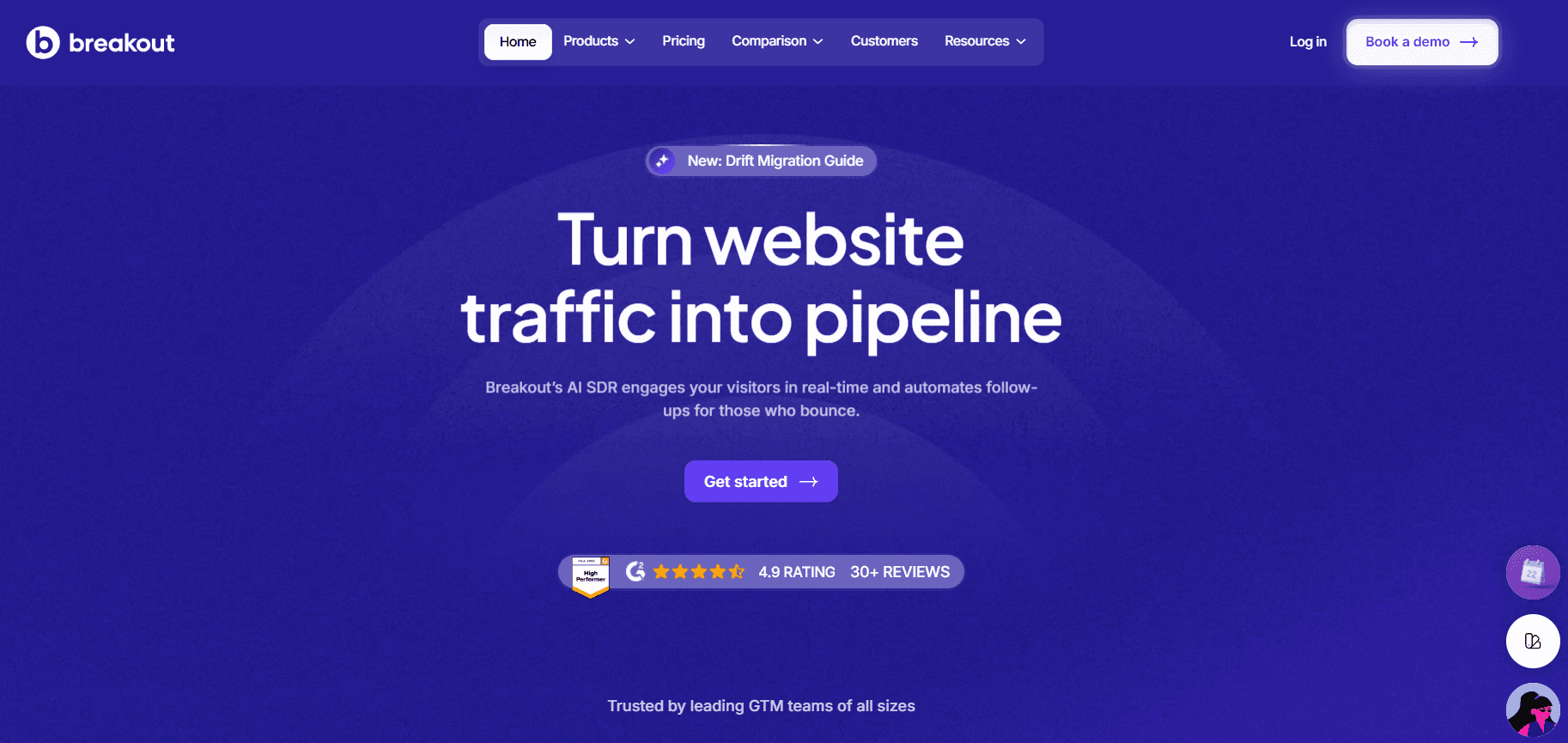
Breakout is built as an inbound AI SDR that focuses on converting existing demand into pipeline.
Instead of helping you find more leads, it works on the traffic and intent you already have, engaging visitors, qualifying them, and moving them toward meetings in real time.
Key Features
Identifies anonymous website visitors
Real-time, AI-driven conversations
Built-in qualification
Instant meeting booking
Inbound-led outbound follow-ups
Pricing
Breakout starts at $500/month, making it more accessible compared to traditional enterprise tools.
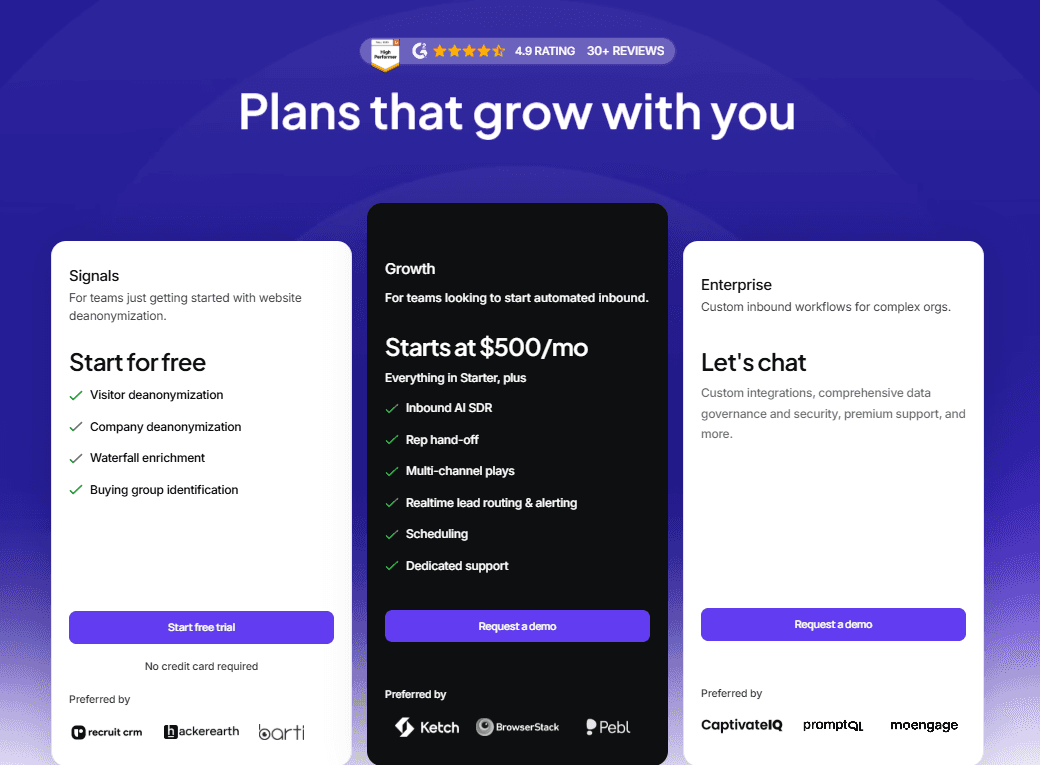
Pricing scales based on:
Website traffic and usage
Features required
Growth stage of the team
This makes it more flexible, as teams can start small and expand as pipeline needs grow, rather than committing to large upfront contracts.
Why It’s Better (Price + ROI)
With ZoomInfo, you’re paying for:
Data access
Credits
Additional tools and SDR effort
With Breakout:
You’re using existing traffic
Less dependency on SDR bandwidth
Faster conversion from visit → meeting
So instead of paying to identify leads and then convert them separately, teams are investing in conversion directly, which often improves ROI.
See it in action:
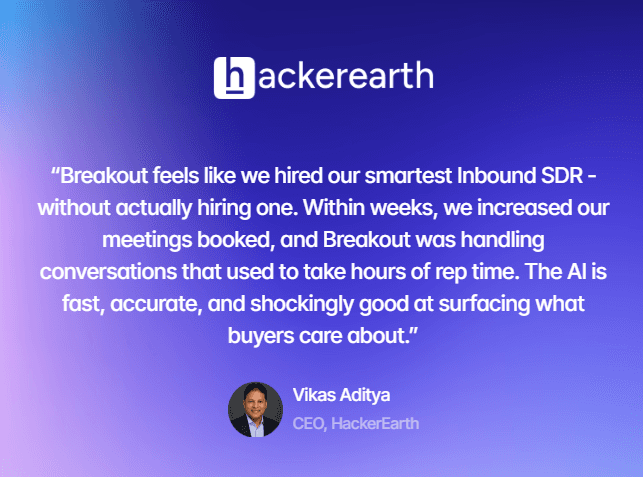
How Breakout helped HackerEarth
HackerEarth had strong website traffic but struggled to convert that into pipeline. Traditional forms, chatbots, and demos weren’t helping visitors find what they needed quickly.
With Breakout, they shifted to real-time engagement and qualification.
The impact:
2.5% lift in website visitor engagement
10% engagement → lead conversion rate
21% of Q1 pipeline driven by Breakout
This helped the team turn existing traffic into measurable pipeline, without relying on additional forms or manual follow-ups.
2. Apollo.io (Best for affordable outbound prospecting)
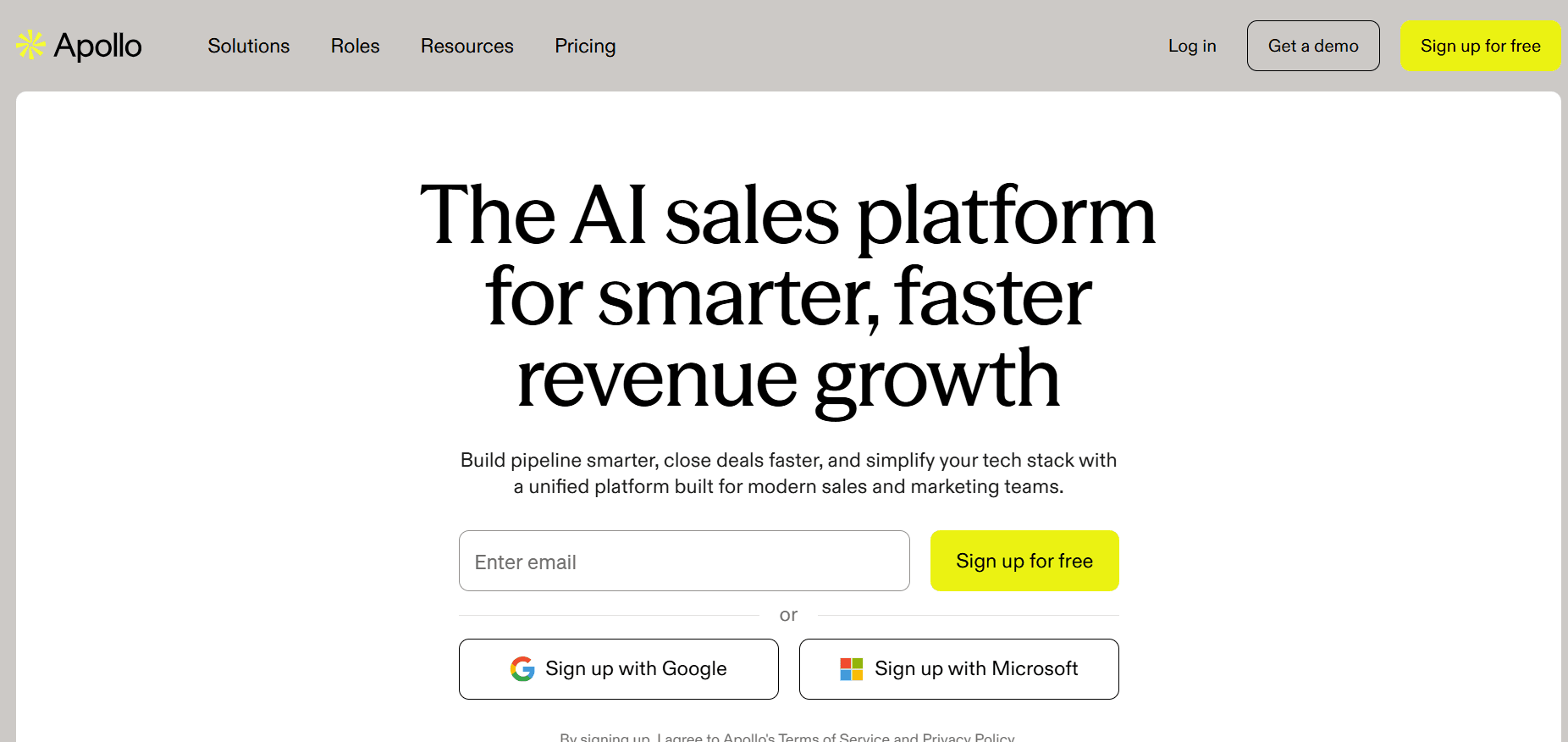
Apollo is one of the closest alternatives to ZoomInfo in terms of functionality, combining a contact database with built-in outreach tools.
It’s widely used by startups and mid-sized teams looking for a more affordable outbound setup.
Key Features
Large contact database with emails and phone numbers
Built-in email sequencing and outreach
Prospecting filters and list building
CRM integrations
Basic analytics and tracking
Pricing
Paid plans start around $49–$99 per user/month. Scales based on users and features.
Why It’s Better (Price + ROI)
Apollo offers:
Lower upfront cost
Built-in outreach (reducing need for extra tools)
Compared to ZoomInfo:
More affordable entry point
Simpler setup for outbound
However, execution still depends on the team, so ROI depends on how well outreach is run.
3. 6sense (Best for predictive intent & ABM)
6sense focuses on account-level intent and predictive analytics, helping teams understand which companies are in-market before they engage directly.
It’s commonly used by enterprise teams running ABM strategies.
Key Features
Predictive intent data and buying stage insights
Account prioritization and scoring
Buyer journey tracking
Integration with sales and marketing tools
Campaign orchestration capabilities
Pricing
Custom enterprise pricing
Generally higher than mid-market tools
Scales based on data, features, and usage
Why It’s Better (Price + ROI)
Compared to ZoomInfo:
Stronger focus on when to engage, not just who
Helps reduce wasted outreach
However:
Still requires execution layers (SDRs, tools)
ROI depends on how insights are acted on
How Is Breakout Better Compared to ZoomInfo (Pricing Perspective)?
The difference isn’t just how much you pay.
It’s what that spending actually produces.
Most teams evaluate ZoomInfo based on subscription cost. In practice, the more useful metric is cost per meeting.
Where ZoomInfo Costs Come From
With ZoomInfo, you’re primarily paying for:
Access to contact and company data
Intent signals and insights
Credits tied to usage
But data alone doesn’t generate pipeline.
To get from data → meeting, you still need:
SDR time for outreach and follow-ups
Sequencing tools
Multiple touchpoints before conversion
So your actual cost looks more like:
ZoomInfo + SDR effort + tooling + time
That’s where spend starts to compound.
Where Breakout Changes the Equation
Breakout focuses on what happens after intent shows up.
Instead of identifying leads and passing them to reps, it handles a large part of the flow:
Engages visitors while they’re active
Qualifies them within the interaction
Moves them to booking without back-and-forth
This reduces the number of steps between interest and meeting.
Cost per Meeting Calculation
To compare fairly, it’s easier to look at cost per meeting, not just tool pricing.
ZoomInfo (Outbound-led)
What you pay for:
Platform: $30K–$75K/year
SDRs + tools: $60K–$120K/year
Total: ~$90K–$195K/year
Typical output:
240–600 meetings/year
Cost per meeting:
Roughly $150 to $800+
Why it varies:
Depends on SDR performance
Follow-ups and outreach quality matter a lot
Breakout (Inbound-led)
What you pay for:
Platform: ~$6K–$12K/year
Typical output:
240–960 meetings/year (based on traffic)
Cost per meeting:
Roughly $6 to $50
Why it’s more consistent:
Engages visitors in real time
No delay or manual follow-up needed
If you already have traffic, the cost per meeting tends to be significantly lower with an inbound-led approach.
Category | ZoomInfo | Breakout |
Pricing Model | Subscription + credits | Subscription (usage-based) |
What You Pay For | Data & signals | Identify→ Engage→ Meeting Booking |
Execution Layer | SDR-driven | Largely automated |
Time to Conversion | Delayed | Real-time |
Cost Driver | Usage + team effort | Pipeline generated |
ROI Dependency | Outreach performance | Traffic quality |
ZoomInfo works well when the problem is finding the right accounts. Breakout becomes relevant when the problem is converting interest efficiently.
So the comparison isn’t just:
What does this tool cost?
It’s:
What does it take to get a meeting?
ZoomInfo → Pay for data, then execute
Breakout → Pay to convert existing intent
For teams already investing in traffic or campaigns, this often leads to a more predictable and efficient path to pipeline.
Is ZoomInfo Worth Its Pricing in 2026?
ZoomInfo continues to be a strong choice for teams focused on prospecting and outbound.
It provides access to large datasets, intent signals, and the tools needed to identify potential buyers.
But whether it’s worth the pricing depends on how that investment translates into results.
In many cases, teams already know which accounts to target.
The challenge is turning that awareness into actual conversations and booked meetings.
That’s where the gap often shows up.
Not in data quality or access, but in the effort required to act on it consistently.
Breakout approaches this differently.
Instead of adding another layer of data or signals, it focuses on handling inbound interest as it happens, engaging visitors, qualifying intent, and helping move them toward meetings without delay.
So the decision comes down to this:
If your priority is expanding your prospect list, ZoomInfo remains a solid investment. If your focus is improving conversion from existing demand, then how you execute becomes more important than how much data you have.
See how your existing demand can turn into pipeline with Breakout.
FAQs
1. Is ZoomInfo free or paid?
ZoomInfo is a paid platform.
It does not offer a fully free plan, though it may provide limited trials or demos. Most teams use it through annual contracts with custom pricing.
2. How much does ZoomInfo cost per seat?
ZoomInfo pricing varies, but a single seat typically costs around $1,500–$2,500 per year. This depends on the plan, features included, and total contract size.
3. What is the best alternative to ZoomInfo?
The best alternative depends on your use case.
Breakout is best for converting inbound traffic into meetings
Apollo.io is a lower-cost prospecting tool
6sense is strong for intent data and ABM
4. How does ZoomInfo pricing compare to other tools?
ZoomInfo is generally considered a premium-priced platform.
Compared to alternatives, it often costs more upfront due to its large database and enterprise features, while other tools may offer lower entry pricing or more flexible plans.
5. Is ZoomInfo better than LinkedIn?
LinkedIn and ZoomInfo serve different purposes.
LinkedIn is better for networking and visibility, while ZoomInfo is designed for data-driven prospecting and outreach at scale.
6. Can I use ZoomInfo for free?
ZoomInfo does not offer a full free version. Some users may access limited data through trials or integrations, but full functionality requires a paid subscription.
7. Who competes against ZoomInfo?
ZoomInfo competes with tools like Apollo.io, 6sense, Demandbase, and RocketReach. Newer platforms like Breakout compete by focusing on conversion rather than just data.
8. Which is better: RocketReach or ZoomInfo?
RocketReach is more affordable and simpler, while ZoomInfo offers a larger database, better filtering, and intent data. ZoomInfo is more comprehensive, but RocketReach works well for smaller teams.
9. What’s the best free email lookup site?
Popular free tools include Hunter.io and Snov.io. These tools are useful for basic lookups but don’t match the scale or accuracy of paid platforms.
10. Is ZoomInfo worth the price in 2026?
ZoomInfo is worth it for teams focused on outbound prospecting at scale.
However, for teams looking to convert existing demand into meetings, tools like Breakout may offer better ROI by focusing on execution rather than just data.


