
All Blogs
We tested 7 Lusha alternatives in September 2026 on data accuracy, pricing, and GTM fit to help B2B teams find the right sales intelligence tool.

Evan Marshall
Senior Growth AI Strategist
Published On

Quick Summary
If you're short on time, here's the shortlist:
Best overall: ZoomInfo for enterprise-grade contact data, buying signals, and broad GTM coverage.
Best free option: Apollo.io for startups that need generous free credits and built-in outbound workflows.
Best for turning website traffic into pipeline: Breakout for identifying anonymous website visitors, enriching accounts, and engaging high-intent buyers with AI before they ever fill out a form.
Tool | Best For | Primary Use Case | Starting Price | Free Plan | AI Features | G2 Rating* |
Lusha | SMB sales teams | Contact discovery and enrichment | From $37/month | Yes | Limited | 4.3/5 |
Breakout | B2B SaaS & inbound GTM teams | AI-powered inbound SDR and website visitor conversion | From $500/month | 30-day free trial | Yes | 5/5 |
Apollo.io | Startups & SMBs | Prospecting, sequencing, and sales engagement | From $59/user/month | Yes | Yes | 4.7/5 |
ZoomInfo | Enterprise sales teams | Enterprise sales intelligence and buyer intent | Custom | No | Yes | 4.4/5 |
Clay | GTM engineers | Data enrichment and workflow automation | From $149/month | Yes | Yes | 4.9/5 |
Sumble | Enterprise account-based sales | Account intelligence and buying signals | Custom | 30-day free trial | Yes | N/A |
RocketReach | Recruiters & small sales teams | Contact lookup and enrichment | From $39/month | Limited | No | 4.5/5 |
Kaspr | LinkedIn prospecting | Contact capture and enrichment from LinkedIn | From €49/user/month | Yes | Limited | 4.4/5 |
Every outbound strategy starts with one thing.
Reliable data.
You can have the best sales team, compelling messaging, and a proven outbound playbook. None of it matters if you're targeting the wrong accounts or relying on outdated contact information.
That's why sales intelligence platforms have become essential to modern GTM teams.
They help revenue organizations identify target accounts, find decision-makers, enrich CRM records, and prioritize outreach with greater confidence.
Lusha is one of the most popular platforms in this space.
It's easy to use, competitively priced, and a solid choice for teams that need straightforward contact data without the complexity of an enterprise solution.
As companies scale, however, many teams begin to outgrow it. Contact coverage can vary by region, intent data is limited, and advanced automation often requires additional tools.
The best alternative depends on your GTM strategy.
Some platforms prioritize data accuracy. Others focus on buying intent, enrichment, workflow automation, or outbound prospecting.
In this guide, we compare the eight best Lusha alternatives based on data quality, pricing, features, ease of use, and overall fit. We'll break down where each platform stands out, where it falls short, and which teams will get the most value from it.
There's no one-size-fits-all winner. The right platform is the one that aligns with your sales motion, budget, and stage of growth.
Why Teams Outgrow Lusha
Lusha is a solid starting point for finding business contacts. It's easy to use, affordable, and gets teams up and running quickly.
As outbound programs mature, though, many teams begin looking for more than basic contact data. Here are the most common reasons they switch.
1. Phone number credits run out quickly
Lusha charges credits for revealing contact details, especially mobile numbers.
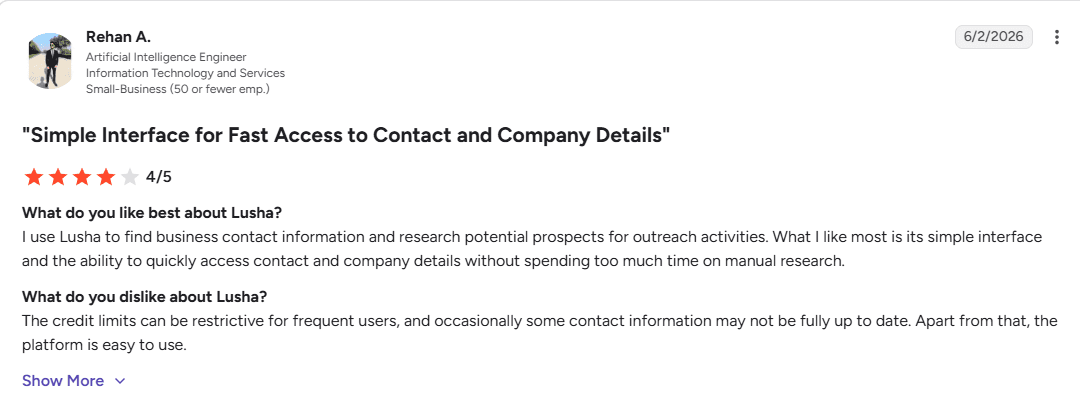
High-volume prospecting teams can burn through monthly credits faster than expected, making it harder to scale outbound without increasing costs.
2. Contact accuracy varies
No contact database is 100% accurate, and Lusha is no exception.
Users occasionally report outdated emails, disconnected phone numbers, or incomplete contact records, particularly in fast-growing companies where employee information changes frequently.
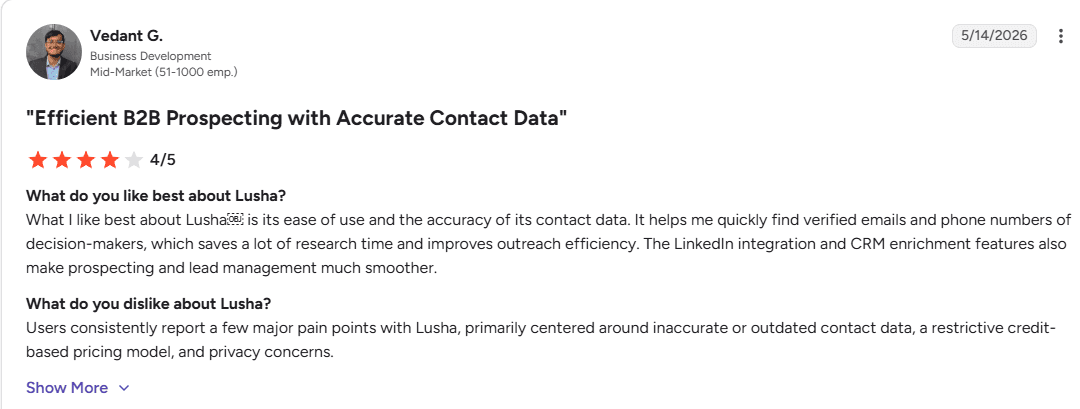
As sales teams scale, even a small drop in data accuracy can lead to bounced emails, wasted call attempts, and lower campaign performance.
3. Contact coverage isn't consistent across every market
Lusha performs well in many regions, but coverage can vary by country, company size, and industry.
Teams expanding into Europe, APAC, or niche verticals often find themselves cross-checking contacts with another data provider to fill the gaps.
4. Limited buying signals
Finding a contact is only part of the equation.
Modern GTM teams also want intent data, website engagement, hiring signals, technology installs, and other buying indicators that help prioritize outreach.
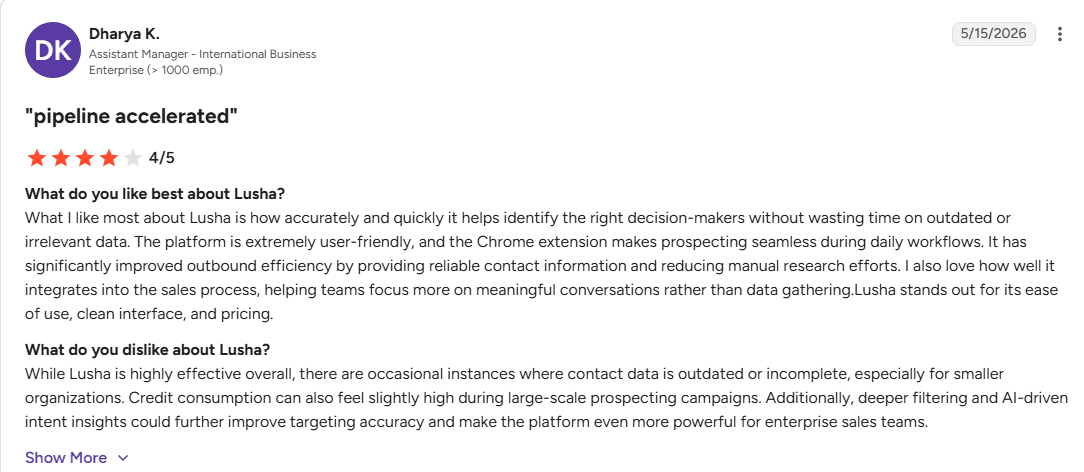
Lusha offers some intent capabilities, but they aren't as comprehensive as platforms built around sales intelligence.
5. CRM data quality requires ongoing maintenance
Keeping CRM records accurate is an ongoing challenge.
Some teams report duplicate records, incomplete fields, or inconsistent enrichment that requires manual review before contacts are ready for sales.
As databases grow, these small issues become operational bottlenecks.
6. Sales workflows require additional tools
Lusha focuses on contact discovery rather than end-to-end sales execution.
Teams that need sequencing, workflow automation, account prioritization, AI-powered research, or inbound buyer engagement often add separate platforms, increasing both cost and complexity.
The Evaluation Framework Behind Our Rankings
Not every sales intelligence platform solves the same problem. Some prioritize contact accuracy, while others focus on intent data, workflow automation, or AI-powered prospecting.
To make this comparison as practical as possible, we evaluated each platform across the criteria that matter most to modern GTM teams:
Data quality and coverage: Database size, contact accuracy, refresh frequency, and global coverage.
Pricing and value: Cost, credit limits, pricing transparency, and overall value for growing teams.
Compliance: GDPR, CCPA, and enterprise security standards.
AI and workflow readiness: Support for AI agents, MCP compatibility, APIs, automation, and integrations.
Ease of migration: CRM integrations, onboarding experience, and how easily teams can switch from Lusha without disrupting their workflows.
Rather than ranking the biggest database first, we focused on which platform delivers the most value for specific GTM motions, budgets, and growth stages.
This version is more differentiated because it explicitly includes AI and workflow readiness instead of just "AI-agent compatibility," making it broader, more future-proof, and highly relevant to technical founders and RevOps leaders.
The 8 Best Lusha Alternatives in 2026
Every sales intelligence platform solves a different GTM problem.
Some help you find verified contact information. Others enrich CRM records, surface buying signals, automate outbound workflows, or identify high-intent accounts before your competitors do.
That's why choosing a Lusha alternative isn't about finding the biggest database. It's about finding the platform that best supports your go-to-market strategy.
The tools below represent the strongest alternatives available today. We've evaluated each one based on data quality, feature depth, pricing, ease of implementation, AI readiness, and overall value for modern revenue teams.
Rather than ranking tools by popularity alone, we've ordered this list based on the breadth of use cases they support. It starts with platforms that can deliver the greatest business impact for most GTM teams before moving into more specialized solutions.
Let's dive in.
1. Breakout
Overall Rating: 9.8/10
Best for: B2B SaaS companies looking to turn anonymous website visitors into qualified pipeline with AI.
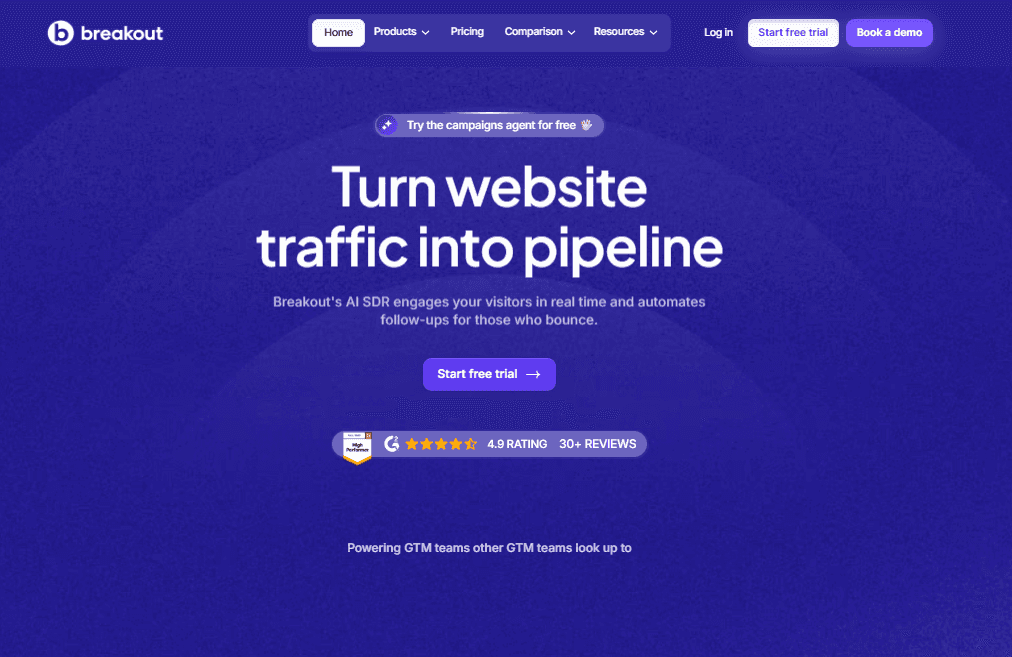
Unlike most Lusha alternatives, Breakout doesn't compete on contact data alone. It solves a different problem.
Most sales intelligence platforms help you identify prospects before outreach begins. Breakout activates buyers who have already shown intent by visiting your website.
That makes Breakout more than a visitor identification platform.
It acts as an autonomous inbound SDR that can qualify leads, answer product questions, schedule meetings, and trigger personalized email or LinkedIn follow-up if a visitor leaves without converting.
For teams investing in paid acquisition or ABM, this closes a gap that traditional sales intelligence platforms leave open.
Instead of simply telling you who visited your website, Breakout helps convert that interest into pipeline automatically.
Key features
Person- and company-level visitor identification
Waterfall enrichment for higher match rates
AI-powered inbound SDR with contextual conversations
Live AI product demos
Automated post-visit email and LinkedIn follow-up
Real-time lead qualification
Native integrations with Salesforce, HubSpot, Slack, and 40+ GTM tools
Pricing
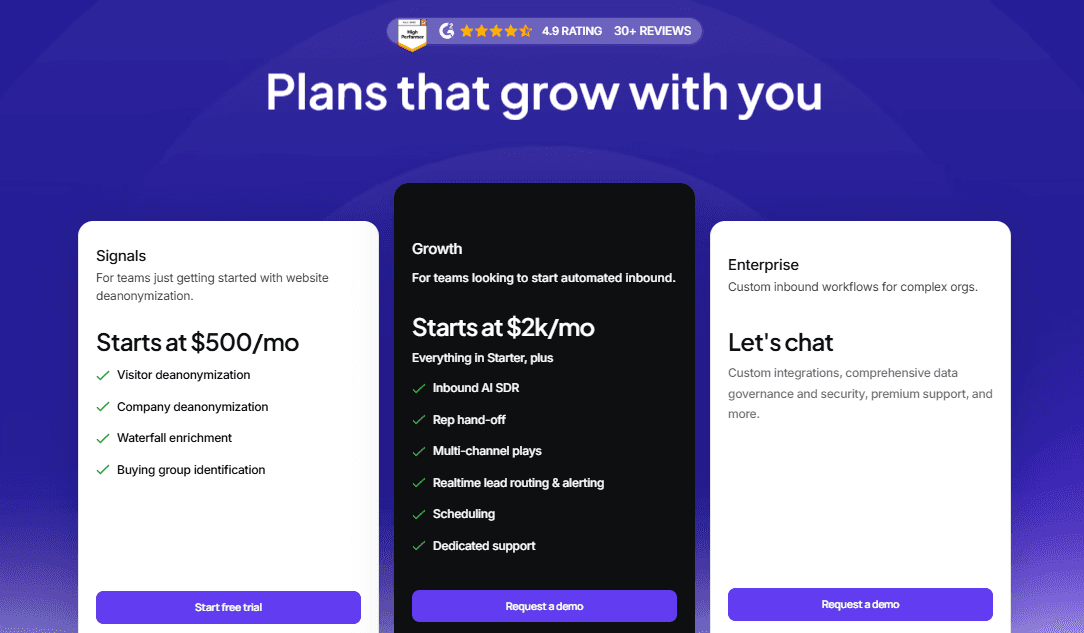
Starts at $500/month, with pricing based on pipeline activity rather than seat count. Includes a 30-day free trial.
Pros
AI-native architecture built for autonomous buyer engagement
Converts anonymous website traffic into qualified meetings
Faster implementation than traditional enterprise platforms
Usage-based pricing instead of expensive seat licenses
Eliminates manual SDR qualification for inbound leads
Cons
Not designed to replace outbound contact databases
Delivers the most value for companies with consistent website traffic
Newer platform than long-established enterprise vendors
What real users say
Customers consistently highlight how quickly Breakout begins qualifying inbound visitors and reducing SDR workload.
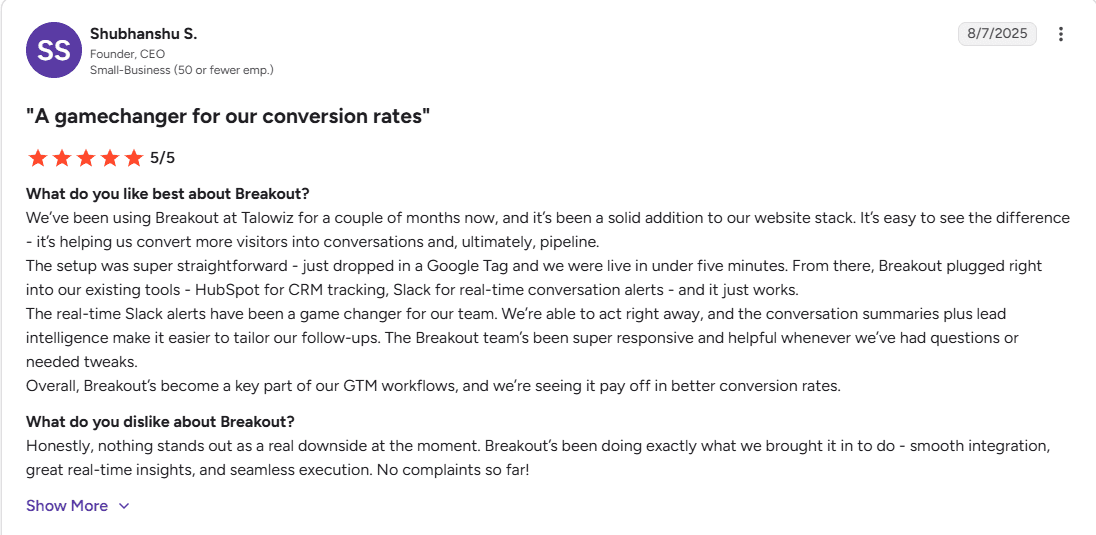
Users also praise the quality of AI conversations and the ability to identify high-intent buyers that would otherwise leave the website unnoticed.
Breakout vs. Lusha
Lusha helps your team find people to contact.
Breakout helps your team convert people who are already interested.
If your primary growth engine is outbound prospecting, Lusha remains a solid option.
If your website is already generating qualified traffic, Breakout delivers value much closer to revenue by turning anonymous visitors into pipeline without adding headcount.
2. ZoomInfo
Overall Rating: 9.4/10
Best for: Large enterprises that need extensive contact data and advanced sales intelligence.
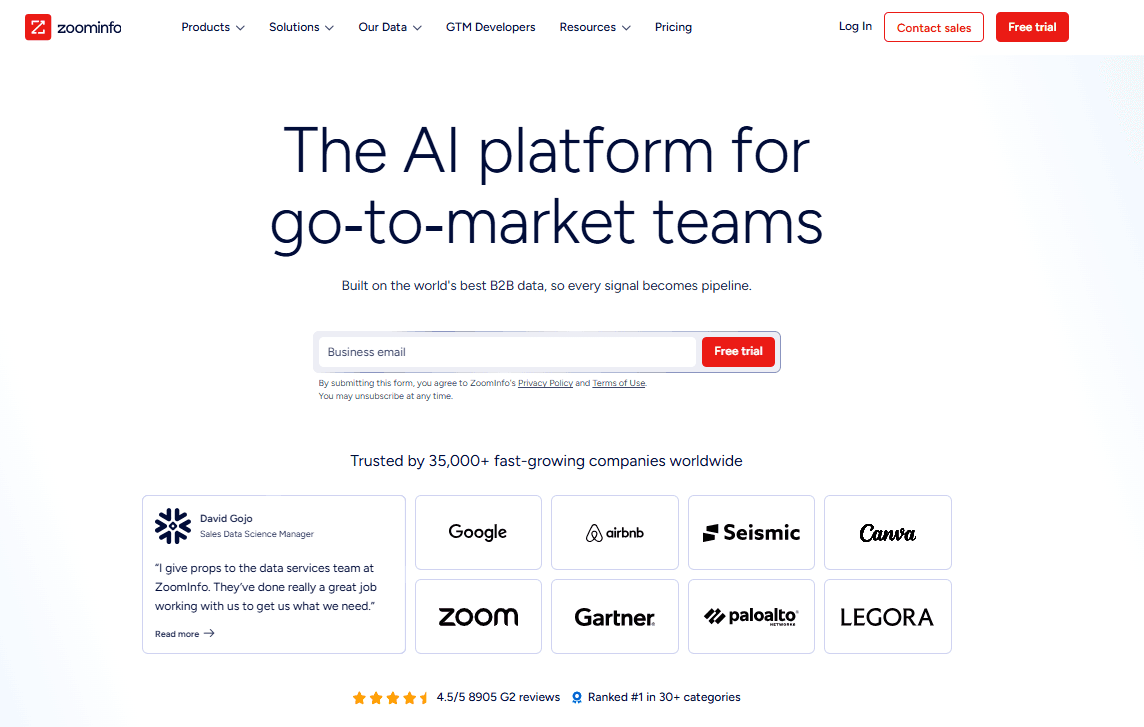
ZoomInfo is one of the most comprehensive sales intelligence platforms on the market.
It combines a massive B2B contact database with intent signals, technographics, organization charts, conversation intelligence, and workflow automation.
Its depth makes it a popular choice for enterprise sales teams with complex prospecting needs.
The biggest downside is cost. ZoomInfo is significantly more expensive than Lusha and most other alternatives, with annual contracts that can quickly become difficult for startups and SMBs to justify.
Key features
Extensive B2B contact database
Buyer intent data
Organization charts
Technographics
CRM enrichment
Sales automation integrations
Pros
Massive global database
Strong enterprise features
Excellent CRM integrations
Cons
Expensive
Long-term contracts
Steeper learning curve
What real users say
Users appreciate ZoomInfo's database size and search capabilities but frequently mention pricing and contract negotiations as major drawbacks.
ZoomInfo vs. Lusha
Choose ZoomInfo if you need enterprise-grade data and advanced intelligence. Lusha is better for smaller teams looking for simplicity and affordability.
3. Apollo.io
Overall Rating: 9.3/10
Best for: Startups and growing sales teams looking for an all-in-one prospecting platform.
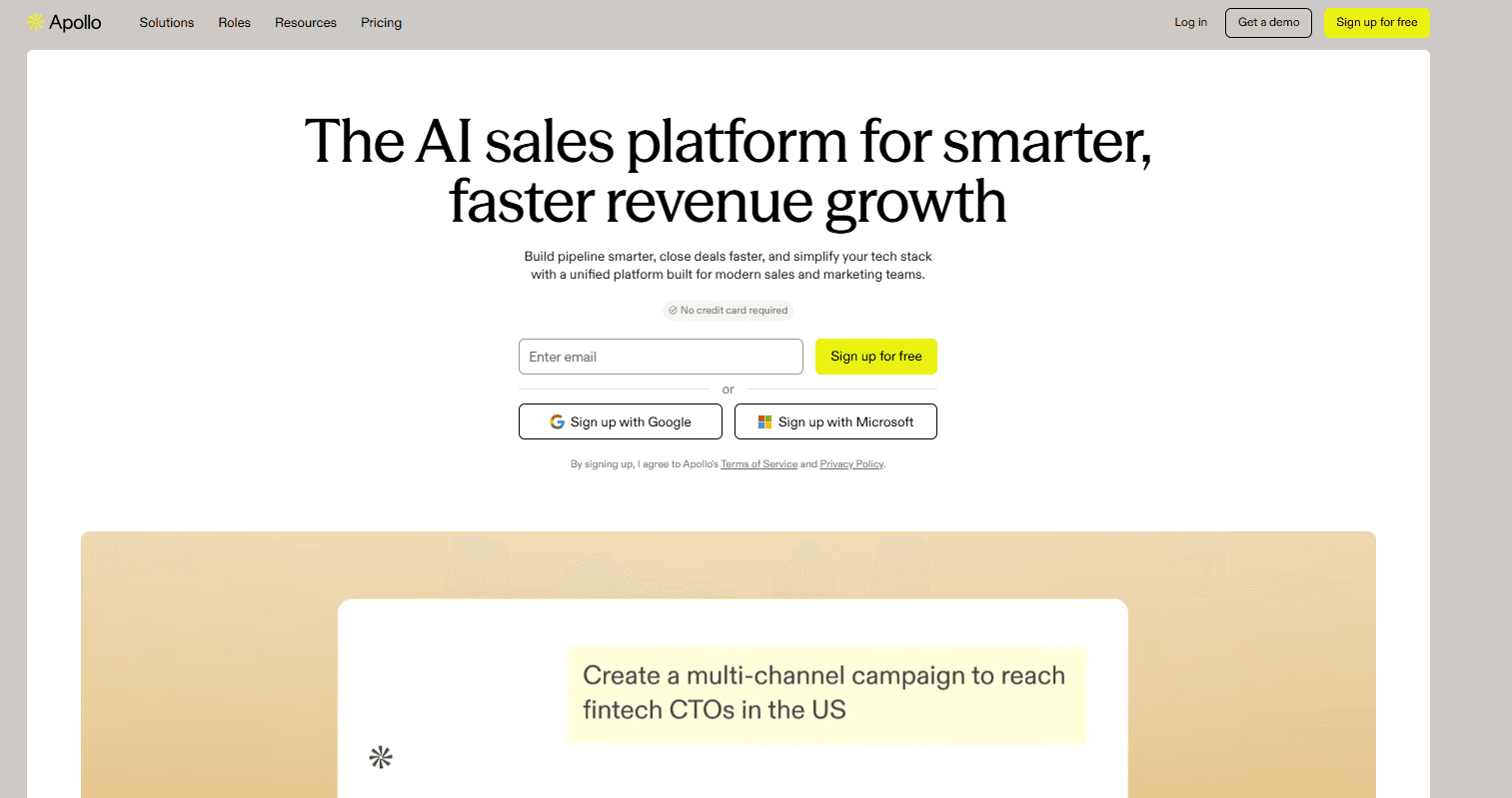
Apollo combines contact data, email sequencing, CRM enrichment, and outbound automation in a single platform.
Its generous free plan and affordable pricing make it one of the most popular choices for startups and SMBs that want to consolidate multiple sales tools.
While Apollo offers excellent value, its contact accuracy and intent data can be less consistent than premium enterprise platforms.
Key features
Contact database
Email sequencing
AI writing assistant
CRM enrichment
Chrome extension
Workflow automation
Pros
Excellent value for money
Built-in outbound automation
Easy to implement
Cons
Contact accuracy varies
Limited enterprise reporting
What real users say
Customers consistently praise Apollo's feature set and affordability. Some users report occasional data quality issues, particularly for international contacts.
Apollo vs. Lusha
Apollo is a better choice if you want prospecting and outbound automation in one platform. Lusha is simpler if you only need contact data.
4. Clay
Overall Rating: 9.1/10
Best for: GTM engineers and teams building custom prospecting workflows.

Clay isn't a traditional sales intelligence platform.
Instead, it acts as a data orchestration layer, pulling information from more than 150 providers to enrich leads, automate research, and create highly customized outbound workflows.
It's one of the most powerful platforms available, but also one of the most technical. Teams without dedicated RevOps or GTM engineering resources may face a steep learning curve.
Key features
Waterfall enrichment
AI-powered research
150+ data source integrations
Workflow automation
Custom enrichment tables
Pros
Extremely flexible
Best-in-class enrichment
Powerful automation capabilities
Cons
Steep learning curve
Requires workflow setup
What real users say
Power users love Clay's flexibility and automation capabilities, while new users often mention the time required to build and maintain workflows.
Clay vs. Lusha
Clay is ideal for teams that want to build sophisticated enrichment workflows. Lusha is much easier for straightforward contact discovery.
5. Sumble
Overall Rating: 9.0/10
Best for: Account-based sales teams targeting complex technical organizations.
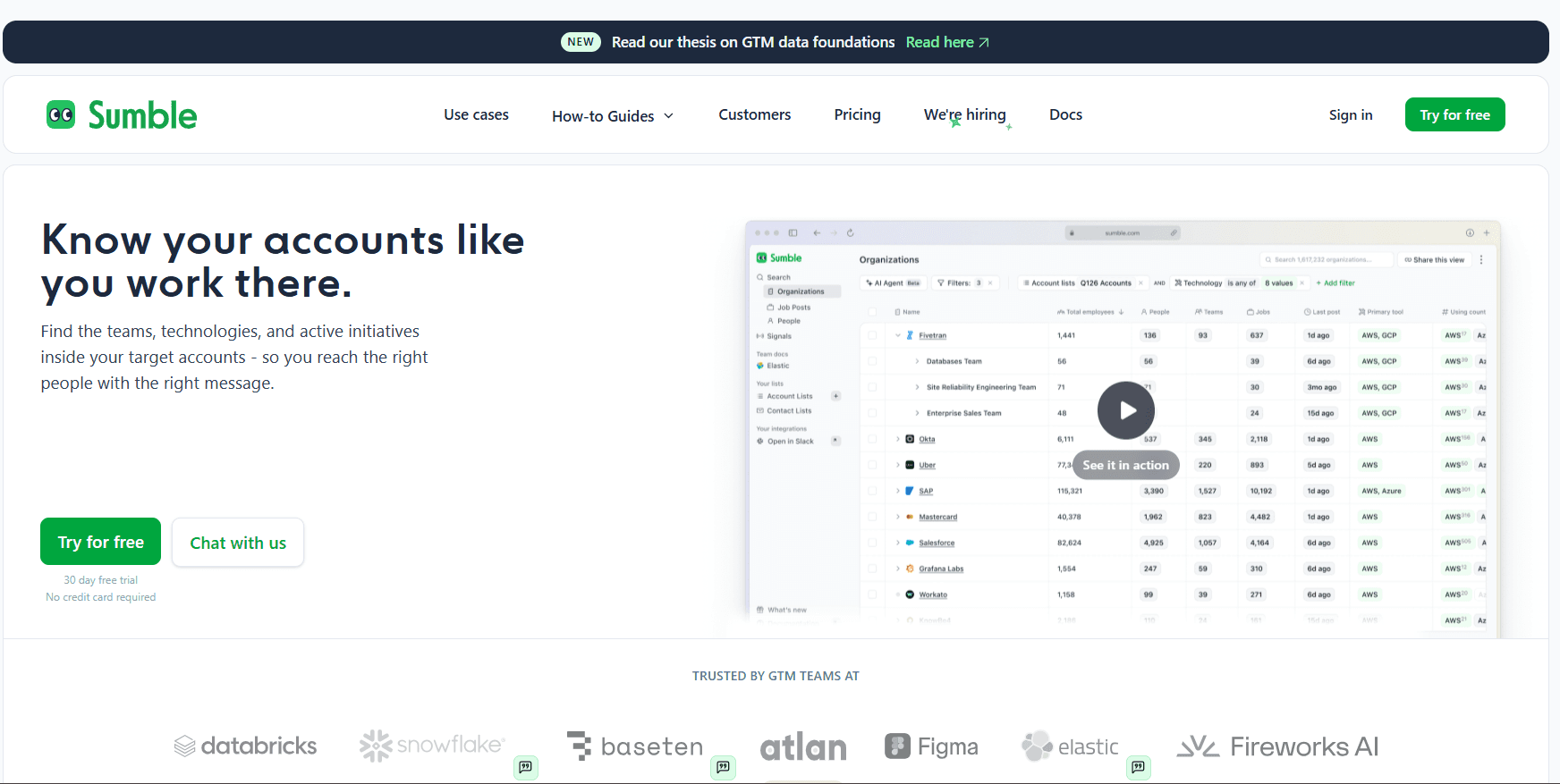
Rather than focusing on contact information alone, Sumble helps sales teams understand what's happening inside target accounts.
It maps organizational structures, identifies the teams using specific technologies, tracks hiring activity, and surfaces buying signals that help reps personalise outreach.
This account-level context makes Sumble particularly valuable for enterprise sales, although it complements rather than replaces a traditional contact database.
Key features
Team and org structure mapping
Technology usage by department
Hiring and project signals
Reporting hierarchies
CRM and API integrations
Pros
Rich account intelligence
Excellent for technical sales
Deep organisational insights
Cons
Not a standalone contact database
Enterprise-focused pricing
What real users say
Users consistently praise Sumble's ability to reduce account research time and uncover buying signals that aren't available in traditional sales intelligence platforms.
Sumble vs. Lusha
Lusha tells you who to contact. Sumble helps you understand why now, which team matters, and how to personalise your outreach.
6. RocketReach
Overall Rating: 8.9/10
Best for: Individuals and small teams looking for affordable contact data.
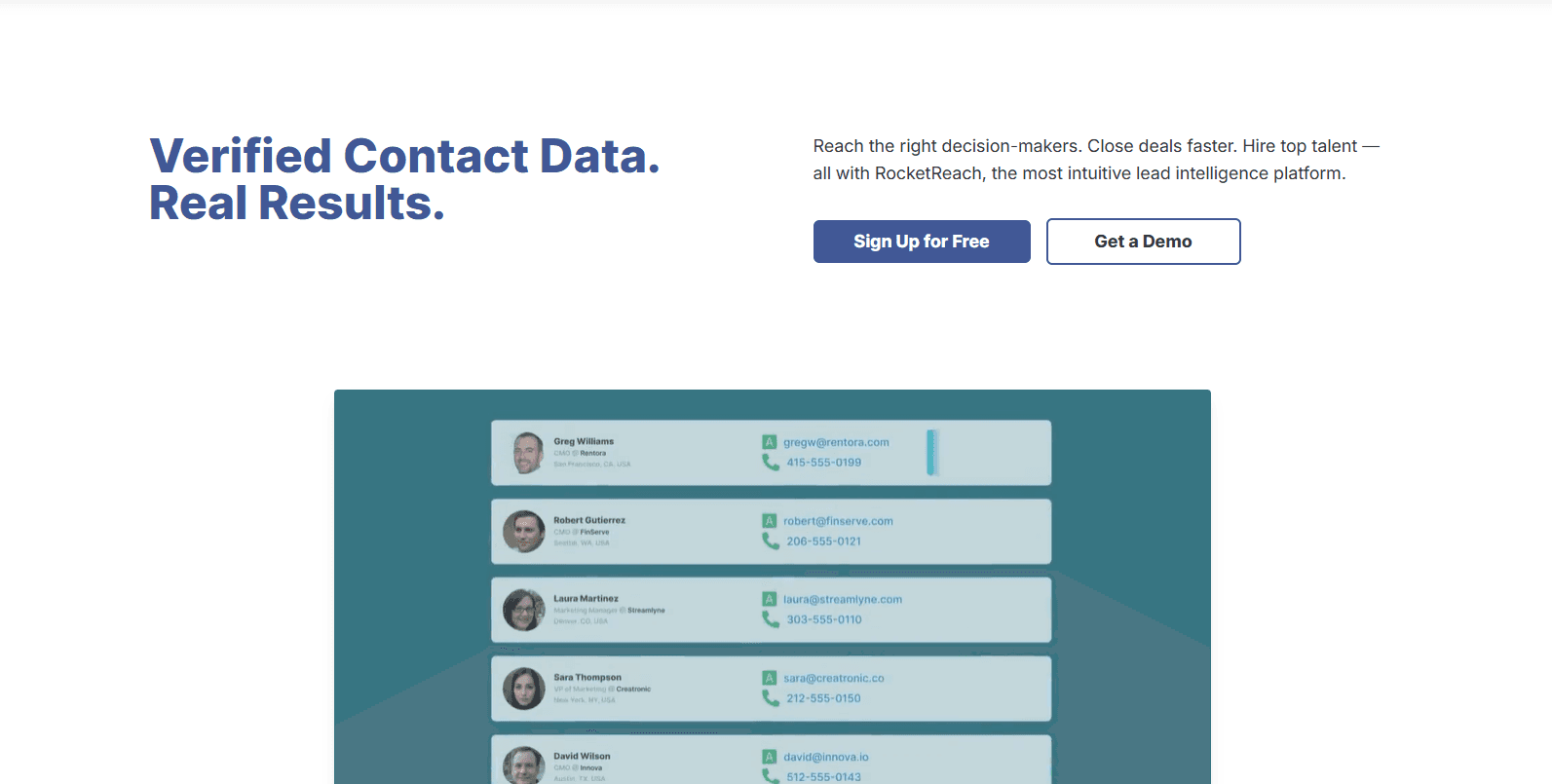
RocketReach offers verified business emails and phone numbers through transparent, self-service pricing. It's easy to use and works well for recruiters, agencies, founders, and small sales teams that don't need enterprise-level functionality.
While it lacks advanced intent data and automation, it delivers reliable contact information at a competitive price.
Key features
Email and phone lookup
Chrome extension
CRM integrations
Bulk prospecting
Pros
Affordable
Transparent pricing
Easy to use
Cons
Limited intent data
Basic automation features
What real users say
Customers appreciate RocketReach's simplicity and pricing, although some report occasional inaccuracies in contact data.
RocketReach vs. Lusha
RocketReach offers comparable contact discovery with more transparent pricing, while Lusha provides a slightly broader feature set for sales teams.
7. Kaspr
Overall Rating: 8.8/10
Best for: Sales reps prospecting directly through LinkedIn.
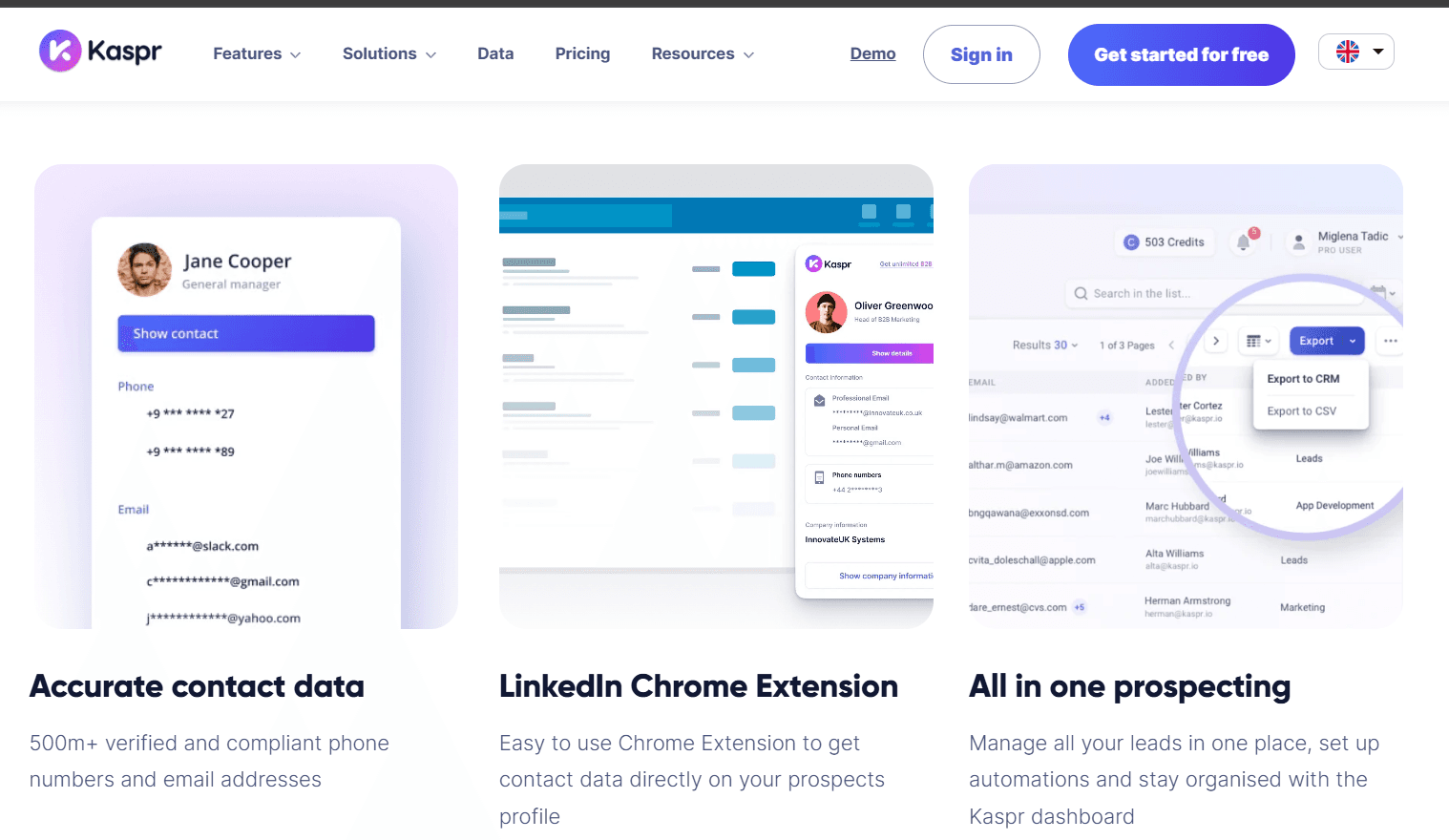
Kaspr is designed around LinkedIn prospecting.
Its browser extension captures verified contact details while browsing profiles, making it particularly useful for SDRs who spend much of their day on LinkedIn.
Although it lacks the broader intelligence capabilities of larger platforms, its ease of use and competitive pricing make it an attractive option for smaller outbound teams.
Key features
LinkedIn Chrome extension
Email and phone extraction
CRM integrations
Contact enrichment
Pros
Excellent LinkedIn workflow
Affordable
Quick setup
Cons
Limited beyond LinkedIn
Fewer advanced GTM features
What real users say
Users value Kaspr's speed and simplicity for LinkedIn prospecting, though larger organisations may find its feature set too limited.
Kaspr vs. Lusha
If LinkedIn is your primary prospecting channel, Kaspr is a strong alternative. Lusha offers broader functionality across multiple prospecting workflows.
Normalized Cost Comparison: Which Tool Gives You the Best Value?
Sticker price only tells part of the story.
Most sales intelligence platforms use credit-based pricing.
A single contact can consume anywhere from 1 to 10 credits depending on whether you're unlocking an email address, phone number, or both.
As a result, the cheapest monthly plan doesn't always deliver the lowest cost per verified contact.
To make pricing easier to compare, we've normalized each platform's entry-level plan into an estimated cost per 1,000 verified contacts.
This gives you a clearer picture of the value you're getting for your investment rather than simply comparing subscription prices.
Note: These figures are estimates based on publicly available pricing and credit allocations. Actual costs vary depending on how each platform charges credits for emails, phone numbers, enrichment, and export limits. Enterprise plans may also include custom pricing and additional credits.
Tool | Starting Price | Pricing Model | Best Value For |
Lusha | From ~$37/month | Credit-based | SMBs looking for a simple, affordable contact enrichment tool |
Breakout | From $500/month | Usage-based, outcome-driven pricing | B2B SaaS teams that want to convert anonymous website visitors into qualified pipeline |
Apollo.io | From $49/user/month | Credit-based | Startups and SMBs needing prospecting, sales engagement, and enrichment in one platform |
ZoomInfo | Custom | Enterprise pricing | Large organizations requiring extensive contact data, intent signals, and sales intelligence |
Clay | From $149/month | Credit-based workflow pricing | GTM teams building custom enrichment and outbound automation workflows |
Sumble | Custom | Enterprise pricing | Account-based sales teams that rely on deep account intelligence and buying signals |
RocketReach | From $39/month | Credit-based | Recruiters, founders, and small teams with occasional prospecting needs |
Kaspr | From €49/user/month | Credit-based | SDRs and recruiters focused on LinkedIn prospecting |
*Approximate contact counts assume standard contact lookups and publicly available credit allocations. Credits may be consumed differently for emails, mobile numbers, enrichment, or exports depending on the platform.
Key Takeaways
Apollo.io offers the lowest cost per verified contact among self-serve platforms, making it an excellent choice for startups and SMBs that prioritize affordability.
Lusha sits in the middle of the pack. While its monthly price is competitive, its credit allocation makes each verified contact more expensive than Apollo's for many users.
RocketReach remains a cost-effective option for recruiters, founders, and smaller sales teams that need occasional prospecting rather than large-scale outbound campaigns.
Clay shouldn't be evaluated on a cost-per-contact basis because it's an enrichment and workflow platform. Its value comes from combining multiple data providers and automating prospecting workflows rather than selling individual contacts.
ZoomInfo doesn't publish transparent credit allocations or pricing, making direct cost-per-contact comparisons difficult.
Breakout follows a completely different pricing model. Instead of charging for contact credits, it charges based on pipeline activity, making ROI easier to tie directly to meetings and revenue rather than the number of records exported.
Switching from Lusha: What Migration Actually Looks Like
Switching sales intelligence platforms is usually much simpler than most teams expect.
The biggest challenge isn't exporting your contacts. It's making sure your CRM, workflows, and sales reps continue working without disruption.
If you're moving from Lusha to another platform, here's what the migration process typically looks like.
Step 1: Export Your Existing Data
Before cancelling your Lusha subscription, export your saved contacts, account lists, and any custom segments you've built.
Most platforms support CSV imports, making it easy to bring your existing prospect lists into the new system. If your new provider offers CRM synchronization, you can also use your CRM as the single source of truth and avoid importing duplicate records.
Estimated time: 30–60 minutes
Step 2: Connect Your CRM
Next, connect your new platform to your CRM.
Whether you're using Salesforce, HubSpot, Pipedrive, or another CRM, take time to review how fields map between systems. For example, mobile numbers, buying signals, company data, and custom properties may use different field names or formats.
This is also a good opportunity to clean duplicate records and remove outdated contacts before syncing fresh data.
Estimated time: 1–3 hours
Step 3: Update Sales Workflows
Every platform changes how your team researches prospects.
If you're switching to Apollo, reps will likely build prospect lists and launch sequences from the same platform.
If you're moving to Clay, you'll spend more time building enrichment workflows before prospecting begins.
If you're adopting Breakout, your SDR workflow shifts even more dramatically. Instead of manually qualifying every inbound lead, reps focus on conversations that have already been qualified by the AI. Website visitors are identified, engaged, and enriched automatically, allowing sales teams to spend more time closing opportunities instead of triaging them.
Estimated time: 1-2 days
Step 4: Retrain Your Team
Even the best platform won't improve pipeline if your team continues using it like Lusha.
Spend time introducing new search filters, enrichment workflows, integrations, and reporting dashboards.
Most sales teams only need one or two training sessions before becoming comfortable with a new platform, although more advanced tools like Clay may require additional onboarding.
For AI-powered platforms like Breakout, training also includes reviewing AI conversations, refining qualification criteria, and monitoring inbound pipeline performance.
Estimated time: 2-5 days
Step 5: Run Both Platforms in Parallel
If possible, keep Lusha active for one or two weeks while testing your new platform.
This gives your team time to compare data quality, verify CRM synchronization, and identify workflow gaps before fully switching over. It also reduces the risk of interrupting active prospecting campaigns.
Typical Migration Timeline:
Migration Stage | Estimated Time |
Export contacts and lists | 30-60 minutes |
Connect CRM and map fields | 1-3 hours |
Configure workflows | 1-2 days |
Team onboarding | 2-5 days |
Parallel testing | 1-2 weeks |
For most SMBs, the entire migration can be completed within a week. Larger enterprise rollouts may take longer, particularly if multiple CRMs, territories, or sales teams are involved.
Which Lusha Alternative Should You Choose?
The right Lusha alternative depends on your GTM strategy, not just your budget. If you need enterprise-grade contact data, ZoomInfo is hard to beat.
For startups and SMBs looking for an affordable all-in-one prospecting platform, Apollo.io offers excellent value.
Clay is ideal for GTM engineers building custom enrichment workflows. If account research is your priority, Sumble provides unmatched organizational context.
However, if your biggest opportunity is converting existing website traffic into qualified pipeline, Breakout stands apart.
Instead of simply helping you find prospects, it identifies anonymous visitors, engages them with an AI-powered SDR, and turns buying intent into booked meetings.
See how Breakout can help your team generate more pipeline from the traffic you already have.
FAQs
1. What is the best alternative to Lusha?
The best alternative depends on your sales strategy.
Apollo.io is a great choice for startups looking for an affordable all-in-one sales platform, while ZoomInfo is better suited for enterprise teams that need extensive contact data and buyer intent signals.
If your goal is to convert anonymous website visitors into qualified pipeline instead of finding new contacts, Breakout is a stronger option.
2. Is Apollo better than Lusha?
Apollo offers more built-in functionality, including email sequencing, CRM enrichment, and outbound automation.
Lusha is simpler and easier to use if your primary requirement is verified contact information. For most growing sales teams, Apollo provides better overall value.
3. Is ZoomInfo better than Lusha?
ZoomInfo provides a larger database, more advanced intent data, technographics, and enterprise-grade sales intelligence.
However, it's significantly more expensive and typically requires annual contracts. Lusha is a better fit for small and mid-sized businesses looking for an affordable prospecting tool.
4. Which Lusha alternative is best for startups?
Apollo.io is one of the best options for startups thanks to its generous free plan and affordable paid pricing.
Teams focused on converting inbound website traffic should also consider Breakout, which helps turn anonymous visitors into qualified meetings without expanding the SDR team.
5. Which Lusha alternative offers the most accurate contact data?
ZoomInfo and Cognism are generally regarded as having some of the highest-quality contact databases, particularly for enterprise sales.
Cognism is especially strong in European markets due to its verified mobile numbers and GDPR-first approach.
6. Can I migrate from Lusha without losing my data?
Yes. Most Lusha alternatives allow you to import contacts using CSV files or sync directly with CRMs like Salesforce and HubSpot.
Before switching, export your saved contacts, lists, and custom segments to ensure a smooth migration.
7. Does Lusha integrate with CRM platforms?
Yes. Lusha integrates with popular CRM platforms such as Salesforce, HubSpot, and Pipedrive. Most alternatives in this guide also offer native CRM integrations, although the available features vary by platform.
8. Where does Lusha get its data?
Lusha collects business contact information from multiple publicly available, proprietary, and community-contributed sources.
It also verifies and enriches data using various data partners to improve accuracy and keep contact records up to date.
9. Is LinkedIn Sales Navigator better than Lusha?
Not necessarily.
LinkedIn Sales Navigator is designed for finding and researching prospects, while Lusha focuses on providing verified contact information such as business emails and phone numbers. Many sales teams use both tools together rather than choosing one over the other.
10. Does Lusha use AI?
Lusha has introduced AI-powered capabilities to improve prospecting and workflow efficiency. However, its primary strength remains contact discovery and enrichment.
Platforms like Breakout use AI differently by autonomously engaging website visitors, qualifying leads, and booking meetings rather than simply surfacing contact information.
11. What are Lusha's biggest competitors?
Some of Lusha's biggest competitors include Apollo.io, ZoomInfo, Cognism, RocketReach, Clay, Kaspr, and Breakout.
Each platform focuses on a different part of the modern GTM workflow, from contact discovery and enrichment to AI-powered inbound engagement.
12. Is Lusha worth it in 2026?
Lusha is still a reliable choice for teams that need straightforward contact enrichment and prospecting.
However, businesses looking for richer buyer signals, AI-powered workflows, deeper account intelligence, or inbound pipeline generation may find better value in alternatives like Apollo.io, Clay, Sumble, or Breakout, depending on their go-to-market strategy.


