
All Blogs
A quick look at better options than ZoomInfo.

Evan Marshall
Senior Growth AI Strategist
Published On
Identifying buying signals and building prospect lists is now a basic requirement for GTM teams.
But that’s only one part of the workflow.
Most tools are strong at telling you who to target. They still rely on teams to handle outreach, qualification, and follow-ups.
That’s where things start to slow down.
Even with AI in the mix, execution often remains fragmented. 83% of sales teams using AI report revenue growth, but many are still dependent on multiple tools and manual effort to move deals forward.
That’s how ZoomInfo is typically used.
It helps teams identify accounts, track intent, and build pipelines. But turning that into actual conversations and meetings still depends heavily on SDR workflows.
And that’s not the only concern.
Users often point to challenges around cost, data accuracy in certain segments, and the effort required to manage multiple workflows around it.
This is where newer approaches are starting to gain attention.
Platforms like Breakout focus more on what happens after a visitor shows intent.
They’re designed to handle inbound interactions, qualify interest, and move prospects toward meetings within the same flow.
In this article, we’ll break down where ZoomInfo may not fit every team, explore the best alternatives available today, and look at how AI-led workflows are reshaping sales execution in 2026.
Why Teams Explore Alternatives to ZoomInfo
The cracks usually don’t show up during list building.
They show up when teams start executing.
1. Data Accuracy Isn’t Always Reliable
On the surface, the database feels comprehensive. But once outreach begins, inconsistencies start to surface.
Reps often run into:
Incorrect email addresses
Contacts who’ve already changed roles
Missing or incomplete profiles
This doesn’t just affect efficiency. It directly impacts reply rates. When the data is off, outreach misses the mark.
Here’s what one user on G2 pointed out:
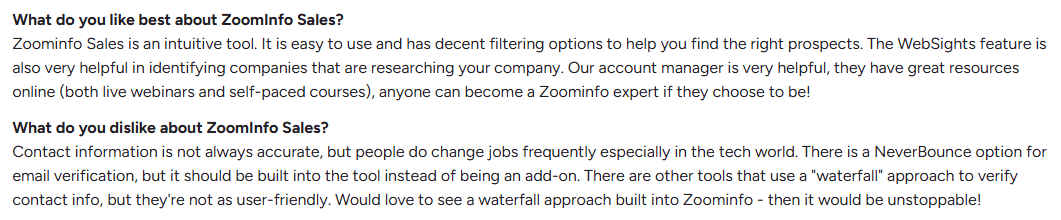
They mentioned challenges with data accuracy, especially when contact information isn’t always reliable. They also noted that while some tools offer waterfall enrichment, they’re often difficult to use and not very intuitive.
This is where platforms like Breakout take a different approach.
Instead of adding complexity, Breakout uses waterfall enrichment within a single workflow. Identification, engagement, and meeting booking happen in one place, making it easier to manage without relying heavily on SDR effort.
The focus shifts from juggling tools to actually moving conversations forward.
2. Outdated Data Affects Outreach Quality
In fast-moving industries, roles change constantly.
If the data isn’t updated in time:
Messages go to the wrong person
Context becomes irrelevant
Personalization falls flat
What looks like a strong list initially can quickly lose value when timing and context don’t match reality.
Here’s what one user on G2 pointed out:
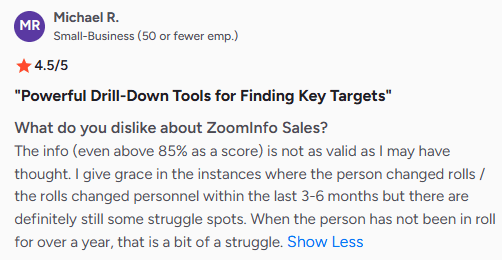
They mentioned that while ZoomInfo’s data is generally strong, it isn’t always reliable. Minor gaps are understandable when someone recently changes roles, but outdated information for long periods makes it harder to trust.
This highlights a common issue.
When data isn’t consistently updated, teams end up spending extra time verifying it before outreach.
Tools like Breakout approach this differently by working with real-time signals and engagement, instead of relying only on static data.
3. Extra Verification Becomes Part of the Workflow
Because of these inconsistencies, many teams don’t rely on the data as-is.
They cross-check contacts on platforms like LinkedIn before reaching out.
That adds an extra step:
Search → verify → then contact
Over time, this slows down execution and reduces the speed advantage tools like ZoomInfo are supposed to provide.
4. Smaller Teams Feel It More
Larger teams can absorb inefficiencies. Smaller teams can’t.
When data needs constant verification or correction:
Outreach volume drops
Time per lead increases
Productivity takes a hit
For lean teams, even small inefficiencies compound quickly and affect pipeline generation.
ZoomInfo works well for building lists. But once teams move into execution, data quality and reliability start to matter more than volume.
That’s where many teams begin to reassess their setup.
Top 10 Alternatives to ZoomInfo for Modern GTM Teams
ZoomInfo has become a go-to for prospecting and data. It helps teams identify accounts, track intent, and build target lists at scale.
But as GTM strategies evolve, many teams start looking beyond just data.
The challenge is no longer finding leads. It’s turning that interest into conversations, qualified pipeline, and meetings.
That’s where different types of tools come in.
Some alternatives focus on better data or lower cost.
Others focus on intent, attribution, or website visitor identification.
And a newer category is emerging that focuses on execution, handling engagement and conversion directly.
The list below covers a mix of these approaches, depending on where your current bottleneck sits.
1. Breakout (Best for inbound pipeline & meeting booking)
Teams often start with ZoomInfo for data and prospecting.
The shift happens when execution starts slowing things down. Knowing who to reach isn’t the hard part anymore. Turning that into conversations and meetings is.
Breakout is built for that part.
It works as an inbound AI SDR that engages visitors while they’re still on your site, instead of waiting for a form fill or follow-up later.
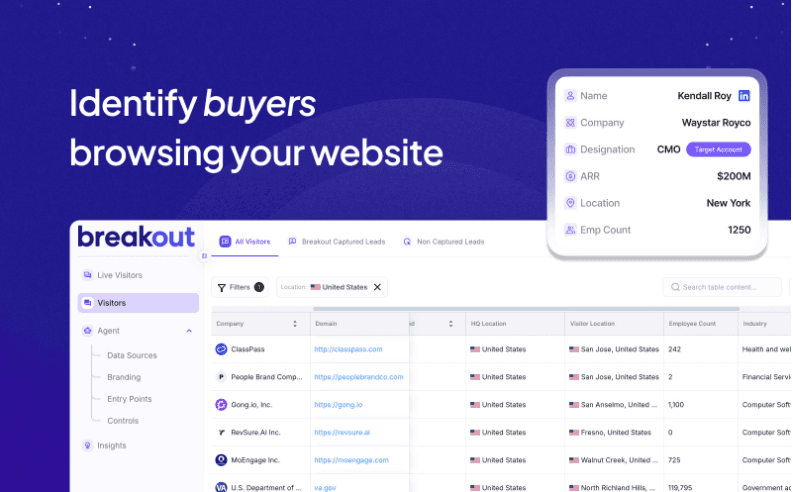
When someone lands on your website, Breakout:
Identifies the company and often the person visiting. Understands intent based on behavior
From there, it starts a conversation. Not scripted flows, but responses that adjust based on who the visitor is and what they’re looking for.
It can answer questions, share relevant content, and guide visitors toward the next step without needing manual intervention.
Qualification happens within the same interaction. It filters out low-intent traffic and surfaces only relevant opportunities to sales, so teams don’t spend time sorting through raw leads.
When someone is ready, they can book instantly. Meetings are scheduled inside the chat with real-time calendar access, and reps can step in if needed.
If a visitor leaves early, Breakout follows up with personalized outreach based on their behavior, turning missed inbound traffic into warm outbound opportunities.
For most teams, the difference is simple.
ZoomInfo helps you build lists. Breakout helps you convert the traffic you already have.
It connects identification, conversation, qualification, and booking into one flow, which is why teams focused on pipeline tend to prioritize it.
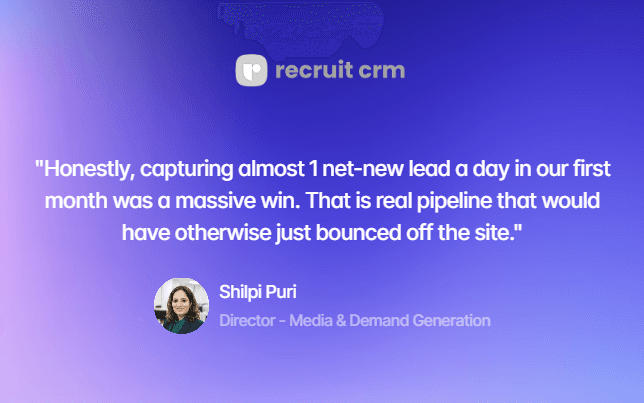
See it in action how Breakout helped RecruitCRM:
With Breakout, RecruitCRM shifted its website from a support channel to a pipeline driver.
In the first month:
55 net-new leads added to pipeline
867 passive visitors engaged
83% after-hours coverage achieved
This helped the team capture demand consistently and convert more traffic without increasing SDR effort.
2. 6sense (Best for predictive intent & enterprise ABM)
Teams usually consider 6sense when they want deeper visibility into buying intent across accounts, not just contact data.
6sense focuses on identifying which companies are already researching your category, even before they land on your site. It uses AI to process large volumes of behavioral signals and predict which accounts are likely to buy.
What users like:
Clear visibility into in-market accounts
Strong predictive scoring and buying stage insights
Helps prioritize accounts instead of guessing
What users don’t like:
Data accuracy can be inconsistent, especially with intent signals
Lead quality may drop over time, making prioritization harder
Expensive and complex to implement for smaller teams
Requires strong internal processes to actually act on insights
In many cases, teams feel it gives signals, but not always clarity on what to do next
Why choose this over ZoomInfo:
ZoomInfo helps you find contacts.
6sense helps you understand when accounts are ready to buy. It’s a better fit for teams running structured ABM programs and working with large deal cycles
3. Demandbase (Best for ABM & GTM orchestration)
Demandbase is built around account-based marketing and advertising-led GTM strategies.
It combines account identification, intent data, and campaign orchestration, especially for teams running paid campaigns alongside sales efforts.
What users like:
Strong ABM capabilities with customizable journey stages
Built-in B2B advertising platform (DSP)
Good alignment between marketing and sales workflows
What users don’t like:
Requires ongoing manual setup and model adjustments
Can become resource-heavy to manage day-to-day
Needs multiple integrations for full execution
Higher cost, especially when running ads + data together
Why choose this over ZoomInfo:
ZoomInfo is more focused on prospecting.
Demandbase is built for coordinating marketing and sales around target accounts. It works better if your GTM motion is ad-heavy and account-focused.
4. Qualified (Best for website conversion & live chat)
Qualified focuses on converting website visitors into pipeline through real-time chat and SDR handoff.
It’s commonly used by teams that want to capture inbound demand directly from their website.
What users like:
Real-time chat engagement with visitors
Strong Salesforce integration
Ability to route conversations directly to reps
What users don’t like:
Heavily dependent on SDR availability for live chat
Can miss opportunities outside working hours
Limited automation compared to newer AI tools
Works best only if you already have strong inbound traffic
Why choose this over ZoomInfo:
ZoomInfo helps you find prospects outside your site.
Qualified helps you convert the traffic already on your site. It’s a good fit for teams with strong inbound traffic and SDR teams ready to engage live.
5. Factors.ai (Best for attribution & intent insights)
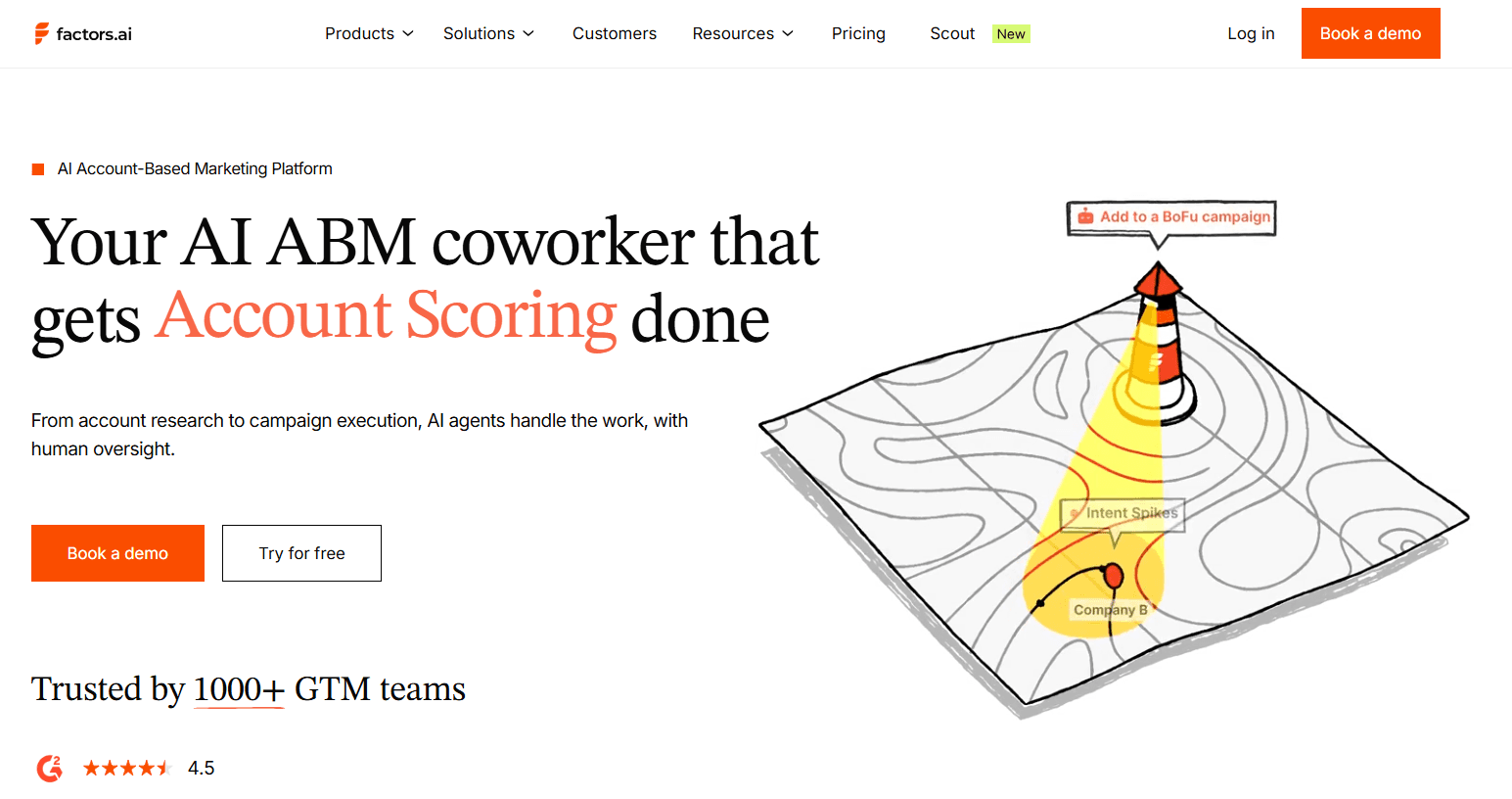
Factors.ai is built for understanding what drives pipeline, not just generating leads.
It combines visitor tracking, attribution, and intent signals to connect marketing activity to revenue.
What users like:
Clear attribution across channels
Ability to track anonymous visitors and intent
Strong integrations with CRM and ad platforms
What users don’t like:
Focused more on analytics than execution
Requires time to set up attribution models properly
Doesn’t directly drive conversations or meetings
Can feel complex for non-RevOps teams
Why choose this over ZoomInfo:
ZoomInfo tells you who to target.
Factors.ai helps you understand what actually drove conversions. It’s more useful for marketing and RevOps teams focused on measurement and optimization.
6. RB2B (Best for revenue attribution & pipeline tracking)
RB2B focuses on connecting marketing and sales efforts directly to revenue outcomes.
It’s designed for teams that want clearer visibility into pipeline performance and ROI.
What users like:
Focus on revenue attribution, not just leads
Helps align marketing and sales metrics
Clear pipeline visibility
What users don’t like:
Visitor data can be incomplete or inaccurate
Limited filtering options for deeper segmentation
Pricing can be high for the value delivered
Not as strong in execution beyond identification
Why choose this over ZoomInfo:
ZoomInfo is about data and prospecting.
RB2B is about understanding pipeline performance and revenue impact.
7. Warmly (Best for real-time visitor identification)
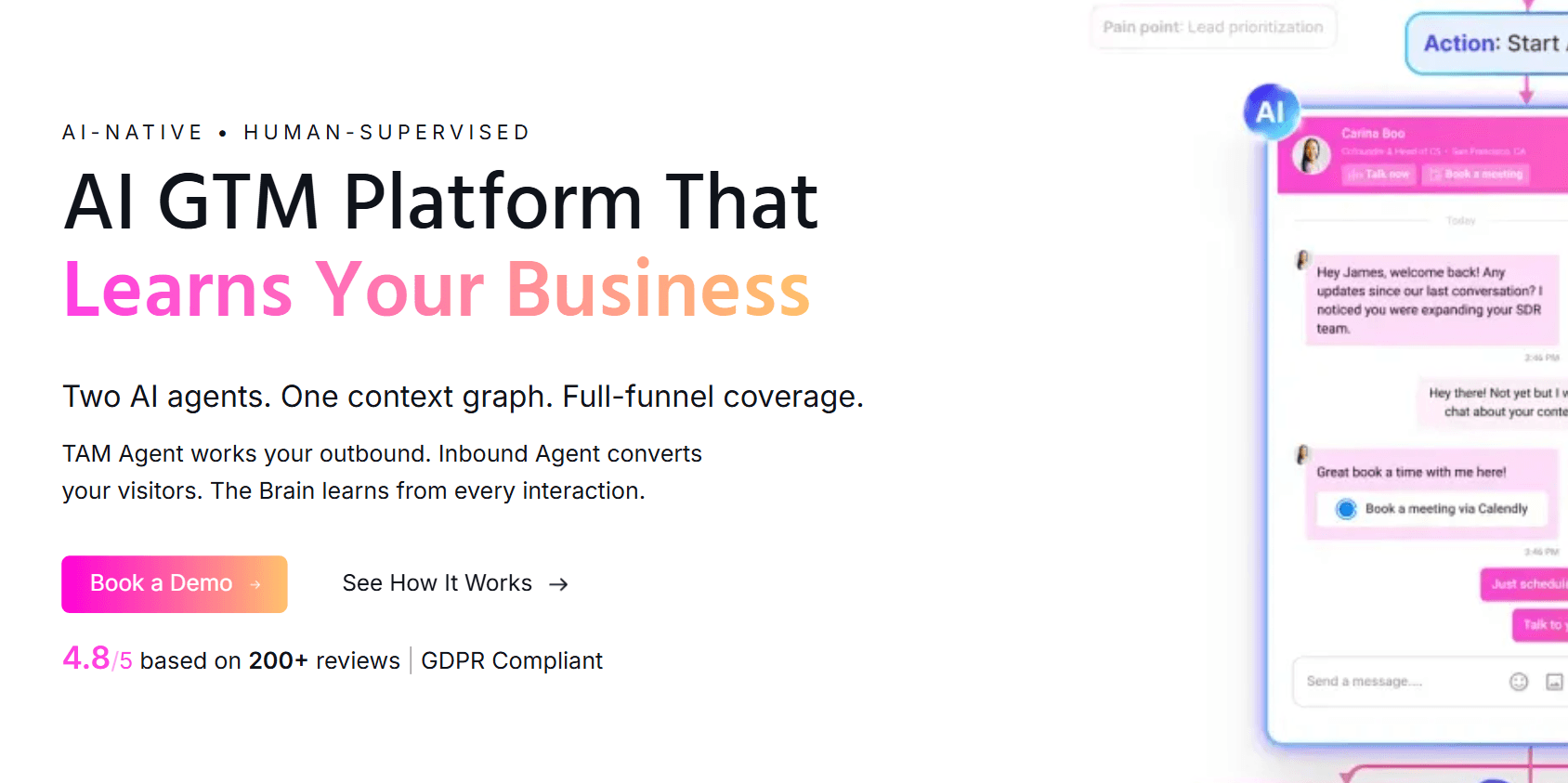
Warmly AI combines visitor identification with intent signals and basic automation.
It shows who is on your website and allows teams to act on that data quickly.
What users like:
Real-time visitor identification and enrichment
Automated workflows based on behavior
Combines intent signals with outreach triggers
What users don’t like:
Still early-stage compared to larger platforms
Limited depth in data compared to enterprise tools
Relies on integrations for full workflow execution
May not scale well for very large teams
Why choose this over ZoomInfo:
ZoomInfo provides broad data.
Warmly focuses on what’s happening on your website right now. Better suited for teams prioritizing inbound signals.
8. Snitcher (Best for simple website visitor tracking)
Snitcher is a simpler, more lightweight visitor identification tool.
It’s often used by smaller teams that want visibility into website traffic without a complex setup.
What users like:
Easy to set up and use
Affordable compared to larger platforms
Gives basic visibility into visiting companies
What users don’t like:
Limited features beyond basic visitor tracking
No built-in engagement or qualification layer
Requires additional tools for outreach
Less useful for teams needing deeper insights
Why choose this over ZoomInfo:
ZoomInfo is a full GTM platform.
Snitcher is a simpler way to see which companies visit your site.
9. Apollo.io (Best for affordable prospecting & outbound)
Apollo is one of the closest alternatives to ZoomInfo in terms of functionality.
It combines a contact database with outreach tools in a more accessible pricing range.
What users like:
Large contact database with email and phone data
Built-in sequencing and outreach tools
More affordable than enterprise tools
What users don’t like:
Data quality can vary across regions and industries
Contact enrichment may be incomplete at scale
Requires setup and management for sequences
Can feel cluttered as features expand
Why choose this over ZoomInfo:
Apollo offers similar capabilities but at a lower cost and simpler setup.
10. Clearbit by Hubspot (Best for data enrichment & firmographics)
Clearbit is primarily used for enriching and qualifying leads with firmographic and company data.
It integrates well with CRMs and marketing tools to improve lead quality.
What users like:
Strong enrichment capabilities
Easy integration with tools like HubSpot
Helps improve lead quality and segmentation
What users don’t like:
Limited as a standalone tool (needs integrations)
Doesn’t provide full prospecting or outreach workflows
Data coverage can vary depending on region
Can get expensive as usage scales
Why choose this over ZoomInfo:
ZoomInfo is a full prospecting platform. Clearbit is better if you need clean, enriched data inside your existing workflows.
Why is Breakout a Better Alternative to ZoomInfo in 2026
The difference between Breakout and ZoomInfo isn’t about one being “better” in every way.
It’s about what part of the workflow each one actually solves.
ZoomInfo is strong when you’re trying to figure out who to reach. Breakout becomes relevant when you’re trying to turn that interest into conversations and meetings.
That distinction starts to matter more as teams move beyond prospecting.
1. From Insight to Execution
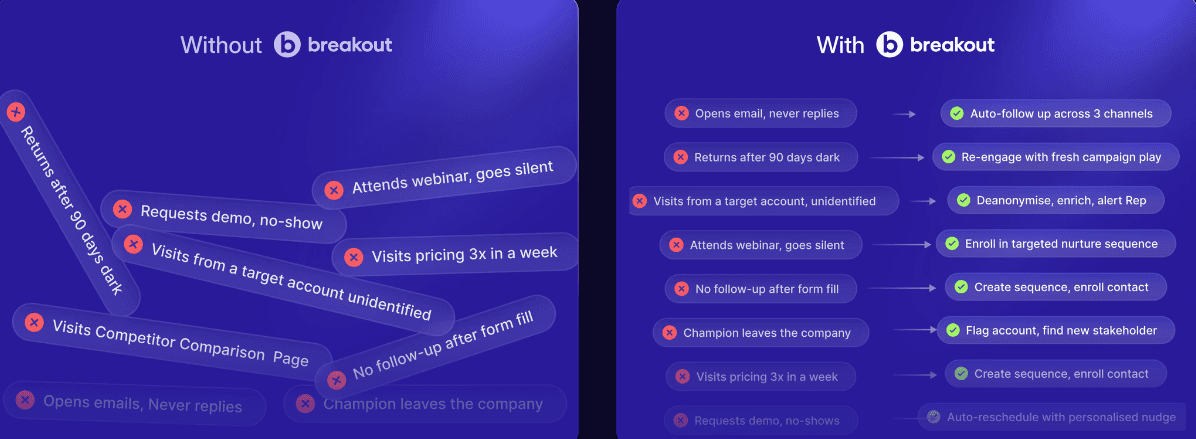
ZoomInfo gives you a lot to work with.
You get:
Contact data
Intent signals
Filters and recommendations
But someone still has to take that and run with it.
Lists need to be built.
Sequences need to be sent.
Follow-ups need to happen.
Breakout steps in on the execution side.
It doesn’t just show who might be interested. It interacts with them when they show up, qualifies that interest, and moves things forward.
For many teams, that removes a layer of manual effort that usually slows things down.
2. Timing Makes a Difference
With ZoomInfo, there’s usually a gap between signal and action.
You see that an account is researching something, but outreach happens later. Sometimes that works. Sometimes it doesn’t.
Breakout works in the moment.
When someone lands on your site and starts exploring, it engages right then.
That timing changes things in a subtle but important way.
You’re not trying to recreate context later. You’re working with it while it’s still there.
3. Outreach vs Interaction
ZoomInfo fits well into outbound workflows. You’re sending emails, running sequences, and trying to start conversations.
Breakout leans more into interaction.
Instead of reaching out first, it responds when someone shows up with intent.
That interaction can include:
Answering questions
Sharing relevant information
Guiding the next step
It’s a different starting point.
One begins with outreach. The other begins with intent.
4. Qualification Without the Back-and-Forth
In a typical ZoomInfo setup, qualification still sits with the SDR.
They have to:
Ask questions
Understand context
Decide if it’s worth pursuing
That works, but it takes time and consistency.
Breakout handles a good part of that during the interaction itself.
It asks the right questions, filters out low-intent traffic, and surfaces conversations that are more likely to convert.
So instead of sorting through leads later, teams start with a smaller set of more relevant ones.
5. Fewer Steps Between Interest and Meeting
With ZoomInfo, the process usually looks something like this:
Find → Export → Reach out → Follow up → Qualify → Book
Each step adds time, and sometimes drop-off.
With Breakout, it’s shorter:
Visit → Engage → Qualify → Book
It doesn’t remove the need for sales entirely, but it reduces how much coordination is needed to get to a meeting.
6. Less Dependence on Manual Follow-Ups
ZoomInfo is designed to support reps.
It helps them work more efficiently, but it still depends on:
How quickly they follow up
How consistently they execute
How well they qualify
Breakout reduces some of that dependence, especially on the inbound side.
Conversations don’t wait for someone to be available.
They start automatically when a visitor shows interest.
7. Inbound vs Outbound Focus
ZoomInfo is primarily built for outbound.
You identify accounts, build lists, and reach out to create demand. That approach works, but it depends heavily on timing, sequencing, and follow-ups.
Breakout starts from a different place. It focuses on inbound, where intent already exists.
Website visitors
Paid campaign traffic
Existing demand
Instead of generating interest, it works on converting it while it’s active.
What makes it more practical is how it extends this into outbound.
If a visitor shows intent but doesn’t convert, Breakout follows up with personalized outreach based on their behavior.
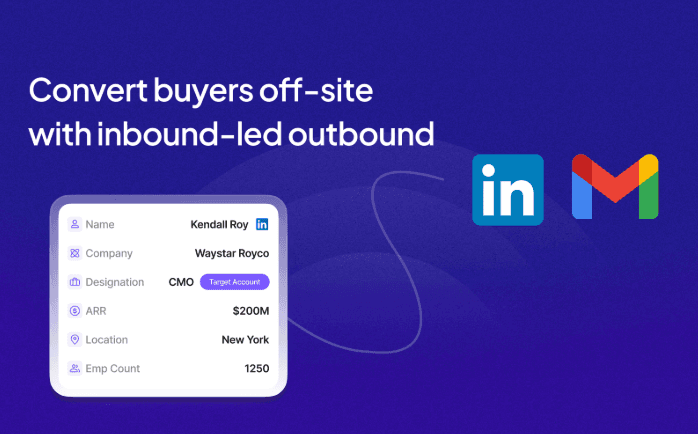
This turns inbound signals into outbound actions.
So instead of running separate inbound and outbound motions, teams connect the two. That shift helps reduce missed opportunities and makes outreach more relevant.
8. Simpler Execution Layer
In most setups, ZoomInfo is one part of a larger system.
You’ll still need:
A CRM
A sequencing tool
A scheduling tool
SDR workflows
Breakout doesn’t replace everything, but it brings several steps into one place.
Engagement, qualification, and booking happen within the same flow, which reduces how much needs to be stitched together.
What This Really Comes Down To
ZoomInfo is useful when your main challenge is finding the right people.
Breakout becomes more relevant when your challenge is converting interest into meetings without adding more manual work.
That’s why more teams start looking at tools like Breakout as they move closer to pipeline and revenue, not just data.
Comparison Table: ZoomInfo vs Inbound AI SDR( Breakout)
Both tools play very different roles, so instead of comparing everything, it’s more useful to look at a few core areas that actually impact pipeline.
ZoomInfo helps you understand and prioritize who to reach.
Breakout focuses on handling and converting that interest when it shows up.
Here’s a simplified comparison across the 5 areas that matter most:
Feature | ZoomInfo | Breakout |
Core Role | Data + intelligence layer | Execution layer (AI SDR) |
Identification | Large database + intent signals | Real-time visitor identification |
Engagement | Sequences (email, calls, LinkedIn) | Live, AI-driven conversations |
Qualification | SDR-led, manual process | Automated within interaction |
Meeting Booking | Requires follow-ups & tools | Happens instantly in flow |
ZoomInfo is built to inform decisions
It gives you data, signals, and recommendations, but relies on reps to act on them.
Breakout is built to act on intent
It engages visitors, qualifies them, and moves them toward meetings without waiting for manual follow-ups.
Close the Gap Between Data and Conversion
Tools like ZoomInfo make it easier to find accounts and track buying signals.
But data alone doesn’t convert.
Most teams already have visibility into who is interested.
The challenge is turning that interest into conversations and meetings.
That gap usually comes down to timing and execution. Follow-ups happen late, context gets lost, and opportunities drop off.
Breakout focuses on that missing layer.
It engages visitors while they’re still active, qualifies them in real time, and moves them toward meetings without waiting on manual outreach.
So instead of collecting more data, teams start converting the demand they already have.
If your current stack shows you the signals but not the results, the issue may not be visibility. It’s execution.
See how your existing traffic can turn into pipeline.
Book a demo now!
FAQs
1. What are the best alternatives to ZoomInfo in 2026?
Several tools offer alternatives depending on your use case.
Platforms like Breakout focus on converting inbound traffic into meetings, while tools like Apollo.io and 6sense provide strong prospecting and intent data. The best choice depends on whether you need data, intent insights, or execution.
2. Who are ZoomInfo’s biggest competitors?
ZoomInfo competes with platforms like Apollo.io, 6sense, Demandbase, and Breakout.
Newer tools like Breakout are also emerging by focusing on execution and pipeline generation.
3. Is ZoomInfo still worth it in 2026?
ZoomInfo is still valuable for contact data and prospecting.
However, many teams find it limited when it comes to execution, as it relies on SDRs for outreach, qualification, and booking. Teams focused on conversion often look for tools that go beyond data.
4. Which is better: ZoomInfo or Lusha?
Lusha is typically more affordable and easier to use for smaller teams, while ZoomInfo offers a larger database and more advanced features.
ZoomInfo is better for scale, while Lusha suits lean teams with simpler needs.
5. Which is better: RocketReach or ZoomInfo?
RocketReach is known for simplicity and cost-effectiveness, while ZoomInfo provides more advanced filters, intent data, and integrations.
ZoomInfo is more comprehensive, but RocketReach can be a practical alternative for basic prospecting.
6. Is ZoomInfo outdated?
ZoomInfo itself isn’t outdated, but the way teams use it is evolving.
Many are moving beyond data-only tools toward platforms that also handle engagement and conversion, especially as AI-driven workflows become more common.
7. What is the best free email lookup tool?
Free tools like Hunter.io and Snov.io are commonly used for basic email lookup.
However, they offer limited data compared to paid platforms like ZoomInfo.
8. What is the ZoomInfo controversy?
ZoomInfo has faced criticism around data collection practices, particularly how it gathers and updates contact information.
Some users have raised concerns about data accuracy and privacy, which has led to discussions around compliance and transparency.
9. Can you remove your information from ZoomInfo?
Yes, individuals can request to opt out of ZoomInfo’s database through their privacy center. Once processed, your personal information is removed from their publicly accessible data.
10. How much does ZoomInfo cost?
ZoomInfo pricing is not publicly listed and typically depends on company size, features, and data access.
It is generally considered a premium tool, with costs often reaching thousands of dollars per year.
11. Does ZoomInfo get data from LinkedIn?
ZoomInfo does not officially source data directly from LinkedIn.
It collects data from multiple public and proprietary sources, though users often cross-check information with LinkedIn for accuracy.
12. What is the lawsuit against ZoomInfo?
ZoomInfo has faced legal scrutiny related to data privacy and compliance, particularly around how personal data is collected and used.
These cases highlight ongoing concerns about data transparency in the B2B data industry.


