All Blogs
A quick, no-fluff look at top 10 website deanonymization tools to identify visitors.

Evan Marshall
Senior Growth AI Strategist
Published On
Most B2B websites still behave like digital brochures.
Traffic increases, but pipeline often stays flat.
The issue is rarely volume. It is visibility. Over 95% of visitors leave without filling out a form. Most teams never know who visited.
This gap led to the rise of Website Visitor Identification Tools. The promise was to simply reveal anonymous traffic.
But there is a catch.
Most tools have limitations, including accuracy gaps and incomplete data.
More importantly, many stop at identification, showing who visited but leaving all action to you.
In 2026, that approach is no longer enough. Revenue teams need identification paired with real-time action.
This guide breaks down the top Website Visitor Identification Tools, ranked using real user reviews from trusted sources like G2.
It highlights which platforms only track activity and which ones actively turn visitors into meetings.
If your goal is pipeline instead of dashboards, this comparison matters.
TL;DR
Here’s a quick comparison of the top website visitor identification tools before diving into each one in detail.
This table shows what each platform is best at and when to use it.
Tools | Primary Feature | Best When You Need |
Breakout | Real-time AI SDR conversion | Turn visits into qualified meetings instantly |
6sense | Deep intent intelligence | Account prioritization for mature ABM programs |
Leadfeeder | Affordable visitor visibility | Testing deanonymization with low commitment |
RB2B | Visitor alerts and lists | Simple visibility with manual outreach |
Warmly | On-site engagement workflows | Rule-based engagement during live sessions |
Snitcher | Cost-efficient company ID | Company-level visibility at scale |
Vector | Lightweight identification | Free or early-stage testing |
Clearbit | CRM data enrichment | Enriching accounts alongside deanonymization |
Factors.ai | Analytics and attribution | Traffic analysis and campaign impact |
ZoomInfo | Enterprise sales intelligence | Large-scale outbound and intent-driven GTM |
We’ll now go through each tool and examine how it approaches website deanonymization.
1. Breakout - (Best for Real-Time Engagement)
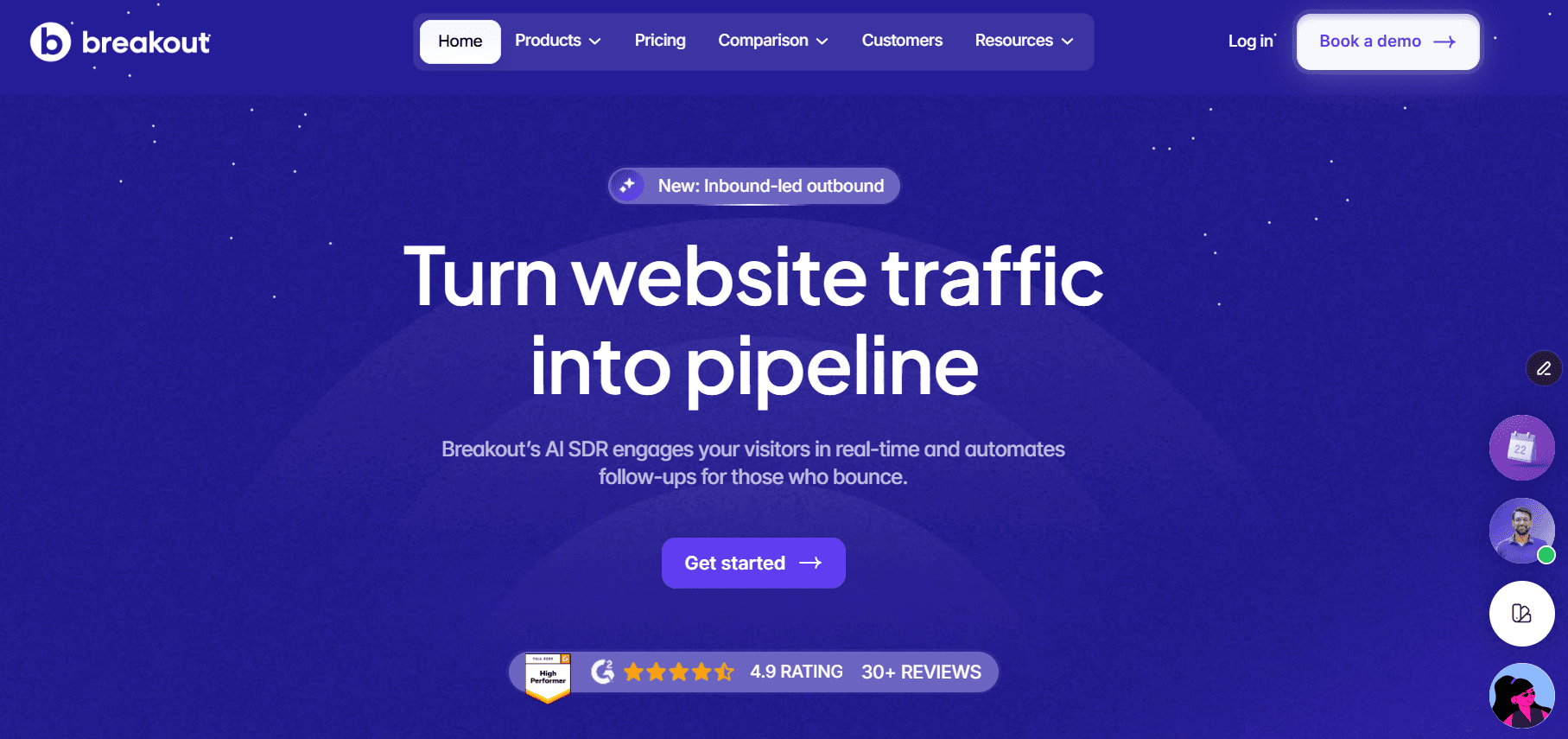
Breakout is an AI-led inbound SDR platform built for real-time action.
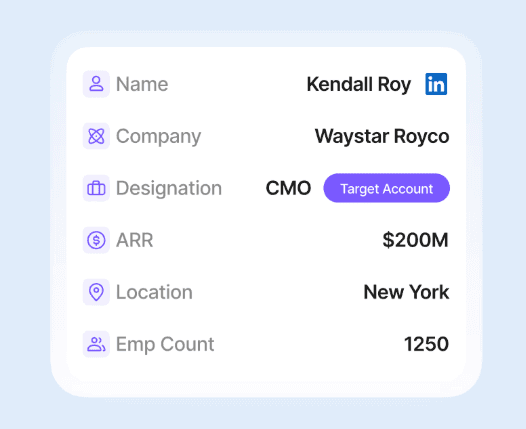
It identifies high-intent visitors and responds immediately.
Most deanonymization tools show who visited after the session ends. Breakout engages visitors while they are still on your website.
That timing matters more than feature depth. Speed determines whether interest turns into pipeline.
Key differentiator
Breakout is the only platform that combines deanonymization with an AI SDR. The AI initiates a conversation in real time, while the visitor is still active on the site.
The SDR qualifies visitors based on role, intent signals, and firmographic data. It then routes them into the correct flow automatically, without manual intervention.
Sales-ready visitors are guided toward meeting booking immediately. Visitors who are not ready are handled through AI-led discovery and follow-up.
All of this happens during the live session, not hours or days after the visit ends.
Core features
Auto Waterfall Enrichment researches the prospect before the first message.
Pulls company context, role signals, and existing CRM history automatically.
AI avoids obvious questions and repetitive discovery.
Conversations feel informed, relevant, and personalized.
Higher response rates driven by better first touch context.
Built-in routing and orchestration across marketing and sales.
Shared rules keep teams aligned without manual intervention.
No handoffs between tools or teams.
No context loss during engagement.
Pricing
Breakout pricing starts with Visitor Reveal at $1500 per month. This makes high-quality deanonymization accessible to growing teams.
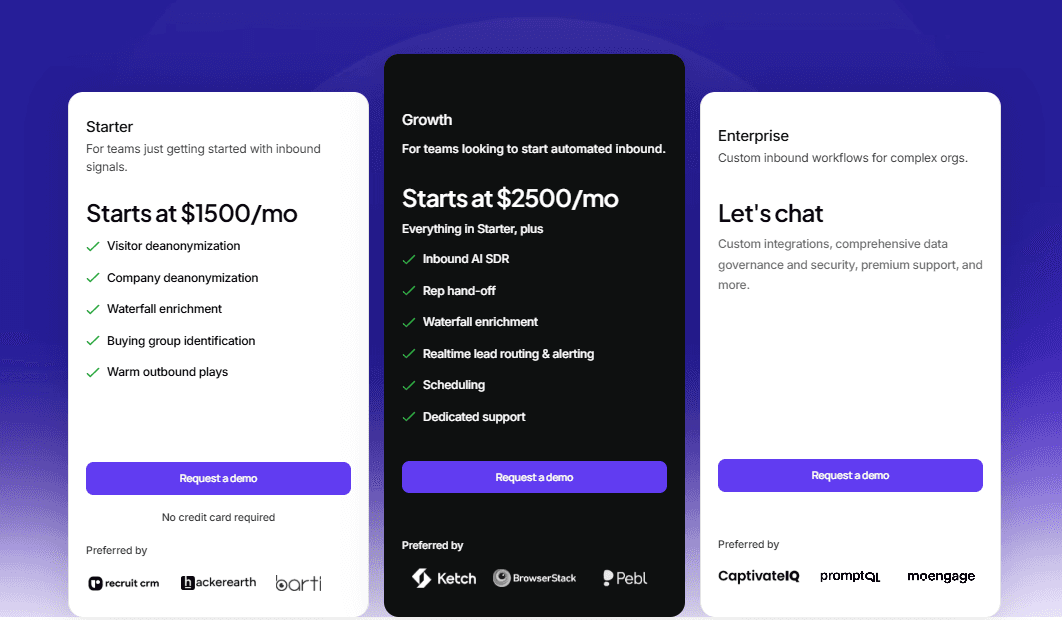
The real value comes from Breakout’s growth plan. The AI SDR handles qualification, conversation, routing, and booking. You pay for outcomes, not credits.
User reviews
Users consistently mention speed to pipeline.
They compare Breakout favorably against passive dashboards.
Teams report more meetings without adding SDR headcount.
They also note faster responses during peak-intent moments.
“Breakout quickly became a core part of our website stack. Setup took minutes, integrations were seamless, and real-time alerts helped us act faster. We saw higher engagement and better conversion into pipeline almost immediately.”
— Shubhanshu S., Founder & CEO
“Breakout turned our website into an active growth channel. Real-time alerts, lead enrichment, and conversation summaries helped us personalize follow-ups and move faster. We saw stronger conversions and a more qualified pipeline.”
— Sanjay G., CEO
See How Breakout Helped HackerEarth
HackerEarth achieved a 2.5% lift in website engagement and a 10% engagement-to-lead capture rate using Breakout.
Within one quarter, 21% of the Q1 pipeline was influenced directly by Breakout-led conversations.
By engaging visitors in real time, HackerEarth moved beyond forms and chatbots to convert high-intent traffic faster.

When to use
Use Breakout if inbound pipeline matters. It is ideal for teams focused on speed and efficiency.
Choose Breakout when you want action, not reports, especially if headcount growth is not an option.
If your website should create pipeline automatically, Breakout fits.
2. 6sense
6sense is an AI-powered ABM platform focused on intent data and account prediction. It identifies anonymous visitors and maps them to buying stages.
Key features
Third-party and first-party intent signal aggregation
Predictive account scoring based on the buying stage
Anonymous visitor identification at the account level
Account prioritization and segmentation
Deep CRM and marketing automation integrations
Reporting and analytics for long sales cycles
Pricing
6sense offers a free plan with basic prospecting, including 50 data credits, search, alerts, and list building.
Its paid Sales Intelligence plans are custom-priced and add predictive AI, intent data, visitor identification, and advanced workflows.
User reviews
Users praise the depth and accuracy of intent data. Many report a steep learning curve and longer setup timelines.
“6sense makes buying intent visible and helps prioritize the right accounts. Outreach becomes more focused and relevant, though some intent signals lack transparency, and the interface can feel busy.”
— Christian T., Business Development Representative
“The filtering and prospecting features in 6sense make account research more structured and efficient. It simplifies market targeting, but teams can become heavily dependent on the platform.”
— Christian T., Business Development Representative
When to use
Use 6sense if you run a mature ABM program with defined target accounts. It fits enterprise teams focused on forecasting and account prioritization.
It is less suited for teams needing real-time website engagement or fast inbound conversion.
3. Leadfeeder
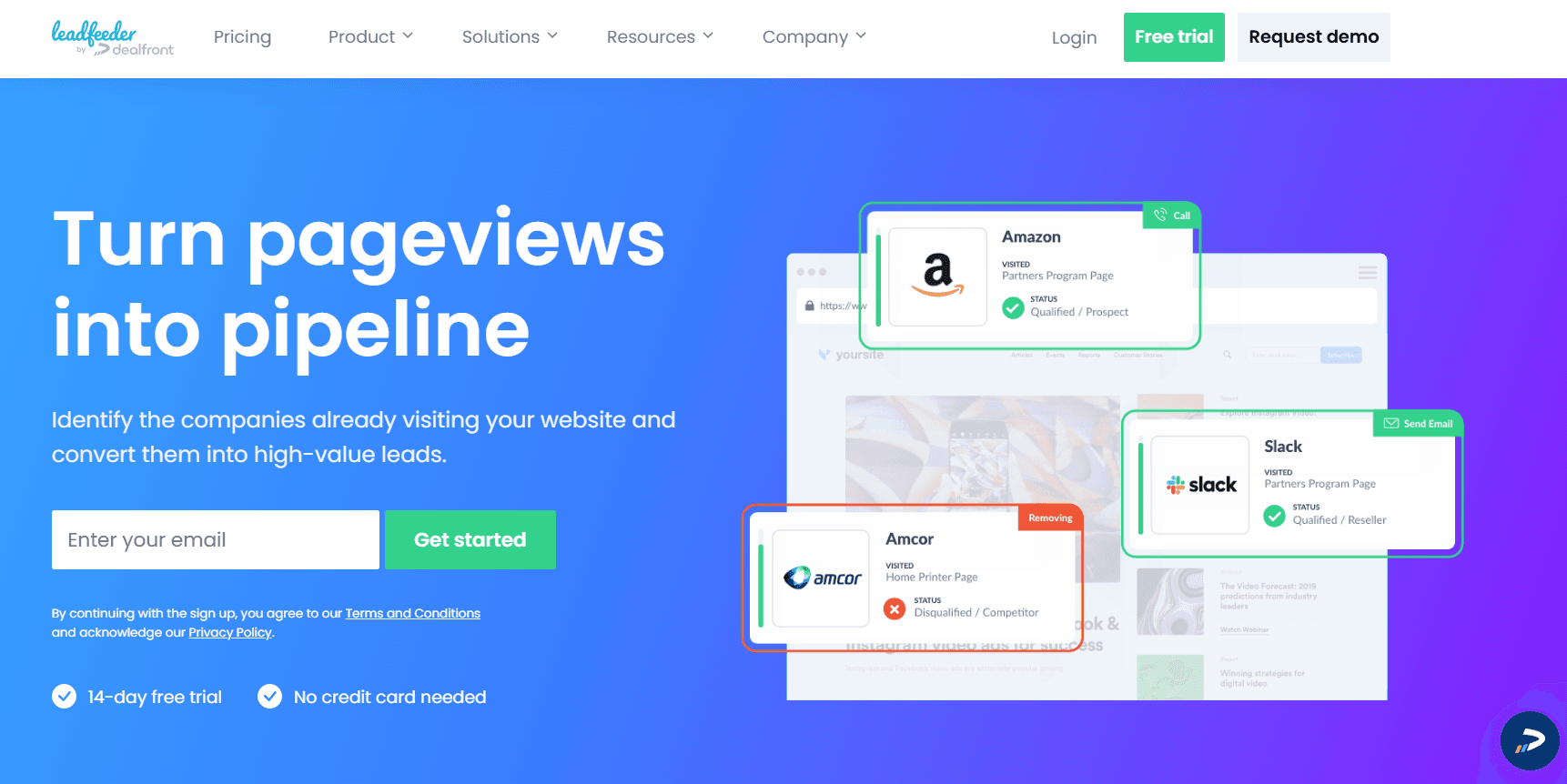
Leadfeeder focuses on identifying which companies visit your website, with particularly strong coverage in the EU.
It combines company-level visitor identification with basic behavioral tracking.
The platform shows which pages accounts viewed and how often they returned. It is built for visibility and reporting, not real-time engagement or conversion.
Key features
Company-level visitor identification using IP data
Page view and visit frequency tracking
CRM alerts for identified accounts
Google Analytics integration
Basic lead and account filtering
Leadfeeder works best as a reporting layer. It surfaces interest but does not act on it.
Pricing
Leadfeeder offers a free tier with limited history and features. Paid plans typically start around €139 per month and scale with usage.
Pricing is transparent and accessible for small teams. Costs increase based on data retention and account volume.
User reviews
Users consistently mention easy setup and fast time to visibility. Many appreciate the clean interface and low learning curve. They also highlight data accuracy issues.
“Leadfeeder offers clear visibility into website visitors and page behavior. CRM integrations work well, though data accuracy and interface usability can vary.”
— Devaraj P., Digital Marketing
“The tool makes it easy to identify visiting companies and uncover new leads. Setup is simple, but smaller accounts often need manual enrichment and deeper analytics.”
— Ayushi K., Sales and Marketing Consultant
When to use
Use Leadfeeder if you want an affordable way to test company-level deanonymization. Specially for teams with a strong European audience. It fits small teams seeking visibility without a complex setup.
It works well for sales awareness and manual follow-up. It is not designed for real-time engagement, automation, or instant conversion.
4. RB2B
RB2B provides basic website deanonymization at the company level. It identifies visiting accounts and notifies teams when traffic matches defined criteria.
The product is built around visibility, not engagement. It tells you who visited, then leaves the action to your team.
Key features
Company-level visitor identification
Real-time visit alerts, primarily via Slack
CSV exports for offline review or enrichment
Basic filtering based on company attributes
Simple integrations with GTM tools
RB2B focuses on surfacing activity quickly. It does not handle conversations, routing, or qualification.
Pricing
RB2B uses a custom-based pricing model. Costs scale with website traffic and the number of identified accounts.
This model can work for low-traffic sites. High traffic teams may see costs rise quickly without added automation value.
User reviews
Users appreciate the simplicity and fast alerts. Many mention Slack notifications as the primary value.
Common complaints focus on limited filtering and a lack of deeper context on visitor intent.
“RB2B surfaces real people, not just companies, and pushes LinkedIn profiles to Slack in real time. This helped our sales team act faster and close high-intent deals, though some profiles can be incomplete and require extra filtering.”
— Sanjay K., Sales Head
“RB2B was quick to set up and immediately surfaced qualified inbound contacts. Slack alerts made daily follow-ups easy, and several deals were directly attributed to RB2B data, despite occasional noise from bots.”
— Alyssa P., Marketing Lead & Customer Success Manager
When to use
Use RB2B if you want straightforward visitor lists and alerts. It fits teams that prefer manual outreach and simple workflows.
It is less suitable for teams seeking real-time engagement, qualification, or automated meeting booking.
5. Warmly
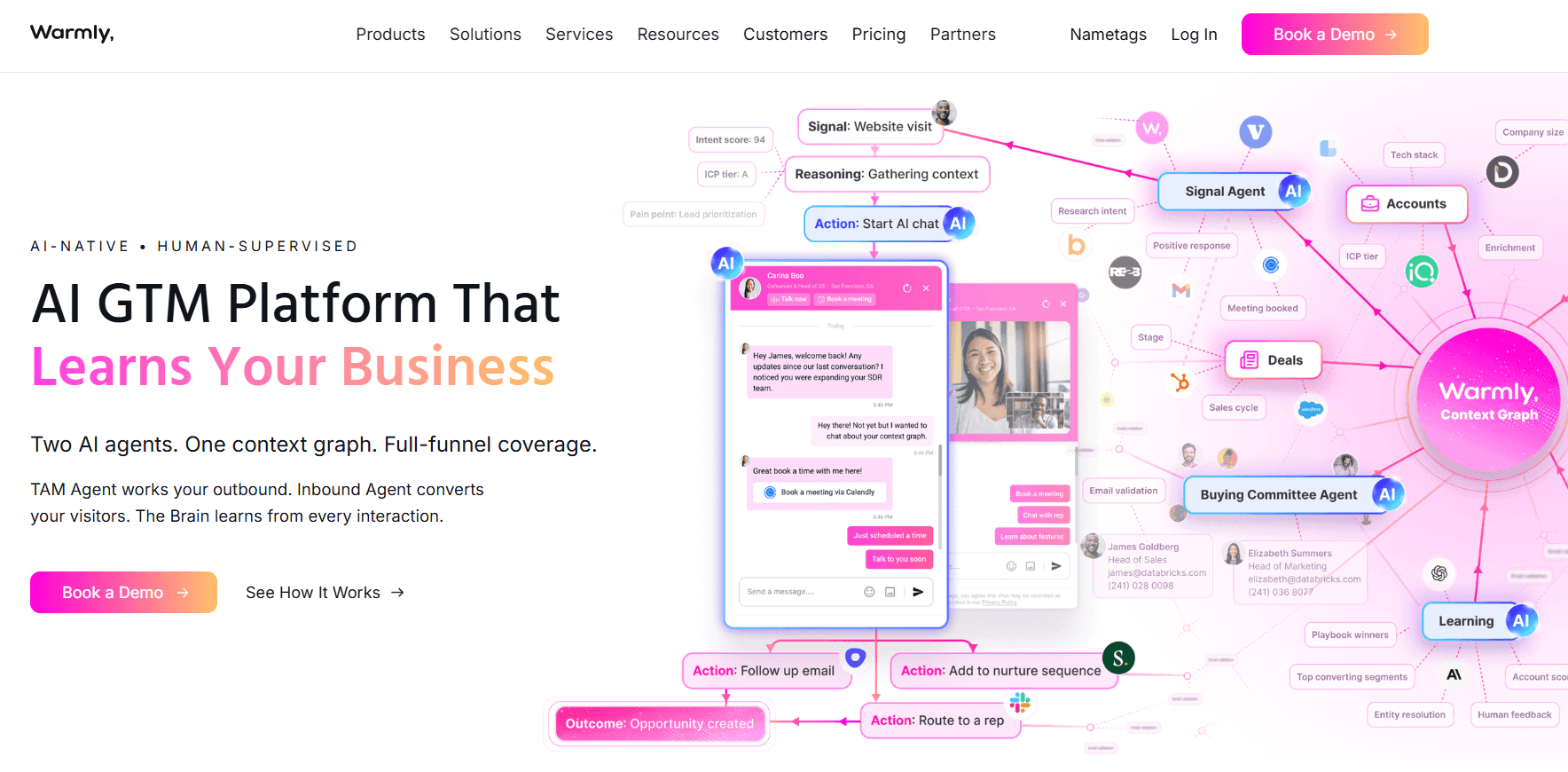
Warmly combines website visitor identification with live engagement. It detects intent signals and triggers on-site interactions, including chat and alerts.
The platform is designed to surface interest and prompt action. Engagement happens while visitors are active, not after the session ends.
Key features
Signal-based visitor identification at the account level
Intent signals based on behavior and firmographics
Live chat and conversational engagement tools
Workflow automation for routing and follow-up
Integrations with CRM and GTM tools
Warmly focuses on engagement orchestration. It relies on rules and workflows rather than autonomous qualification.
Pricing
Warmly pricing typically starts around $15,000 per year. Costs increase with traffic volume, features, and automation depth.
Pricing reflects its positioning as an engagement platform rather than a pure analytics tool.
User reviews
Users frequently highlight strong engagement capabilities and ease of triggering conversations.
Many appreciate the ability to act during high-intent moments.
Some users report inconsistent contact-level accuracy. Others point out higher costs for advanced features.
“Warmly delivers real-time visibility into visitor behavior and intent. Integrations help teams act fast, though identification accuracy and deeper analytics can be inconsistent.”
— Nour K., AI Evaluator
“Warmly makes it easy to engage high-intent visitors in real time. Alerts and integrations support faster outreach, but advanced features sit behind higher pricing tiers.”
— Nour K., AI Evaluator
When to use
Use Warmly if you want on-site engagement paired with visitor identification. It works well for teams comfortable managing workflows and chat rules.
It is less suited for teams seeking fully autonomous qualification or AI-led conversion without manual configuration.
6. Snitcher
Snitcher focuses on identifying companies that visit your website. It provides visibility into anonymous traffic without heavy setup or complex workflows.
The product is designed for teams that want awareness, not live engagement. It highlights which accounts are showing interest and how often they return.
Key features
Company-level visitor deanonymization
Real-time visit notifications
Account segmentation based on firmographics
Basic data enrichment for identified companies
CRM synchronization for sales visibility
Snitcher keeps functionality intentionally lightweight. It surfaces interest but does not automate qualification or outreach.
Pricing
Snitcher pricing typically starts around $49/month for up to 50 companies. Costs scale based on traffic volume and feature access.
This makes it one of the more affordable options in the category. Pricing is predictable for small and mid-sized teams.
User reviews
Users generally report solid company identification rates. Many appreciate the simple interface and fast setup.
Common feedback points to limited individual or contact-level details. Teams often need external tools for deeper enrichment or outreach.
“Snitcher reliably identifies visiting companies and highlights high-value accounts. The interface is clear and useful, though teams need discipline to filter large volumes of data.”
— Kamil B., Marketing Specialist
“Snitcher quickly turns anonymous traffic into actionable company insights. Alerts help prioritize real intent, but identification accuracy and advanced filtering can require manual effort.”
— Diogo F., Consultant
When to use
Use Snitcher if you want cost-efficient visibility into which companies visit your site. It works well for outbound research, account awareness, and manual follow-up.
It is less suited for teams looking for real-time engagement, AI-led qualification, or automated meeting booking.
7. Vector
Vector provides basic website visitor identification with intent signals. It focuses on surfacing which companies and individuals are showing interest.
The platform is built for speed and simplicity. It helps teams understand early demand without a complex setup.
Key features
Company and person-level visitor identification
Basic contact and firmographic data
Intent prioritization based on page activity
CRM hooks for syncing identified accounts
Lightweight setup with minimal configuration
Vector emphasizes visibility over activation. It does not automate engagement or qualification.
Pricing
Paid plans are typically billed monthly and scale with usage and data depth.
This makes it accessible for startups and small teams. Pricing remains predictable at low volumes.
User reviews
Users frequently mention fast installation and ease of use. Many appreciate the ability to get insights without heavy onboarding.
Some reviews point to limited integrations and shallow enrichment. Teams often rely on external tools for deeper workflows.
“Vector delivers strong visitor intelligence at a much lower cost. Setup is fast, the UI is clean, and the team is highly responsive, though integrations are still expanding.”
— Brian H., Sales Director
“Vector combines visitor identification and contact data in one platform. It is quick to implement and supports outbound execution well, with more integrations expected over time.”
— Jeremy B., VP Growth
When to use
Use Vector if you want a free or low-cost way to test visitor identification. It fits early-stage teams exploring intent data.
It is less suitable for teams that need real-time engagement, advanced automation, or deep CRM orchestration.
8. Clearbit
Clearbit is primarily a data enrichment platform. Its Reveal module adds website deanonymization by identifying companies visiting your site.
The core value is data depth. Clearbit focuses on enriching records rather than driving live engagement.
Key features
Reveal module for company-level visitor identification
Access to over 250 data sources
Firmographic, technographic, and contact enrichment
CRM enrichment and syncing workflows
API access for custom data pipelines
Clearbit excels at making existing records more complete. It does not automate conversations or qualification.
Pricing
Clearbit offers a free tier with limited usage. Paid plans use a credit-based model.
Costs scale with enrichment volume and API usage. Pricing remains transparent for small teams.
User reviews
Users consistently praise CRM enrichment quality. Many rely on Clearbit to keep account and contact records accurate.
Some reviews note variability in identity depth, especially for smaller companies.
“Clearbit makes lead enrichment fast and easy, with a clean interface and strong CRM integrations. Some contact and title data can be outdated or inaccurate at times.”
— Senior International Business Development Specialist
“Clearbit delivers rich firmographic and contact data that improves targeting and reduces manual research. Pricing and advanced features can be restrictive for smaller teams.”
— Jyoti H., Senior International Business Development Specialist
When to use
Use Clearbit when enrichment is your priority. It fits teams that want cleaner CRM data plus basic deanonymization.
It is less suitable for teams seeking real-time engagement, automated qualification, or meeting booking.
9. Factors.ai
Factors.ai combines website visitor identification with account analytics and attribution. It helps teams understand which accounts visit, what they do, and how those visits influence pipeline.
The platform is built around insight and measurement. It focuses on mapping journeys rather than driving real-time engagement.
Key features
Company-level visitor identification
Multi-touch attribution across channels
Account and journey mapping
Campaign and content performance tracking
CRM synchronization for pipeline analysis
Factors.ai excels at showing how marketing efforts contribute to revenue. It does not activate visitors during the session.
Pricing
Factors.ai offers a free plan with limited features. Paid plans scale based on attribution depth, data volume, and integrations.
Pricing grows as teams move toward advanced analytics and reporting. It is positioned as a flexible entry point for attribution.
User reviews
Users consistently highlight strong analytics and clear attribution reporting. Many value the visibility into account journeys and campaign impact.
Some reviews note limited person-level identification. Others mention that insights require manual action to influence conversion.
“Factors.ai delivers clear audience and account insights with an intuitive interface. Integrations work smoothly, though person-level identification can be limited when data is unavailable.”
— Deepak S., Manager
“Factors.ai offers cost-effective attribution with a clean user experience. Account-level analysis is strong, but ad impression timing across channels can be unclear.”
— Gokul S., Senior Growth Marketer
When to use
Use Factors.ai if your priority is understanding traffic and attribution. It works well for marketing teams focused on performance analysis and reporting.
It is less suited for teams seeking real-time engagement, visitor qualification, or automated meeting booking.
10. ZoomInfo
ZoomInfo is a broad sales intelligence platform with visitor identification as an add-on. It combines website signals with one of the largest B2B contact databases.
The platform is built for scale. It supports outbound, ABM, and RevOps workflows across large teams.
Key features
Massive global contact and company database
Website visitor identification through integrations
Intent data based on research behavior and topics
Advanced search, filtering, and segmentation
Workflow automation for sales and marketing teams
CRM and sales engagement tool integrations
ZoomInfo excels at data access and distribution. It does not focus on real time website engagement.
Pricing
ZoomInfo uses custom enterprise pricing. Costs are typically high and scale with seats, data access, and add-ons.
Pricing is best suited for large organizations with dedicated sales operations teams.
User reviews
Users consistently praise the depth and breadth of contact data. Many rely on ZoomInfo as a core outbound data source.
Common concerns include cost and contract rigidity. Some teams also note data freshness issues at the contact level.
“ZoomInfo makes it easy to find the right decision-makers and spot in-market accounts. Predictive signals are useful, though the newer interface can feel restrictive when reviewing large contact lists.”
— Kate H., Enterprise User
“ZoomInfo delivers high-quality data that speeds up prospecting and list building. Integrations are smooth, but contact accuracy can vary for niche roles or smaller companies.”
— Prajwal B., Consultant
When to use
Use ZoomInfo if you run an enterprise GTM motion with large outbound teams.
It fits organizations that prioritize data volume and coverage. It is less suitable for teams focused on inbound conversion or real-time website engagement.
How to Choose The Best Website Deanonymization Tool
Choosing the right deanonymization tool starts with clarity on outcomes. Not every platform is built to convert.
Some tools focus on insight. Others focus on action. The gap between the two is significant.
If your goal is immediate pipeline creation
Prioritize tools that engage visitors during the session.
Breakout and Warmly are built for real-time engagement. They qualify visitors, trigger conversations, and route meetings while intent is still high.
This approach suits teams that cannot afford a delayed follow-up.
If your priority is understanding account-level intent
Look toward ABM-focused platforms. 6sense and ZoomInfo specialize in intent signals and account prioritization.
These tools help teams plan outreach and forecast demand. They are better for strategy than instant conversion.
If you are in an early testing phase or working with a limited budget
Simpler tools make sense. Leadfeeder, Snitcher, and Vector offer affordable company-level visibility.
These platforms surface interest but rely on manual follow-up. They help teams learn before scaling.
If your focus is analytics and attribution
Choose a measurement-first platform.
Factors.ai is designed to explain traffic sources, account journeys, and campaign impact. It informs decisions but does not act on visitors directly.
If you only need basic visibility and alerts
Lightweight tools can be enough.
RB2B provides simple lists and real-time notifications. Conversion still depends on manual outreach.
The right choice depends on speed. The faster you want interest to become pipeline, the more action your tool must take.
Move from Identification to Conversion with Breakout
Website deanonymization has become standard, but most teams still stop at visibility.
Knowing who visited your site is helpful, but it does not create pipeline on its own. Buyers make decisions while they are actively researching, not hours later when a sales team finally follows up.
Tools that only log activity or export lists leave revenue behind.
The real advantage goes to teams that engage prospects at the moment when intent is highest. Speed, not data volume, determines conversion.
Breakout is built for this shift.
Instead of collecting reports, Breakout qualifies visitors in real time, starts conversations automatically, and books meetings while the session is still live.
If your website already attracts the right accounts, it should do more than inform. It should convert. Stop collecting lists of missed opportunities.
Use Breakout to deanonymize and convert your traffic instantly. Book a Demo!
FAQs
1. What are website visitor identification tools, and why do B2B teams use them?
Website visitor identification tools help B2B teams uncover which companies or people visit their site.
They are used to surface hidden demand, prioritize accounts, and improve inbound performance. Some tools only provide post-visit visibility, while others enable engagement during the visit itself.
2. How is deanonymization different from intent data?
Deanonymization identifies visitors based on real behavior on your website. Intent data predicts buying interest using off-site signals.
Deanonymization is precise and immediate. Intent data is directional and long-term. Conversion-focused teams usually rely on deanonymization first.
3. Are website visitor identification tools privacy and GDPR compliant?
Most tools are compliant at the company level.
Person-level identification depends on how data is sourced, enriched, and activated.
Teams must ensure proper consent, transparency, and internal data handling before deploying these tools.
4. Do website visitor identification tools replace SDRs?
No. They reduce manual work and improve speed.
AI-led tools handle qualification and routing, allowing SDRs to focus on high-intent conversations instead of cold follow-ups.
5. Which website visitor identification tool is best for generating pipeline?
That depends on how fast you want to act. Tools that only log visits help with reporting. Action-first platforms convert demand.
If real-time engagement and meeting creation matter, Breakout stands out by turning identified visitors into qualified meetings during the session.